

How to set the shortcuts of the system navigation buttons on the Xiaomi 14T Pro?
Setting the shortcuts for the system navigation buttons on the Xiaomi 14T Pro allows you to personalize your navigation experience, enabling quicker access to frequently used APPs and functions. This customization improves efficiency by reducing the number of steps needed to perform common actions, enhances convenience, and provides flexibility in choosing between different navigation methods.
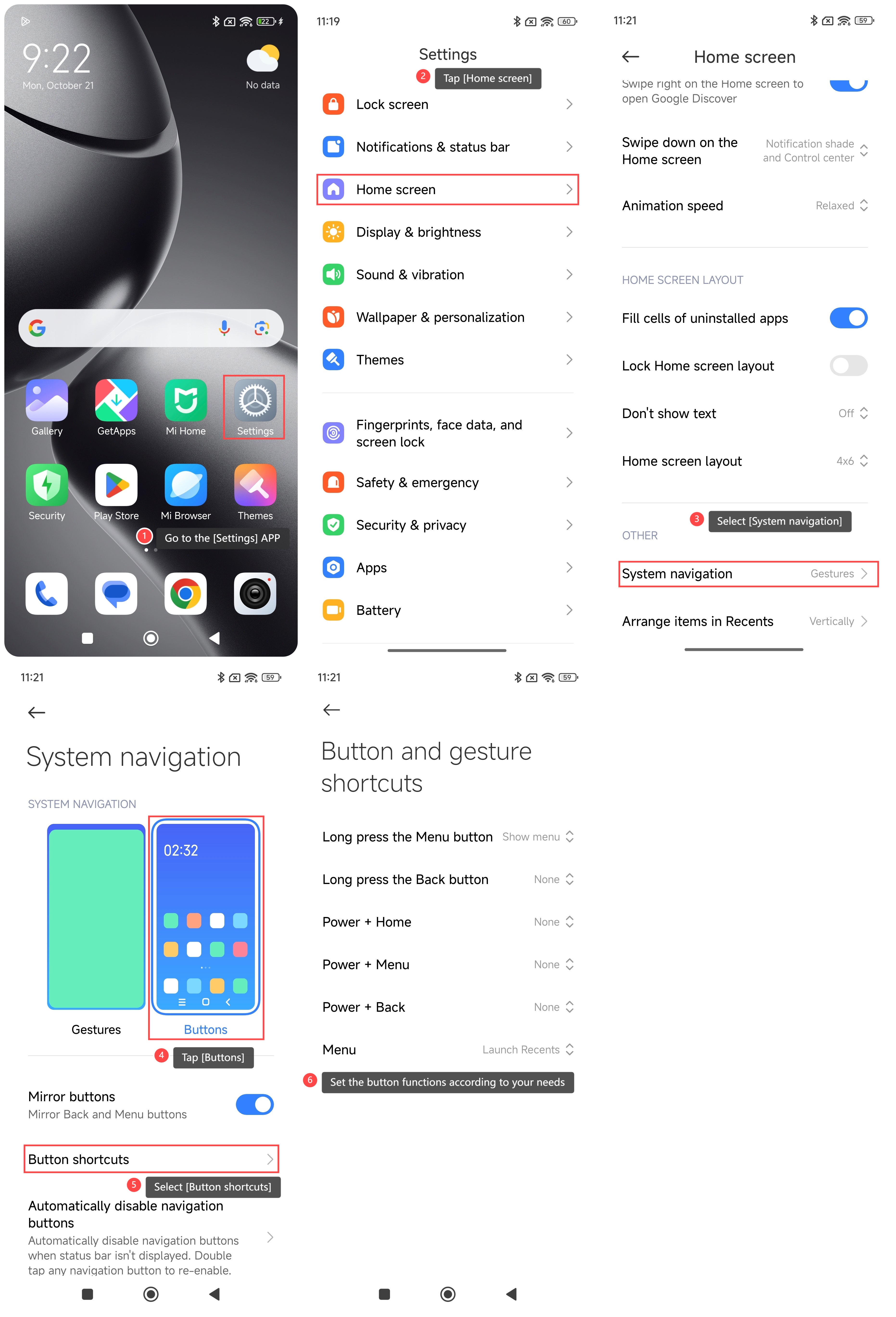
To set the shortcuts of the system navigation buttons on your phone, please refer to the following steps:
1. Go to the [Settings] APP on your phone;
2. Scroll down and tap [Home screen];
3. Select [System navigation];
4. Tap [Buttons];
5. Select [Button shortcuts];
6. Set the button functions according to your needs.
Note:
1. Make sure you understand the functions of each button so that you can configure them reasonably;
2. Check for system updates regularly to get the latest features and improvements.
To set the shortcuts of the system navigation buttons on your phone, please refer to the following steps:
1. Go to the [Settings] APP on your phone;
2. Scroll down and tap [Home screen];
3. Select [System navigation];
4. Tap [Buttons];
5. Select [Button shortcuts];
6. Set the button functions according to your needs.
Note:
1. Make sure you understand the functions of each button so that you can configure them reasonably;
2. Check for system updates regularly to get the latest features and improvements.
Does it help?
Yes
No