

How to save location information on photos shot by the Redmi 13C?
Saving location information in photos on the Redmi 13C allows you to organize photos by location. When sharing photos with friends or on social media, the location information helps provide context to your images, showing where the picture was taken. Knowing the exact location of where a photo was taken can add historical or contextual meaning to your image collection, especially for nature photography or documenting significant events.
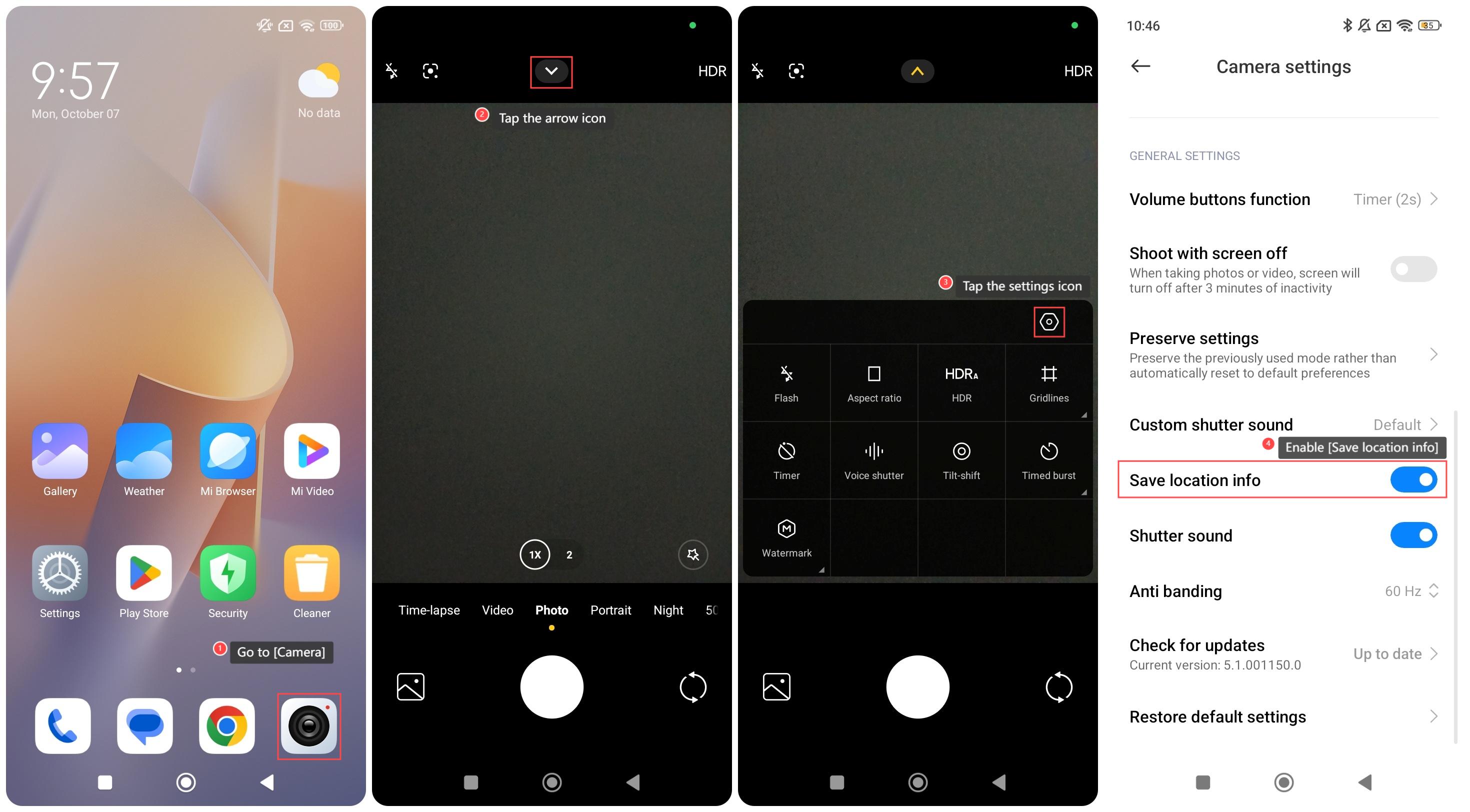
To save location on photos shot by your phone, please refer to the following steps:
1. Go to [Camera];
2. Tap the arrow icon;
3. Tap the settings icon;
4. Enable [Save location info].
To save location on photos shot by your phone, please refer to the following steps:
1. Go to [Camera];
2. Tap the arrow icon;
3. Tap the settings icon;
4. Enable [Save location info].
Does it help?
Yes
No