

How to shoot with the screen off on the Redmi 13C?
The Redmi 13C supports shooting with the screen off, which allows you to take photos or record videos without turning on or displaying anything on the screen. The screen is one of the most power-consuming components of a phone, so this can be beneficial when you're trying to save energy during prolonged shooting sessions. With the screen off, you can avoid accidental taps or changes in camera settings while shooting, ensuring that the focus remains on capturing the shot without unintended interruptions.
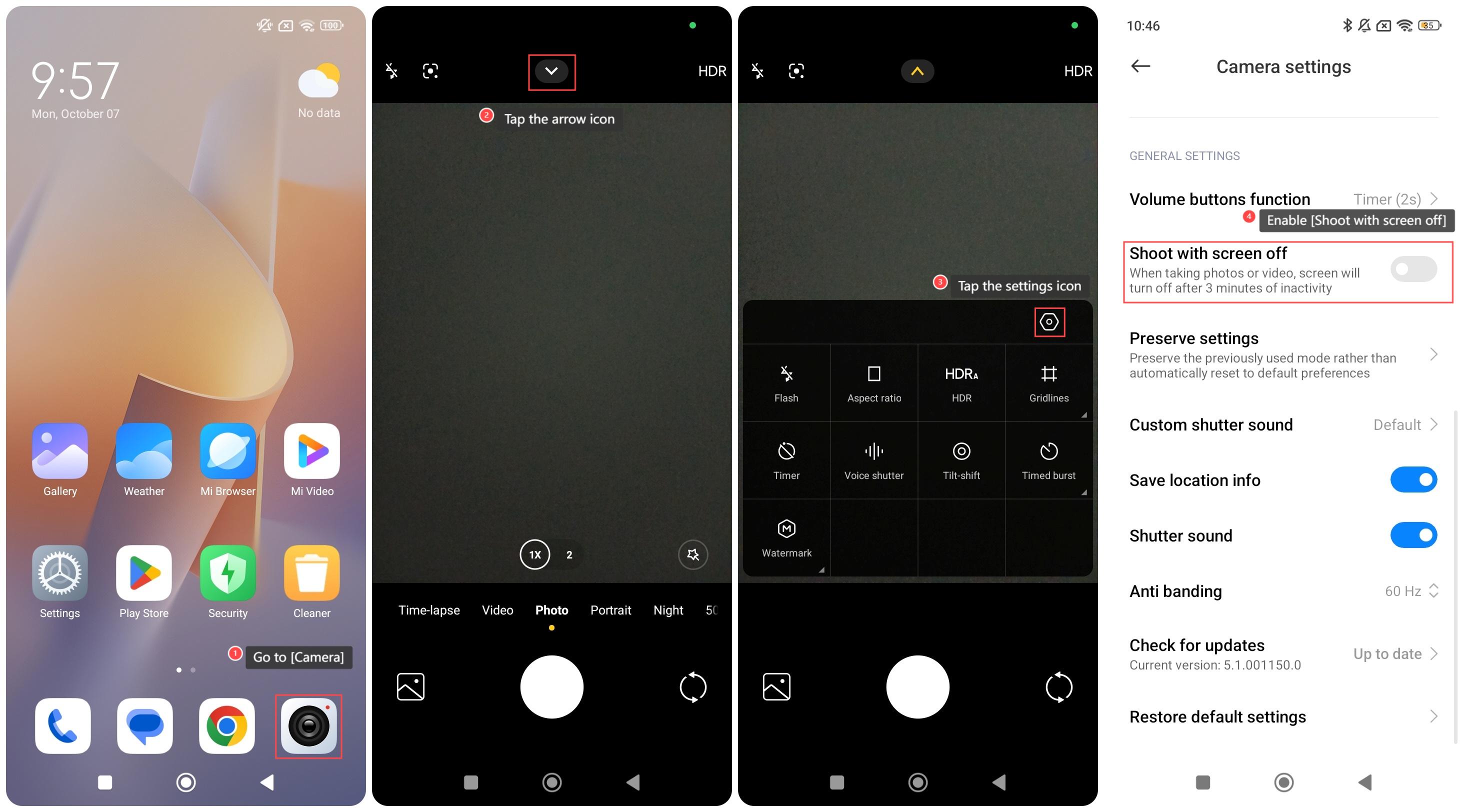
To shoot with the screen off on your phone, please refer to the following steps:
1. Go to [Camera];
2. Tap the arrow icon;
3. Tap the settings icon;
4. Swipe down to find and enable [Shoot with screen off].
To shoot with the screen off on your phone, please refer to the following steps:
1. Go to [Camera];
2. Tap the arrow icon;
3. Tap the settings icon;
4. Swipe down to find and enable [Shoot with screen off].
Does it help?
Yes
No