

How to use the APP drawer on the Redmi 13C?
The Redmi 13C supports applying the APP drawer, which provides a centralized location for all installed APPs, making them easy to find. You will be allowed to quickly search for APPs by name. You can often rearrange, hide, or create folders for APPs, tailoring the layout to your preference. Besides, you will be enabled faster access to frequently used APPs without cluttering the home screen.
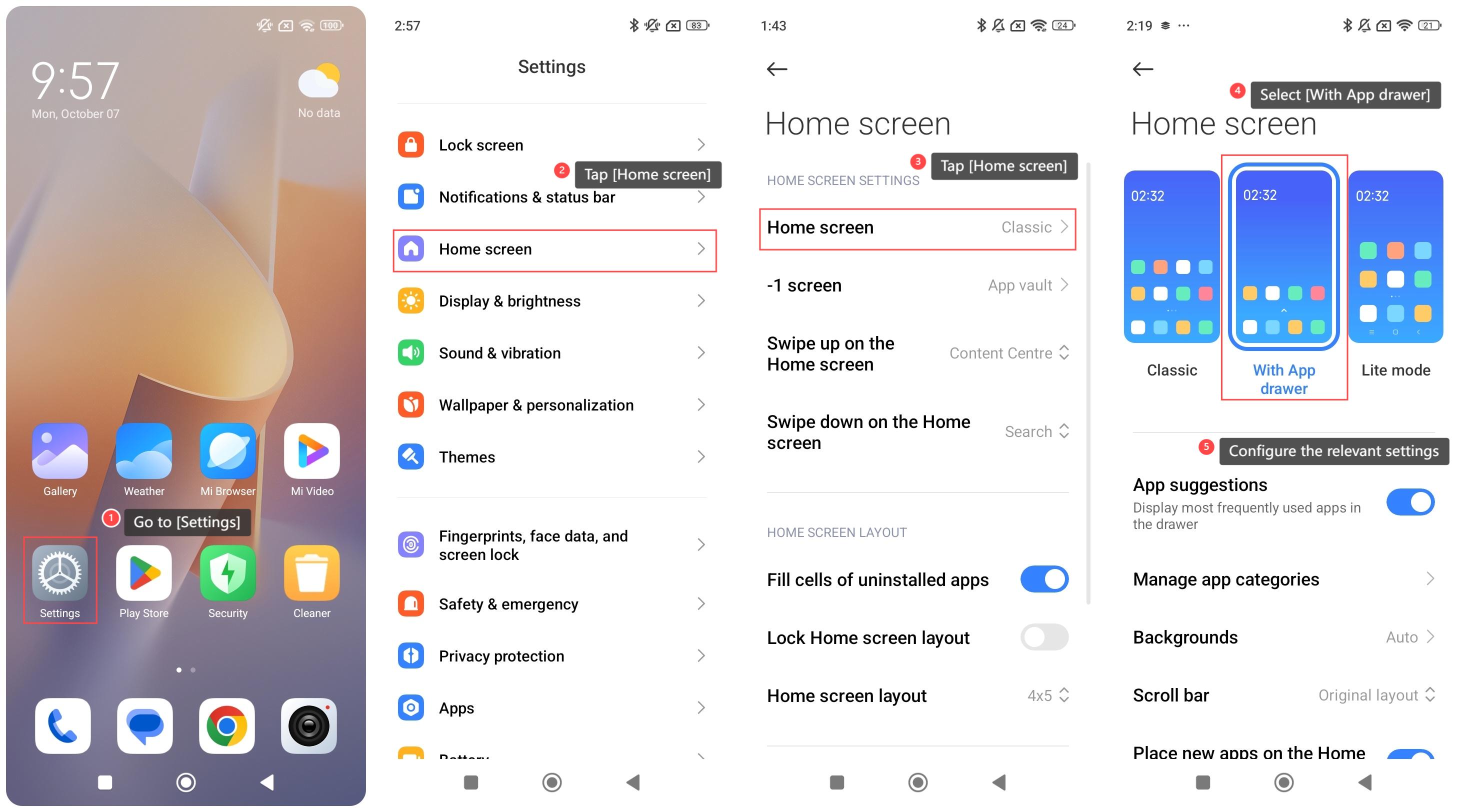
To enable the APP drawer on your phone, please refer to the following steps:
1. Go to [Settings];
2. Tap [Home screen];
3. Tap [Home screen];
4. Select [With App drawer];
5. You can configure the relevant settings.
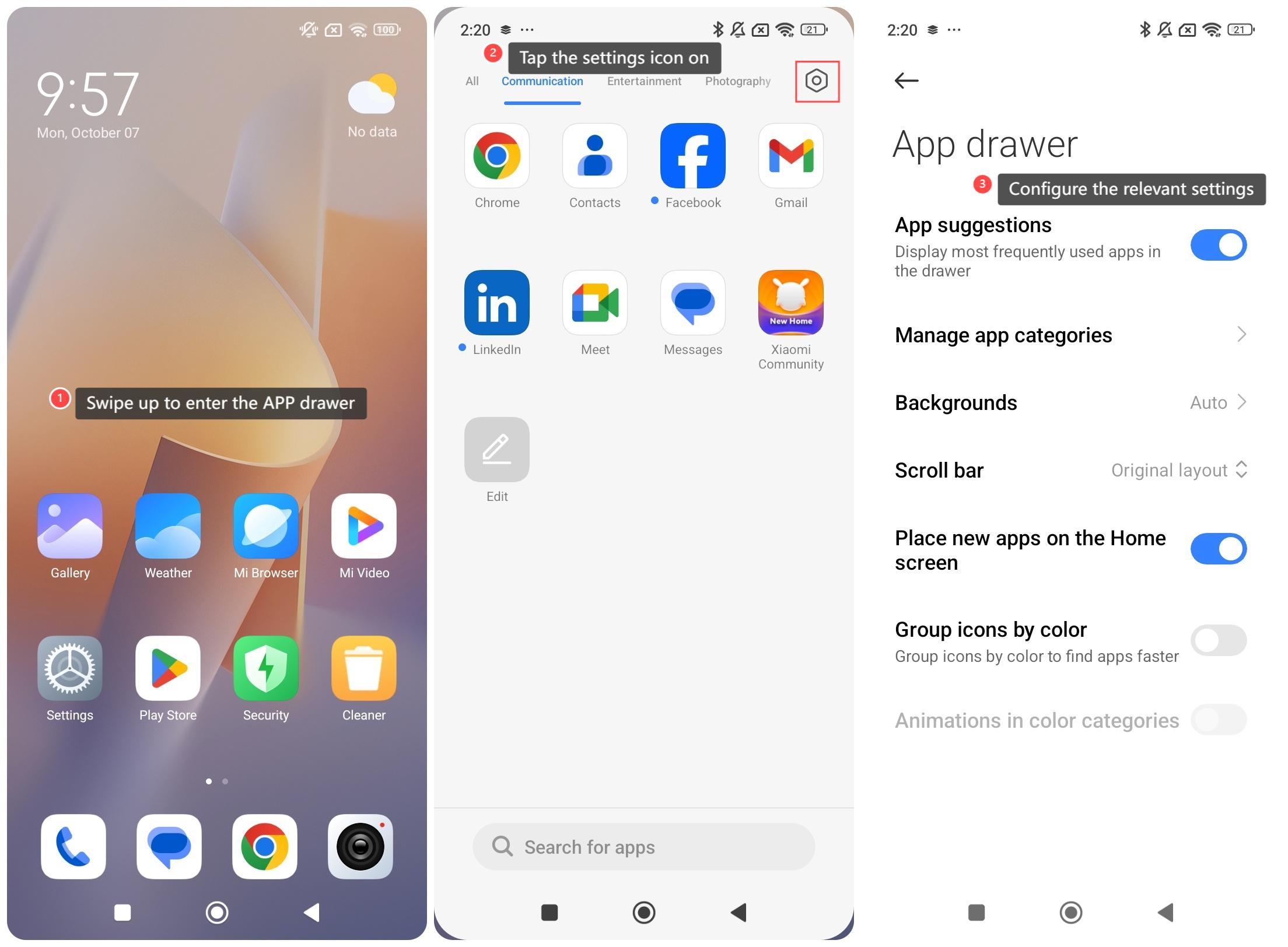
To use the APP drawer on your phone, please refer to the following steps:
1. Swipe up to enter the APP drawer;
2. Tap the settings icon on the right top of the screen;
3. You can configure the relevant settings.
To enable the APP drawer on your phone, please refer to the following steps:
1. Go to [Settings];
2. Tap [Home screen];
3. Tap [Home screen];
4. Select [With App drawer];
5. You can configure the relevant settings.
To use the APP drawer on your phone, please refer to the following steps:
1. Swipe up to enter the APP drawer;
2. Tap the settings icon on the right top of the screen;
3. You can configure the relevant settings.
Does it help?
Yes
No