

How to link the Xiaomi 14T Pro to Windows?
Linking the Xiaomi 14T Pro to Windows provides seamless access to notifications, calls, photos, and more directly on your PC. With this feature, your device can connect to your Microsoft account, allowing the selected content and capabilities to be accessible across Microsoft products and services. This means you can manage notifications and calls, view photos, and continue tasks effortlessly on any Windows device signed in with the same account, enhancing your productivity and workflow.
To link the Xiaomi 14T Pro to Windows, please refer to the following methods:
Method 1:
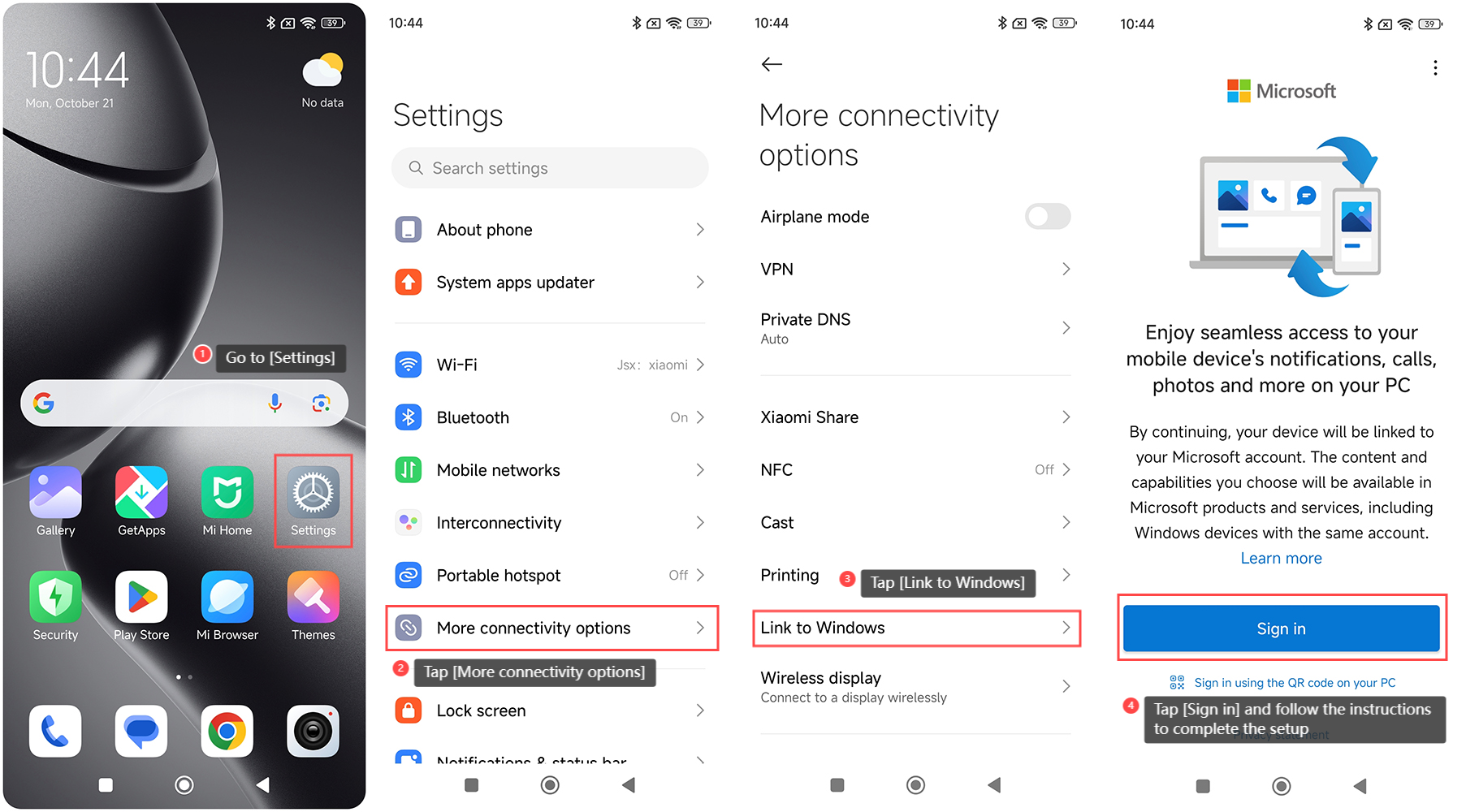
1. Go to [Settings] on your phone;
2. Tap [More connectivity options];
3. Tap [Link to Windows];
4. Tap [Sign in] and follow the instructions to complete the setup.
Method 2:
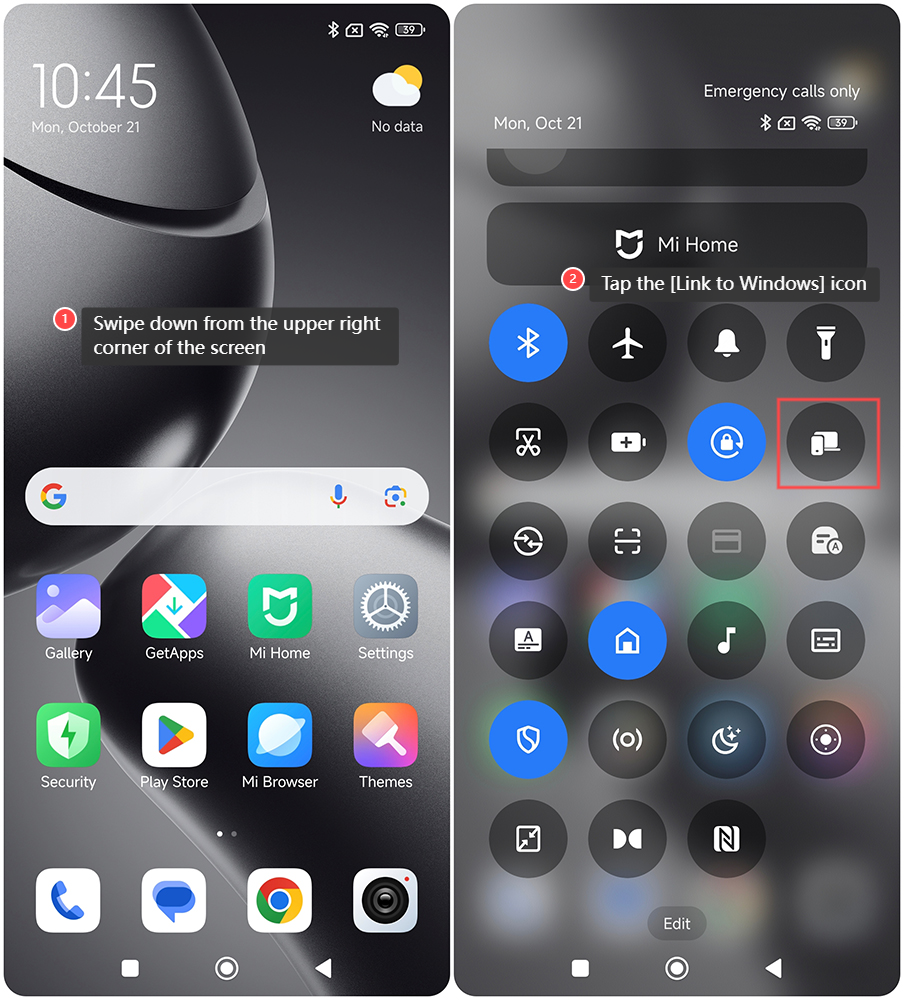
1. Swipe down from the upper right corner of the screen to enter the control center;
2. Tap the [Link to Windows] icon to use this feature.
To link the Xiaomi 14T Pro to Windows, please refer to the following methods:
Method 1:
1. Go to [Settings] on your phone;
2. Tap [More connectivity options];
3. Tap [Link to Windows];
4. Tap [Sign in] and follow the instructions to complete the setup.
Method 2:
1. Swipe down from the upper right corner of the screen to enter the control center;
2. Tap the [Link to Windows] icon to use this feature.
Does it help?
Yes
No