

How to use Enterprise mode on the Redmi 13C 5G?
Enterprise Mode on the Redmi 13C 5G is a feature aimed at businesses and organizations that enhances device security and management. This mode helps organizations maintain control over devices and protect important information.
To use Enterprise mode on your phone, please refer to the following steps:
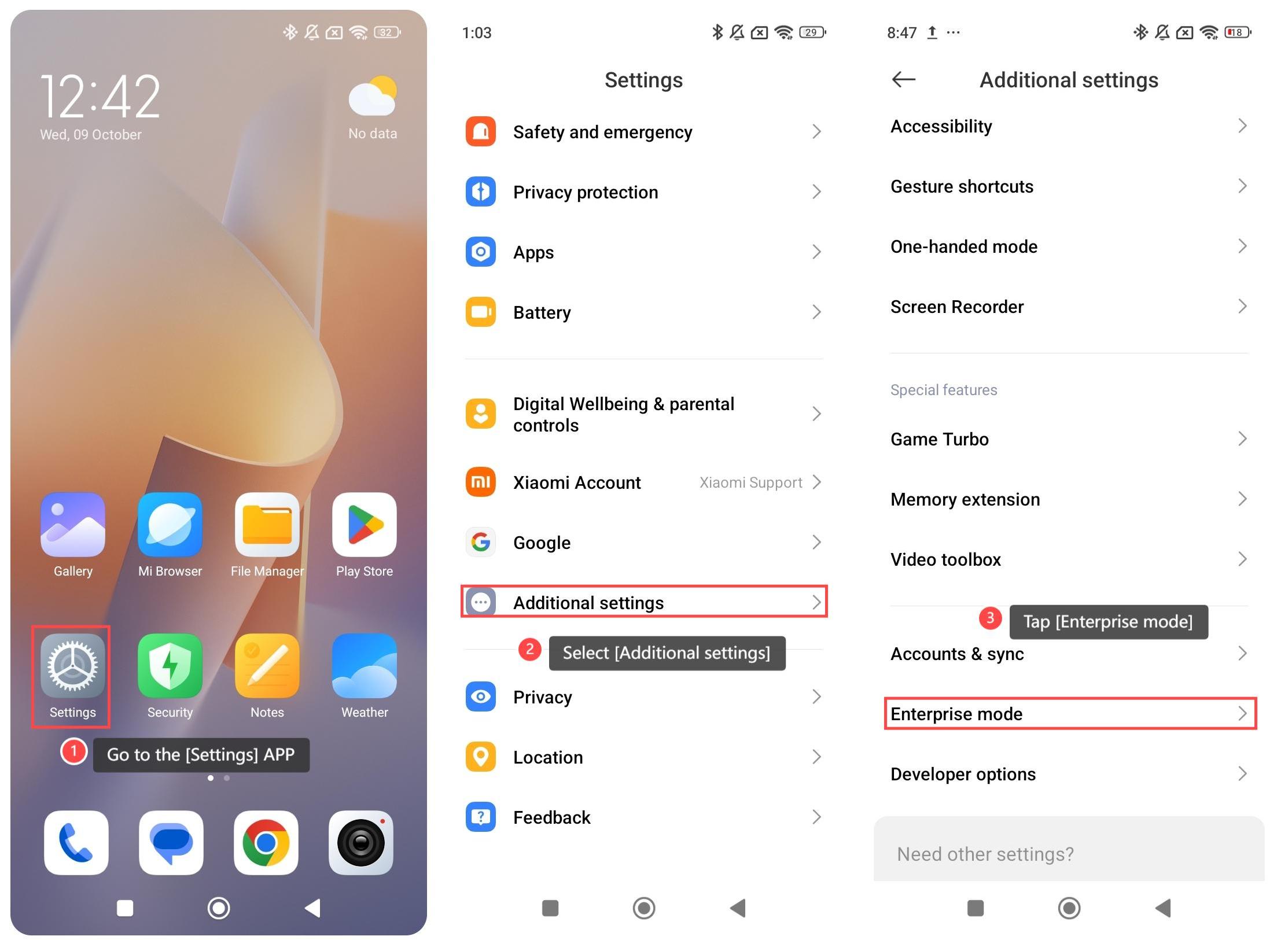
1. Go to the [Settings] APP on your phone;
2. Scroll down and select [Additional settings];
3. Tap [Enterprise mode];
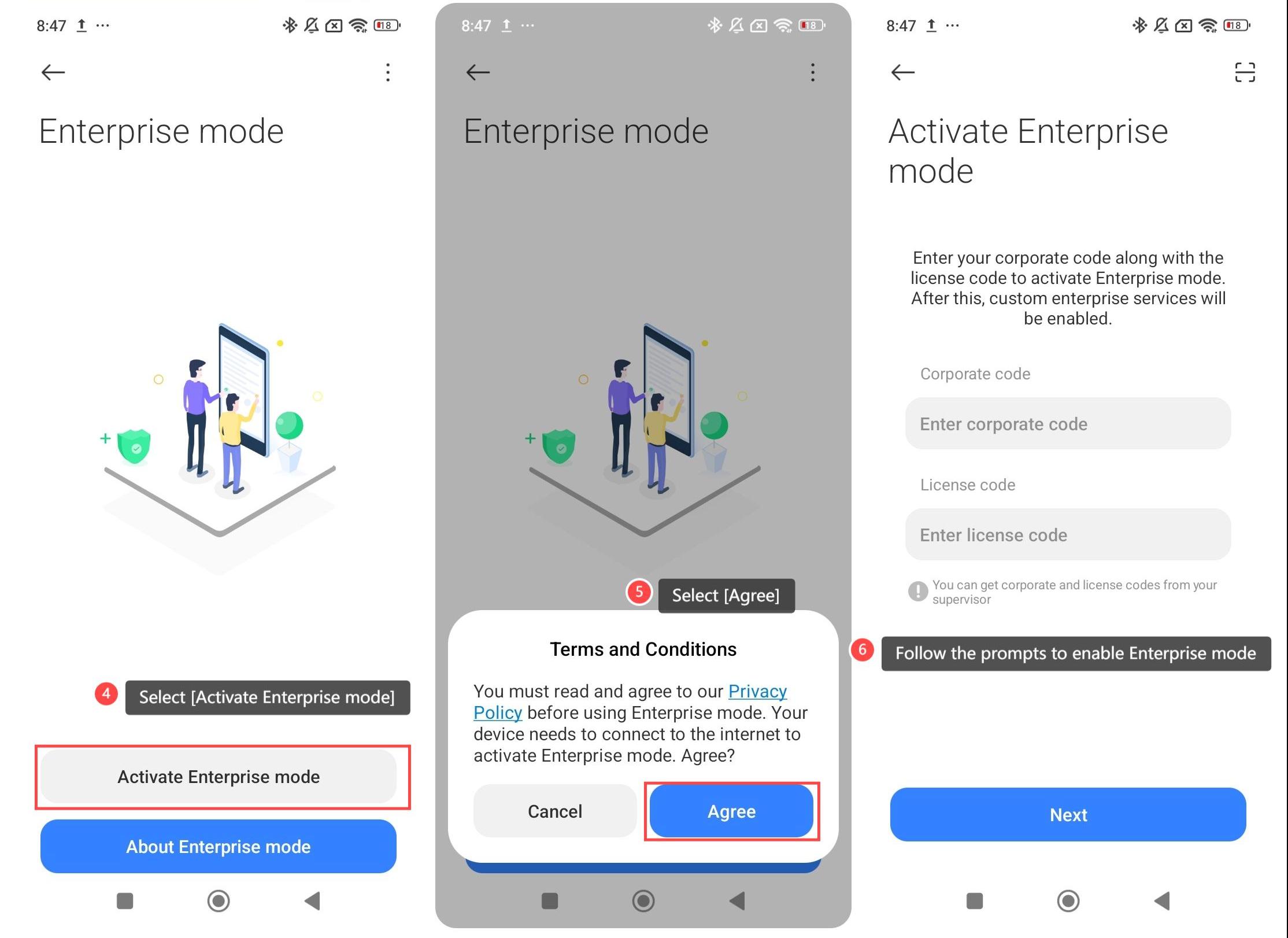
4. Select [Activate Enterprise mode];
5. Select [Agree];
6. Follow the prompts to enable Enterprise mode.
Note:
1. You need to set up a work profile to separate personal data and work data;
2. You need to enable security settings such as encryption and strong passwords;
3. The enterprise could restrict or install specific applications to ensure a safe working environment.
To use Enterprise mode on your phone, please refer to the following steps:
1. Go to the [Settings] APP on your phone;
2. Scroll down and select [Additional settings];
3. Tap [Enterprise mode];
4. Select [Activate Enterprise mode];
5. Select [Agree];
6. Follow the prompts to enable Enterprise mode.
Note:
1. You need to set up a work profile to separate personal data and work data;
2. You need to enable security settings such as encryption and strong passwords;
3. The enterprise could restrict or install specific applications to ensure a safe working environment.
Does it help?
Yes
No