

How to enable Ultra battery saver on the Redmi 13C?
The Ultra battery saver mode on the Redmi 13C is a power-saving feature designed to significantly extend battery life when the phone is running low on power. When activated, it limits background processes, reduces performance, disables non-essential features, and the phone will automatically switch to Dark mode. This helps prolong the phone's battery life by prioritizing only the most necessary tasks, allowing your device to last longer in critical situations.
To enable Ultra battery saver on the Redmi 13C, please refer to the following methods:
Method 1:
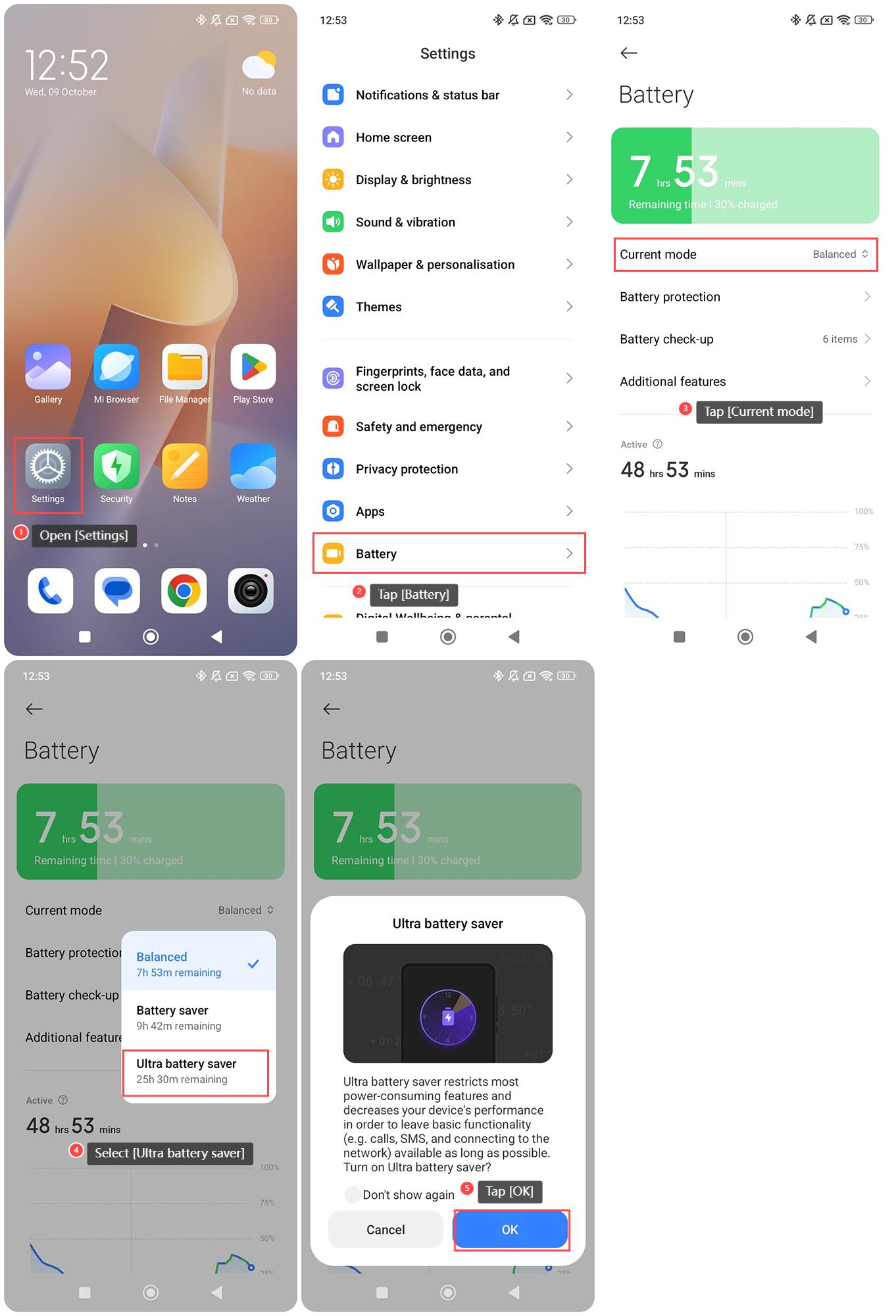
1. Open [Settings] on your phone;
2. Tap [Battery];
3. Tap [Current mode];
4. Select [Ultra battery saver];
5. Tap [OK].
Method 2:
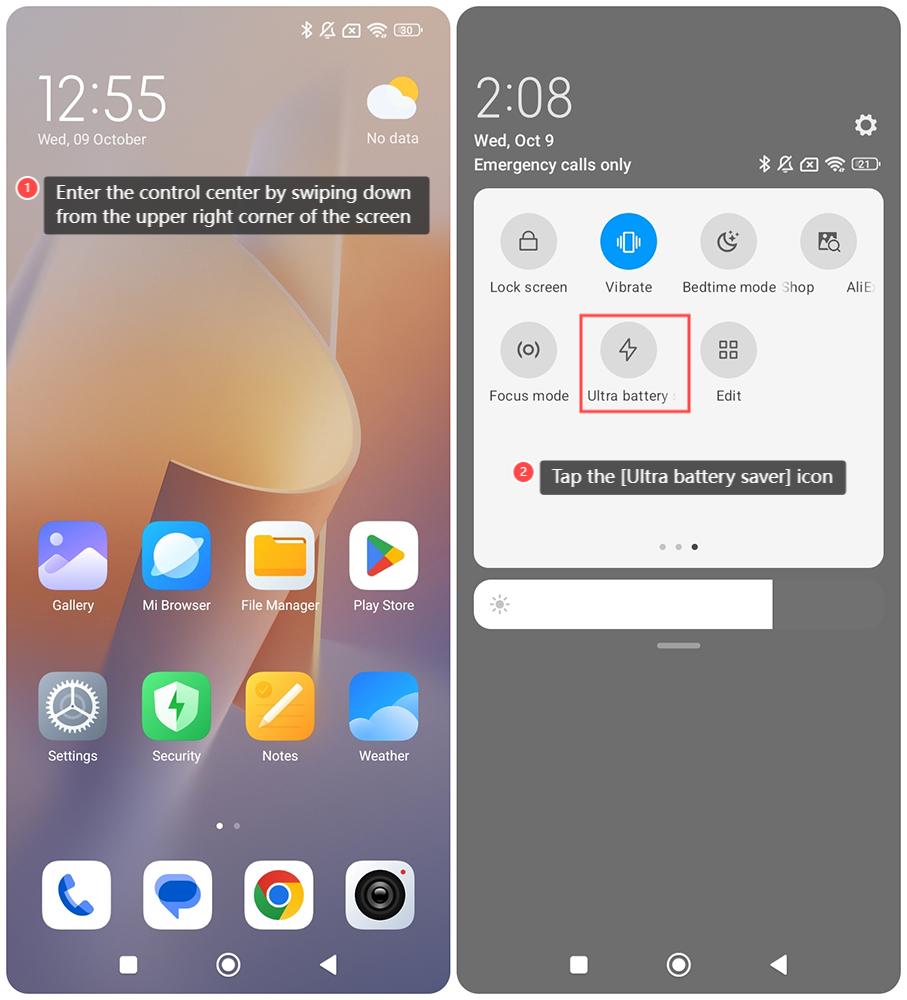
1. Enter the control center by swiping down from the upper right corner of the screen;
2. Tap the [Ultra battery saver] icon.
To enable Ultra battery saver on the Redmi 13C, please refer to the following methods:
Method 1:
1. Open [Settings] on your phone;
2. Tap [Battery];
3. Tap [Current mode];
4. Select [Ultra battery saver];
5. Tap [OK].
Method 2:
1. Enter the control center by swiping down from the upper right corner of the screen;
2. Tap the [Ultra battery saver] icon.
Does it help?
Yes
No