

How to enable the Emergency Location Service on the Redmi 13C?
The Emergency Location Service is a built-in feature on the Redmi 13C that automatically sends your device's location and essential information to emergency responders when you call or text an emergency number. This service can utilize Google Location Accuracy to provide the most precise location, even if those settings are off.
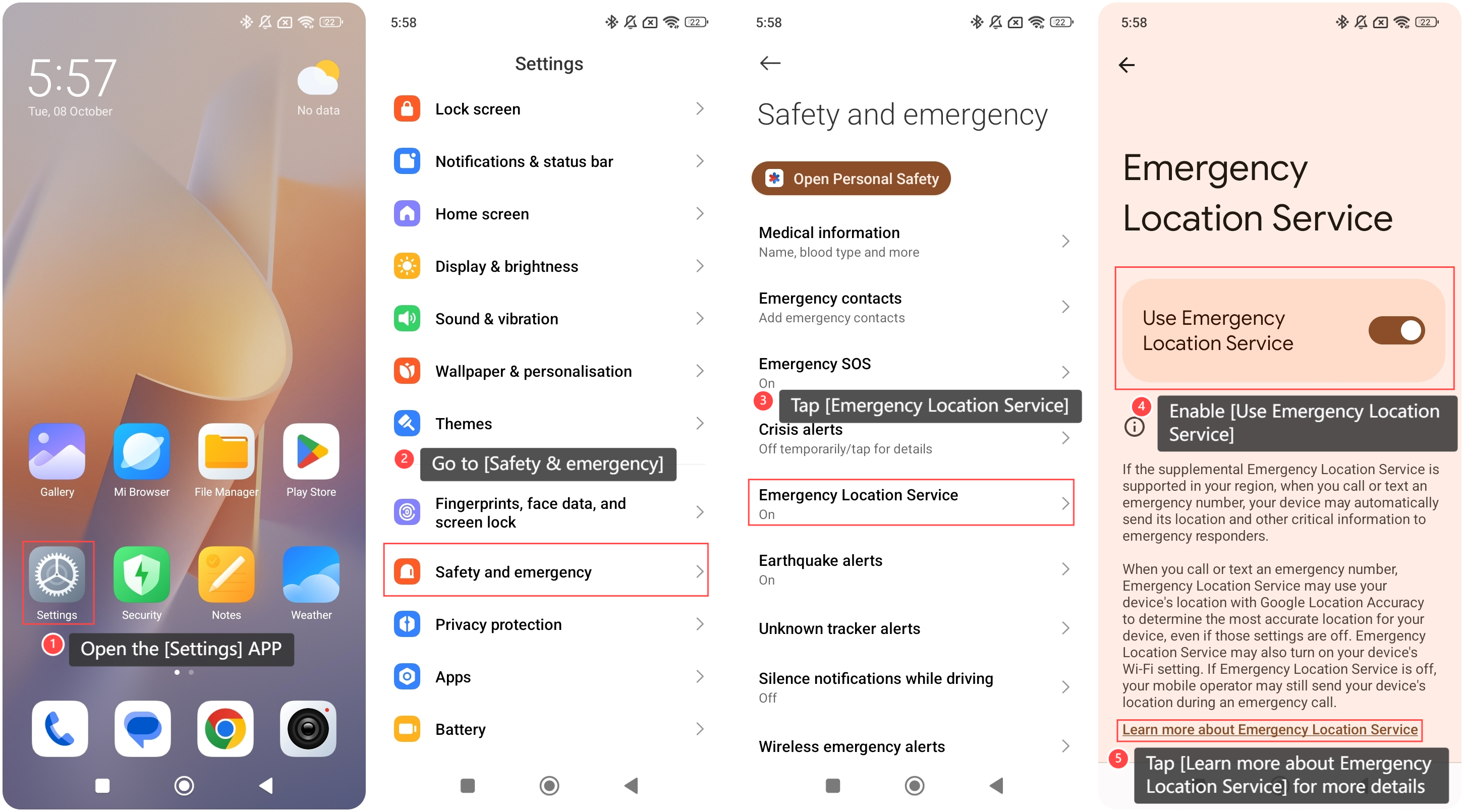
To enable the Emergency Location Service on the phone, please refer to the following steps:
1. Open the [Settings] APP on your phone;
2. Go to [Safety & emergency];
3. Tap [Emergency Location Service];
4. Enable [Use Emergency Location Service];
5. You can also tap [Learn more about Emergency Location Service] for more details.
To enable the Emergency Location Service on the phone, please refer to the following steps:
1. Open the [Settings] APP on your phone;
2. Go to [Safety & emergency];
3. Tap [Emergency Location Service];
4. Enable [Use Emergency Location Service];
5. You can also tap [Learn more about Emergency Location Service] for more details.
Note:
1. This feature can enable your phone's Wi-Fi setting to enhance location accuracy;
2. If the Emergency Location Service is turned off, your mobile carrier can still send your phone's location during an emergency call.
1. This feature can enable your phone's Wi-Fi setting to enhance location accuracy;
2. If the Emergency Location Service is turned off, your mobile carrier can still send your phone's location during an emergency call.
Does it help?
Yes
No