

How to pin APPs in Recents on the Redmi 13C?
The Redmi 13C supports pinning APPs in Recents, which can satisfy your using habits of APPs. With the help of this function, the selected APP will be pinned to protect your privacy and avoid data leakage.
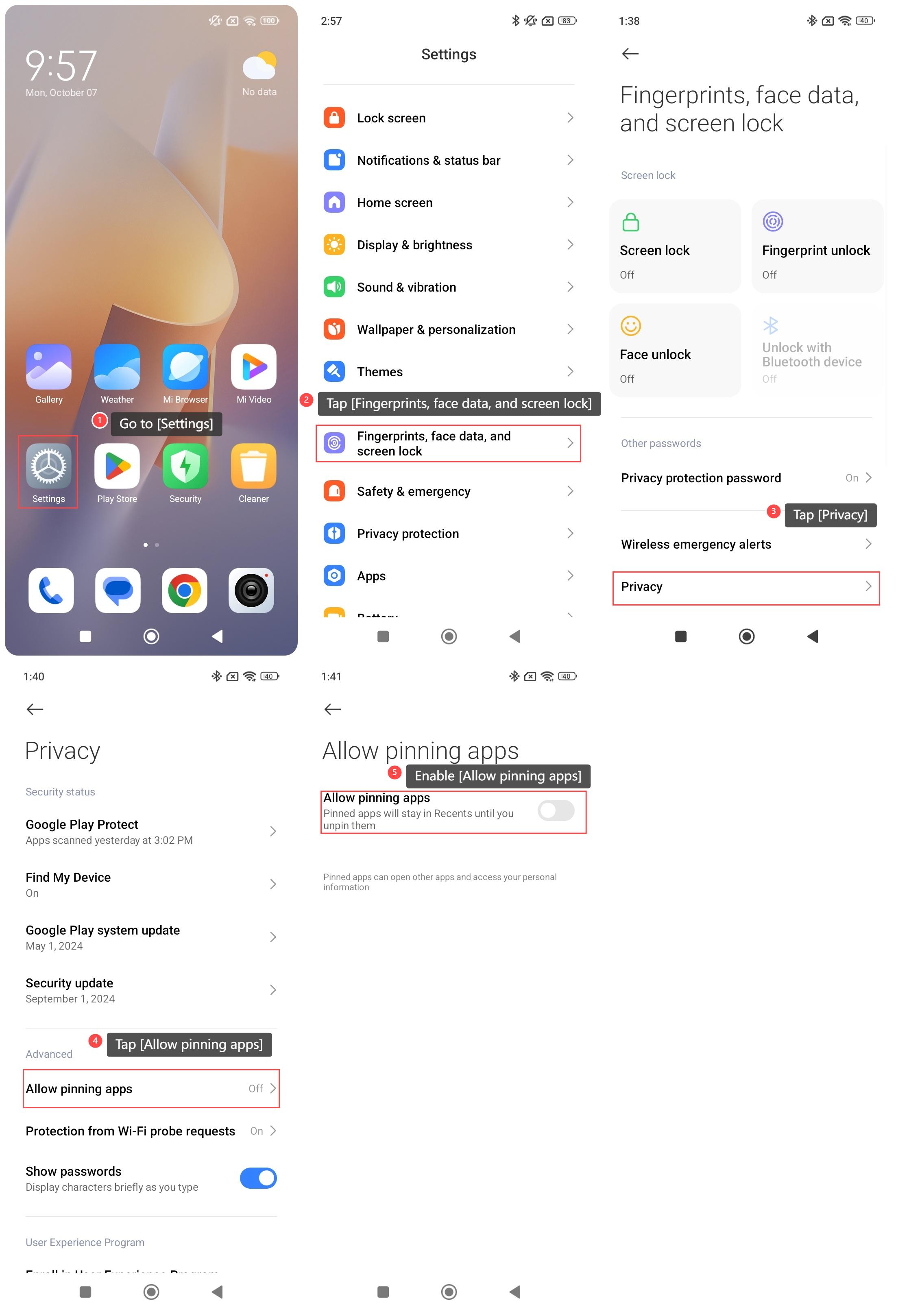
To configure the function of pinning APPs in Recents on your phone, please refer to the following steps:
1. Go to [Settings];
2. Tap [Fingerprints, face data, and screen lock];
3. Tap [Privacy];
4. Tap [Allow pinning apps];
5. Enable [Allow pinning apps].
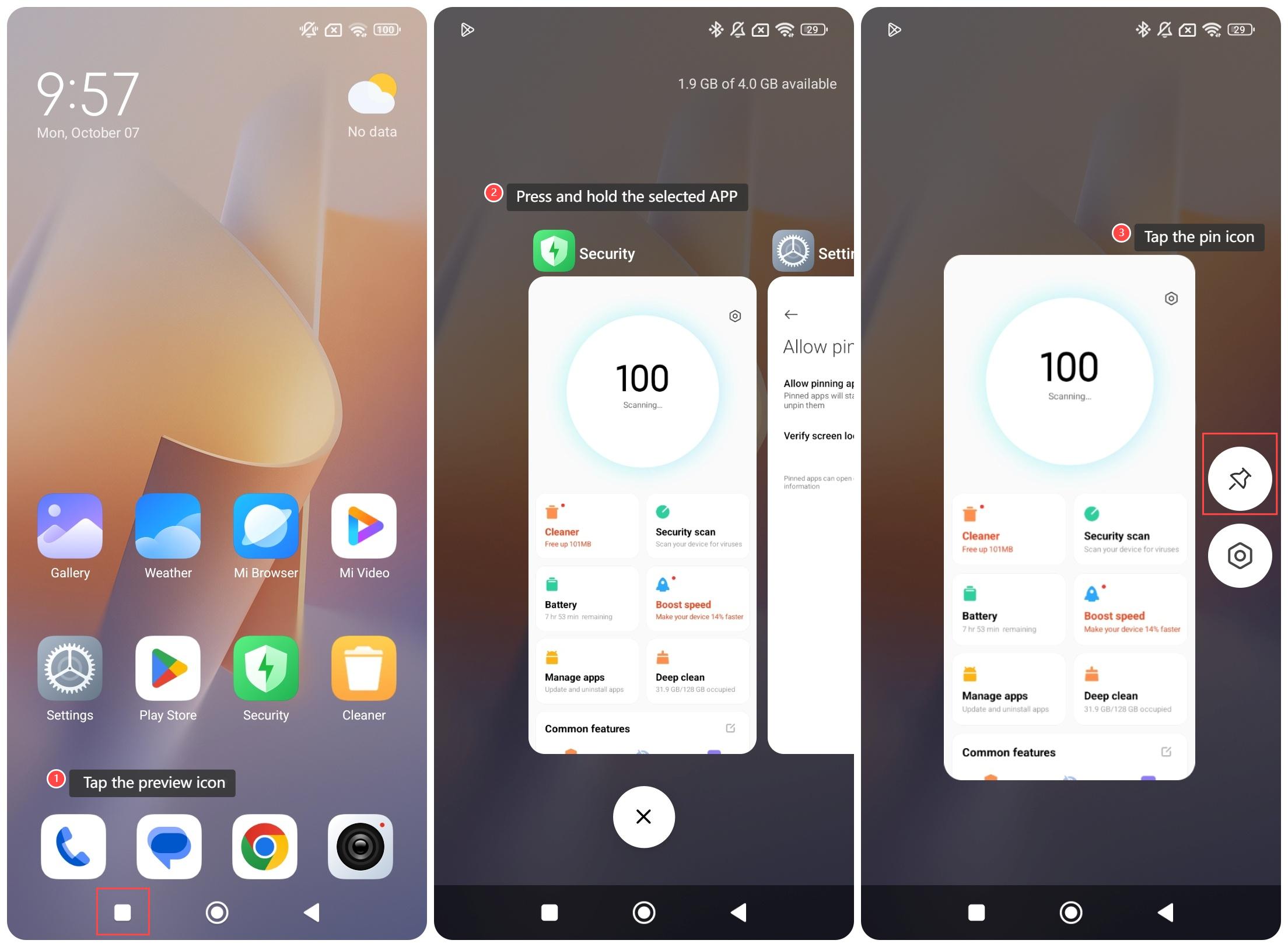
To pin APPs in Recents on your phone, please refer to the following steps:
1. Tap the preview icon to enter the Recents interface;
2. Press and hold the selected APP;
3. Tap the pin icon to pin the selected APP.
Note:
1. Pinned APPs can access your personal information and open other APPs;
2. Use this feature with caution while sharing this device with others;
3. The pinned APP will stay in Recents until you unpin it by pressing and holding the back and preview buttons.
To configure the function of pinning APPs in Recents on your phone, please refer to the following steps:
1. Go to [Settings];
2. Tap [Fingerprints, face data, and screen lock];
3. Tap [Privacy];
4. Tap [Allow pinning apps];
5. Enable [Allow pinning apps].
To pin APPs in Recents on your phone, please refer to the following steps:
1. Tap the preview icon to enter the Recents interface;
2. Press and hold the selected APP;
3. Tap the pin icon to pin the selected APP.
Note:
1. Pinned APPs can access your personal information and open other APPs;
2. Use this feature with caution while sharing this device with others;
3. The pinned APP will stay in Recents until you unpin it by pressing and holding the back and preview buttons.
Does it help?
Yes
No