

How to adjust font settings on the Redmi 13C?
The Redmi 13C supports adjusting font settings, which can make you choose fonts that reflect your personal style, making your phone more unique. Adjusting font settings can reduce eye strain, especially if the default font is too small or difficult to read. A well-chosen font can help you concentrate better on the content, reducing distractions from the interface.
To adjust the font settings on your phone, please refer to the following methods:
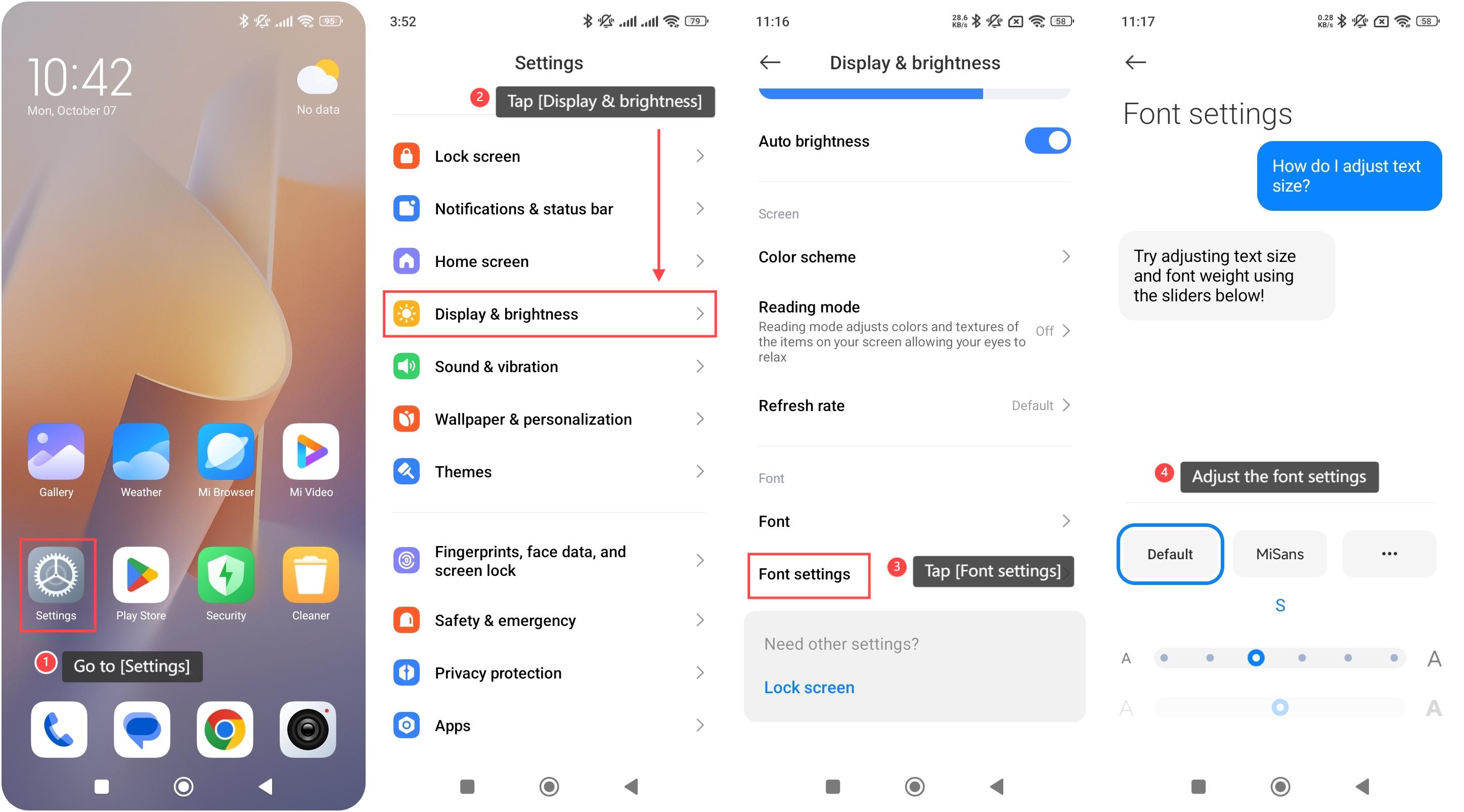
Method 1:
1. Go to [Settings];
2. Tap [Display & brightness];
3. Tap [Font settings];
4. You can adjust the font settings according to your preference.
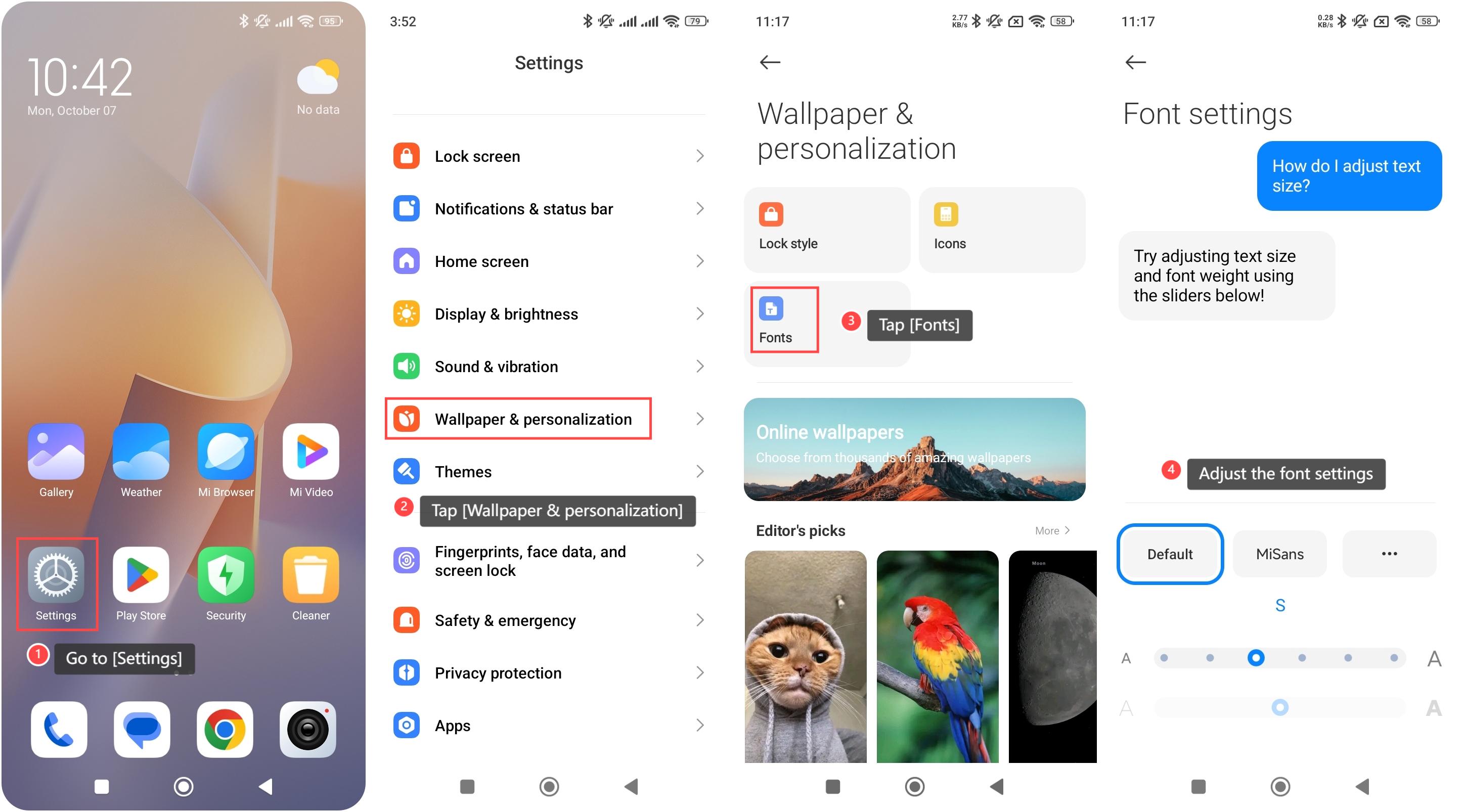
Method 2:
1. Go to [Settings];
2. Tap [Wallpaper & personalization];
3. Tap [Fonts];
4. You can adjust the font settings according to your preference.
To adjust the font settings on your phone, please refer to the following methods:
Method 1:
1. Go to [Settings];
2. Tap [Display & brightness];
3. Tap [Font settings];
4. You can adjust the font settings according to your preference.
Method 2:
1. Go to [Settings];
2. Tap [Wallpaper & personalization];
3. Tap [Fonts];
4. You can adjust the font settings according to your preference.
Does it help?
Yes
No