

How to select a ringtone for the calendar on the Redmi 13C?
The ringtone for the calendar on the Redmi 13C can be customized through settings. You can choose a default sound or set a personalized tone for event reminders. The advantage of customizing this ringtone is that it helps you easily distinguish calendar alerts from other notifications, ensuring you don't miss important meetings or events. It adds a personal touch and enhances organization and time management.
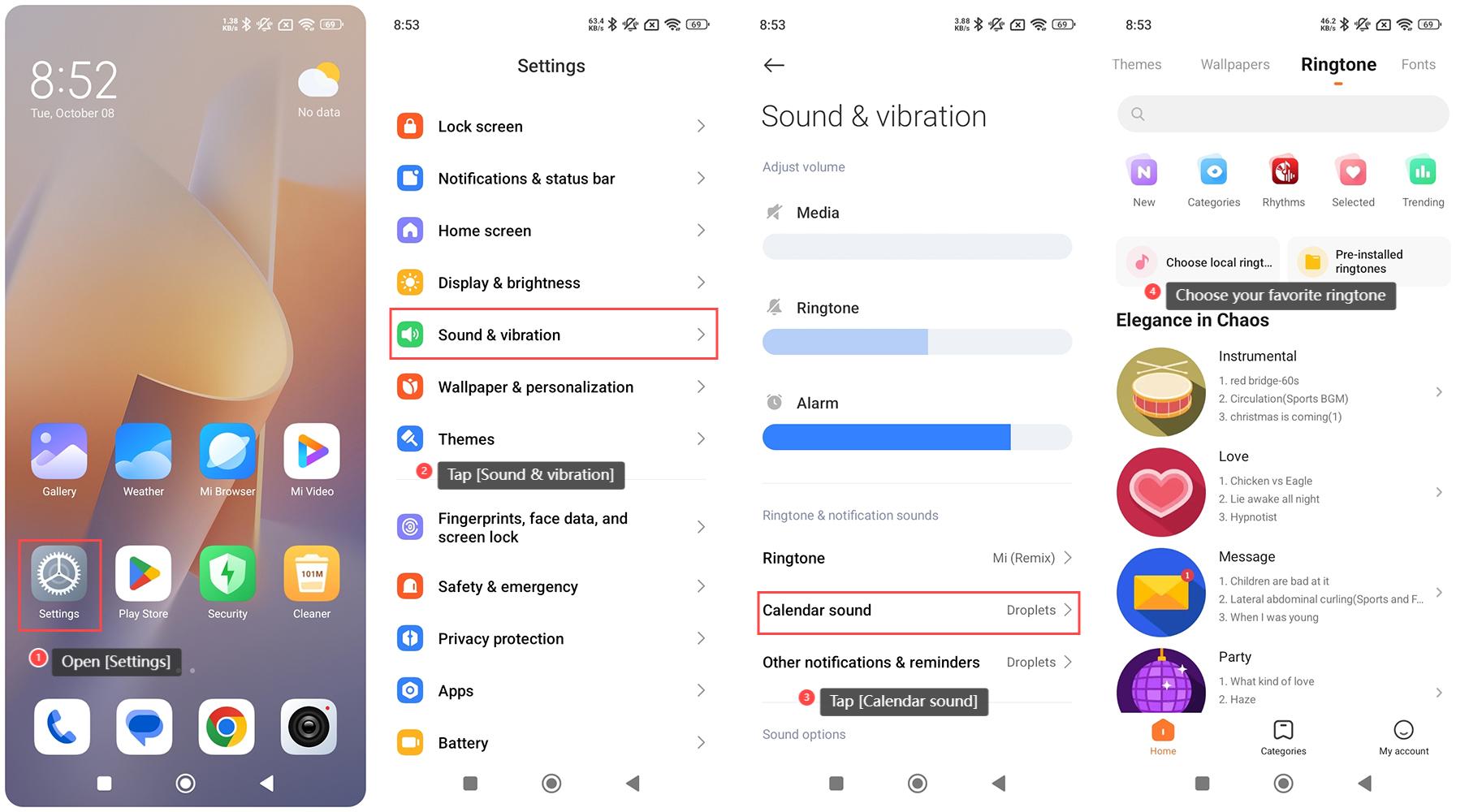
To select a ringtone for the calendar on the Redmi 13C, please refer to the following steps:
1. Open [Settings] on your phone;
2. Tap [Sound & vibration];
3. Tap [Calendar sound];
4. Choose your favorite ringtone.
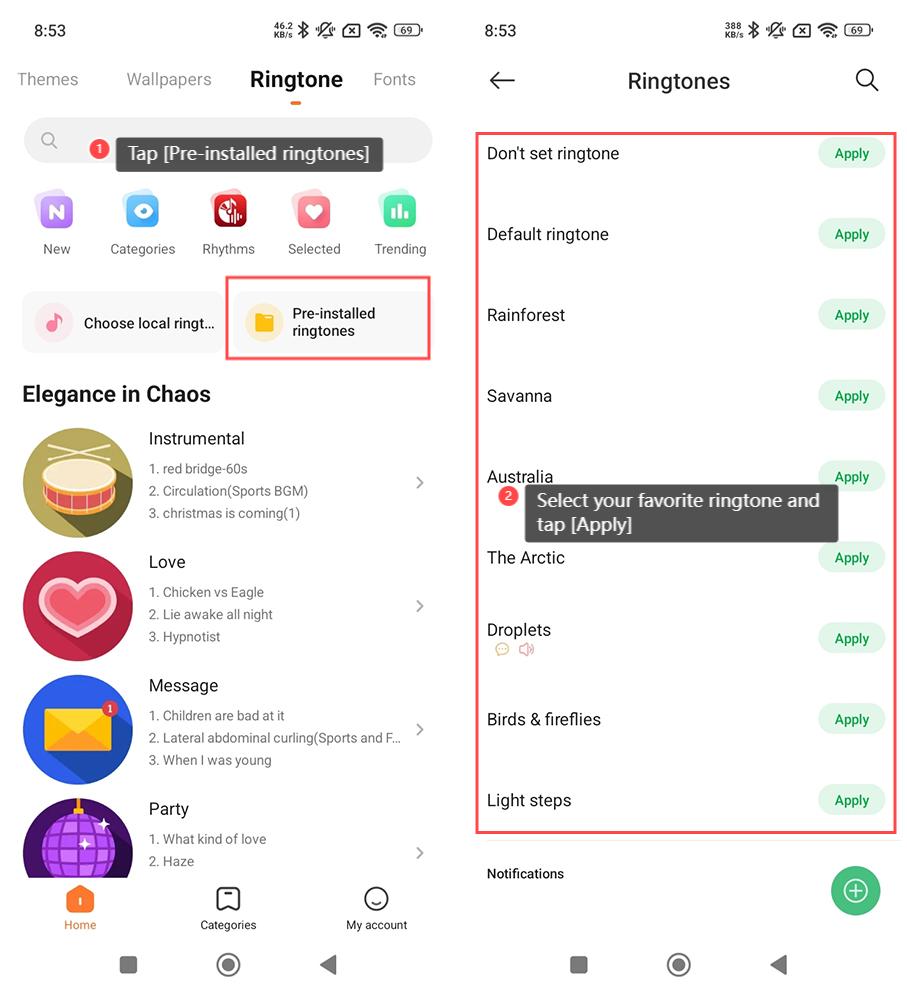
To select a pre-installed ringtone, please refer to the following steps:
1. Tap [Pre-installed ringtones];
2. Select your favorite ringtone and tap [Apply].
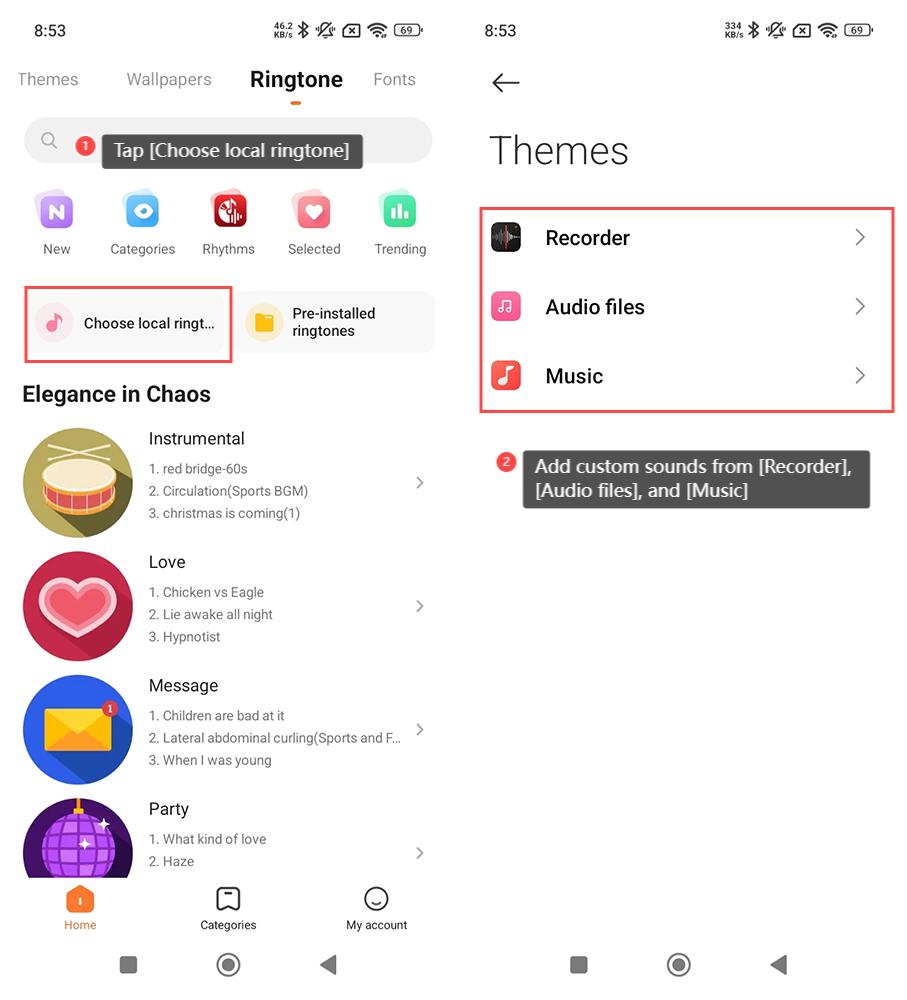
To select a local ringtone, please refer to the following steps:
1. Tap [Choose local ringtone];
2. Add custom sounds from [Recorder], [Audio files], and [Music].
To select a ringtone for the calendar on the Redmi 13C, please refer to the following steps:
1. Open [Settings] on your phone;
2. Tap [Sound & vibration];
3. Tap [Calendar sound];
4. Choose your favorite ringtone.
To select a pre-installed ringtone, please refer to the following steps:
1. Tap [Pre-installed ringtones];
2. Select your favorite ringtone and tap [Apply].
To select a local ringtone, please refer to the following steps:
1. Tap [Choose local ringtone];
2. Add custom sounds from [Recorder], [Audio files], and [Music].
Does it help?
Yes
No