

How to download the system updates of the Redmi 13C 5G using mobile data?
Downloading system updates on the Redmi 13C 5G using mobile data provides convenience by allowing updates anywhere without Wi-Fi, ensuring timely access to the latest features and security patches.
To download the system updates of your phone using mobile data, please refer to the following steps:
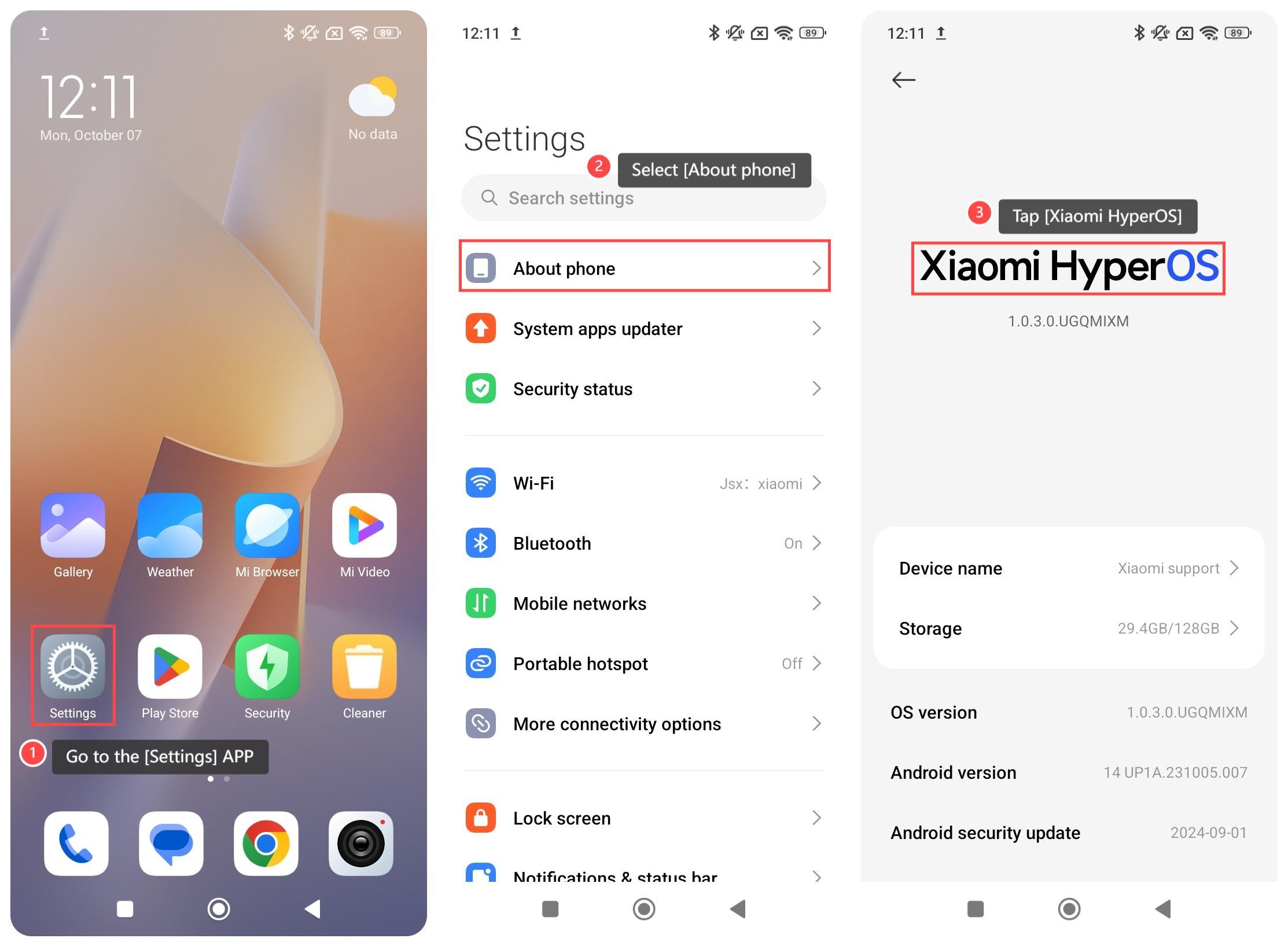
1. Go to the [Settings] APP on your phone;
2. Select [About phone];
3. Tap [Xiaomi HyperOS];
4. Tap the three-dot icon at the upper right corner;
5. Select [Update settings];
6. Enable [Download using mobile data];
7. You can set the time to turn on/off automatic downloads.
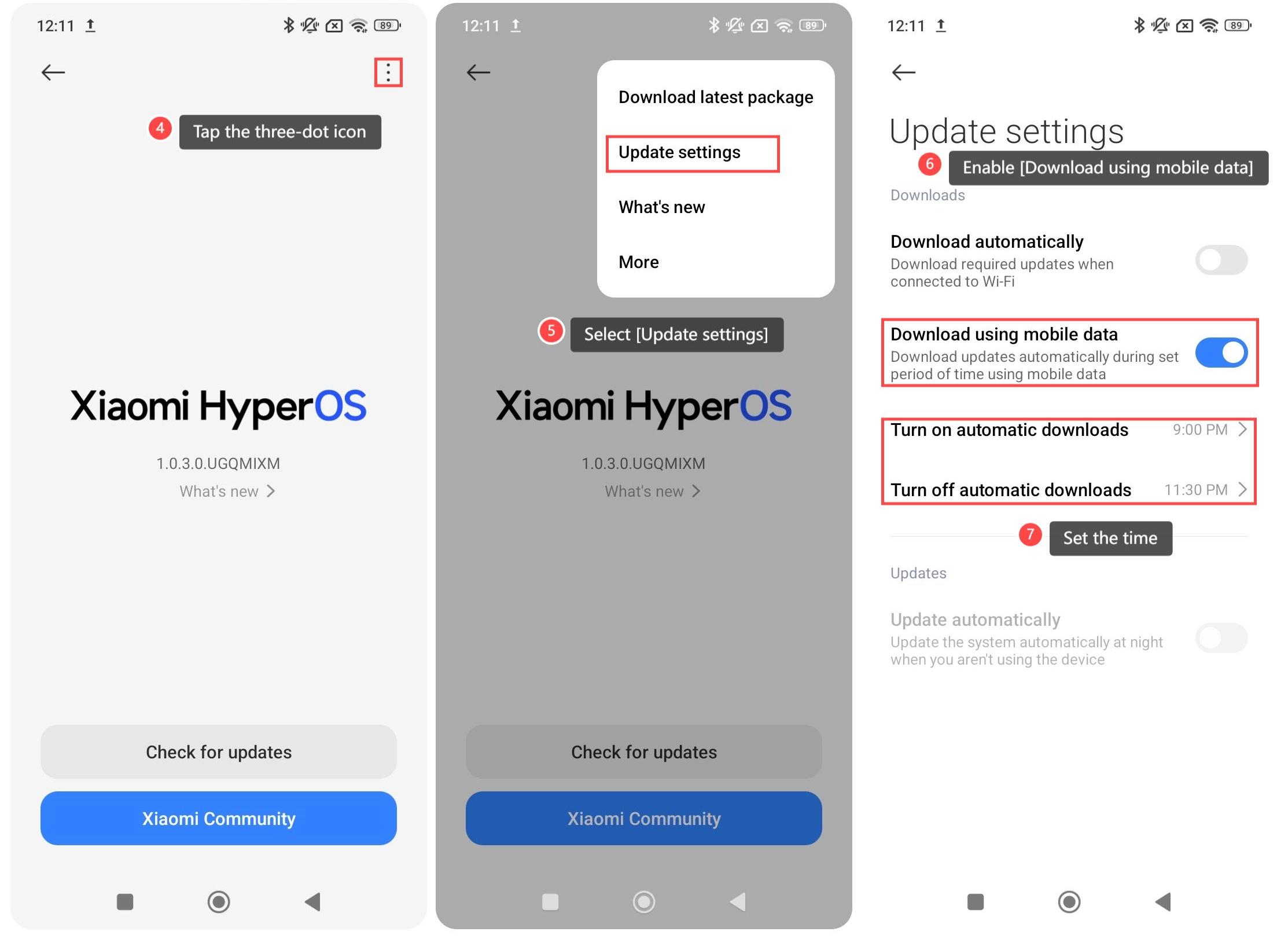
After the setting is completed, if an update is available, the device will download it automatically during set period of time using mobile data. Once the download is complete, you can install the update.
Note:
1. Ensure your mobile data is enough to avoid extra charges, as the update files are large;
2. Ensure that your phone has sufficient memory to avoid installation failure.
To download the system updates of your phone using mobile data, please refer to the following steps:
1. Go to the [Settings] APP on your phone;
2. Select [About phone];
3. Tap [Xiaomi HyperOS];
4. Tap the three-dot icon at the upper right corner;
5. Select [Update settings];
6. Enable [Download using mobile data];
7. You can set the time to turn on/off automatic downloads.
After the setting is completed, if an update is available, the device will download it automatically during set period of time using mobile data. Once the download is complete, you can install the update.
Note:
1. Ensure your mobile data is enough to avoid extra charges, as the update files are large;
2. Ensure that your phone has sufficient memory to avoid installation failure.
Does it help?
Yes
No