

How to turn on/off NFC on the Redmi 13C?
The Redmi 13C supports the NFC (Near Field Communication) function. It allows data exchange when this device touches another one. It’s commonly used for contactless payments, data transfer, and pairing with other NFC-enabled devices quickly and securely.
To turn on/off NFC on your phone, please refer to the following methods:
Method 1:
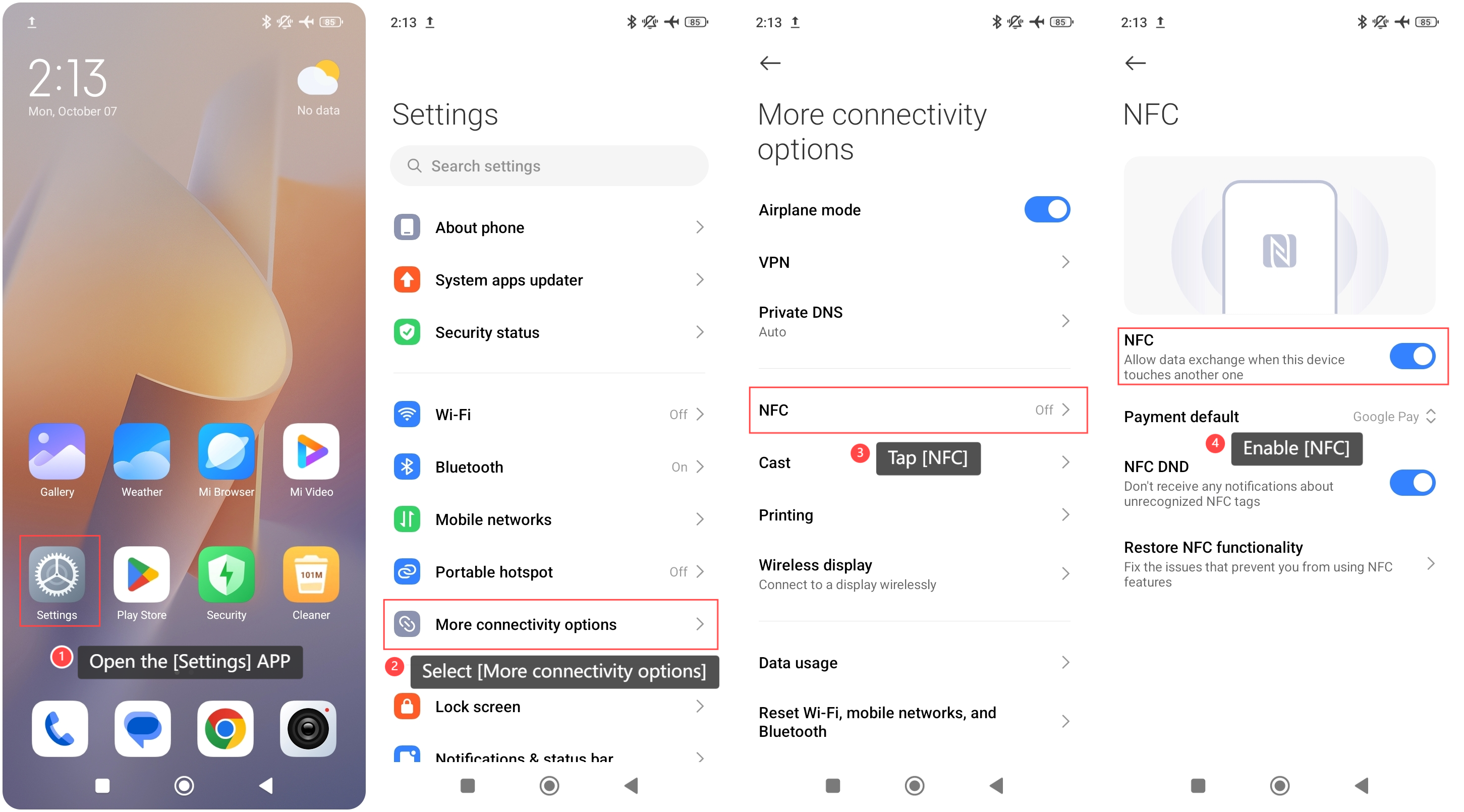
1. Open the [Settings] APP on your phone;
2. Select [More connectivity options];
3. Tap [NFC];
4. Enable [NFC].
To turn on/off NFC on your phone, please refer to the following methods:
Method 1:
1. Open the [Settings] APP on your phone;
2. Select [More connectivity options];
3. Tap [NFC];
4. Enable [NFC].
Method 2:
1. Swipe down from the right top of the screen to enter the control center;
2. Tap the [NFC] icon to enable it.
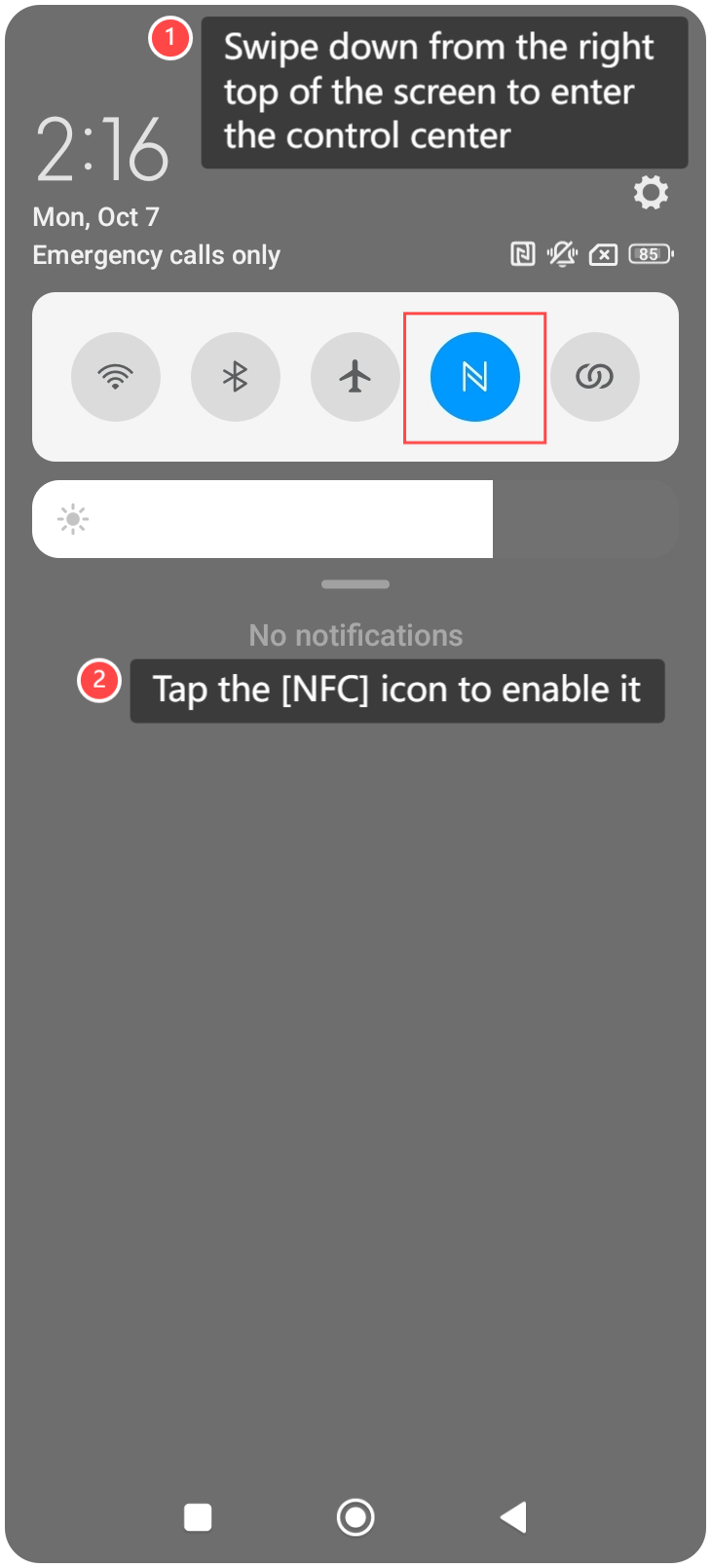
1. Swipe down from the right top of the screen to enter the control center;
2. Tap the [NFC] icon to enable it.
Note:
1. Ensure the devices you're trying to connect to also support NFC for seamless functionality;
2. Turn NFC on or off when needed to prevent unwanted connections.
1. Ensure the devices you're trying to connect to also support NFC for seamless functionality;
2. Turn NFC on or off when needed to prevent unwanted connections.
Does it help?
Yes
No