

How to connect a Bluetooth device on the Redmi 13C?
The Bluetooth feature on the Redmi 13C provides a convenient way to connect and communicate wirelessly with a wide range of compatible devices such as headphones, speakers, smartwatches, and more.
To connect a Bluetooth device on your phone, please refer to the following methods:
Method 1:
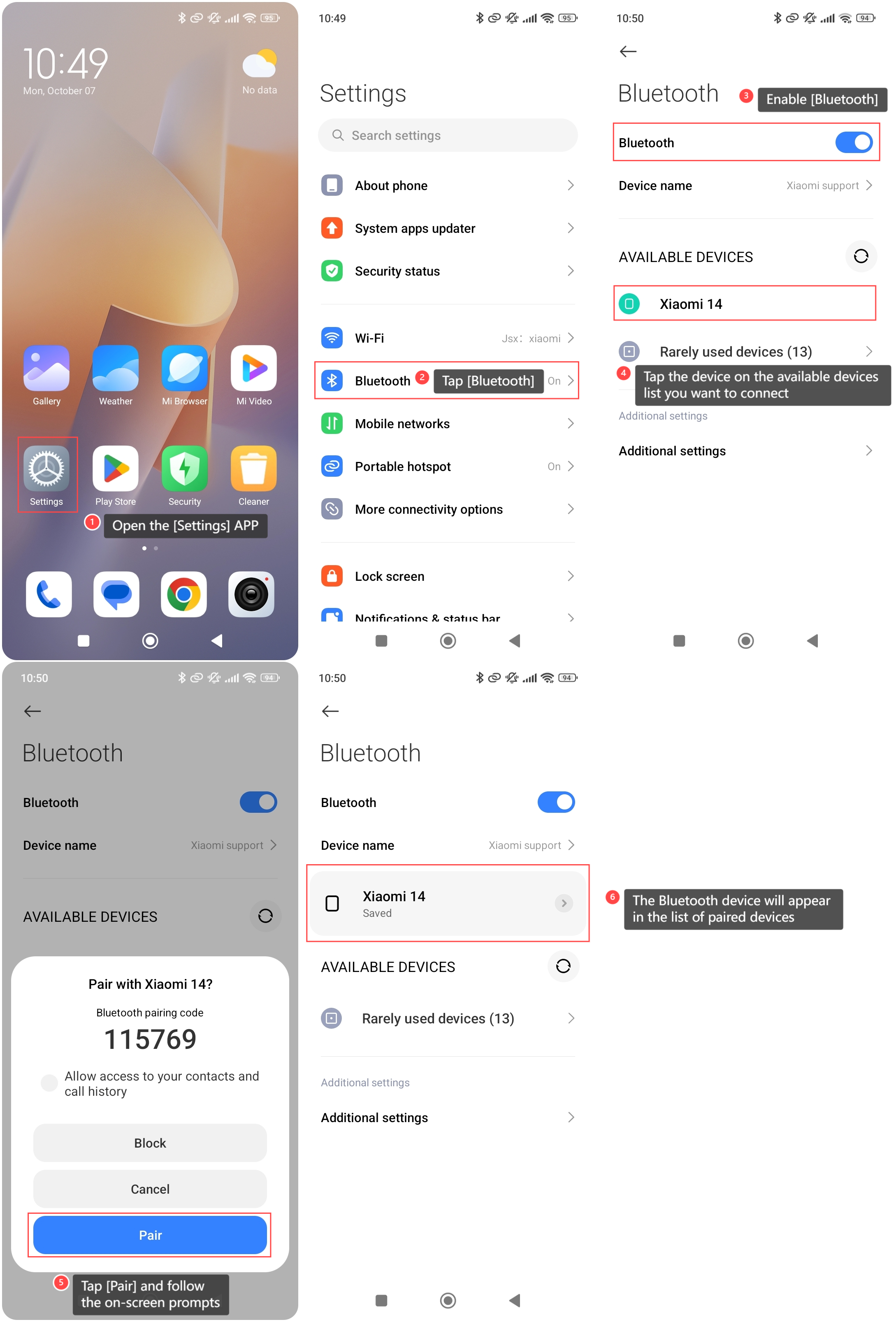
1. Open the [Settings] APP on your phone;
2. Tap [Bluetooth] to access Bluetooth settings;
3. Enable [Bluetooth];
4. Tap the device on the available devices list you want to connect;
5. Tap [Pair] and follow the on-screen prompts to complete the pairing process;
6. Once paired, the Bluetooth device will appear in the list of paired devices.
To connect a Bluetooth device on your phone, please refer to the following methods:
Method 1:
1. Open the [Settings] APP on your phone;
2. Tap [Bluetooth] to access Bluetooth settings;
3. Enable [Bluetooth];
4. Tap the device on the available devices list you want to connect;
5. Tap [Pair] and follow the on-screen prompts to complete the pairing process;
6. Once paired, the Bluetooth device will appear in the list of paired devices.
Method 2:
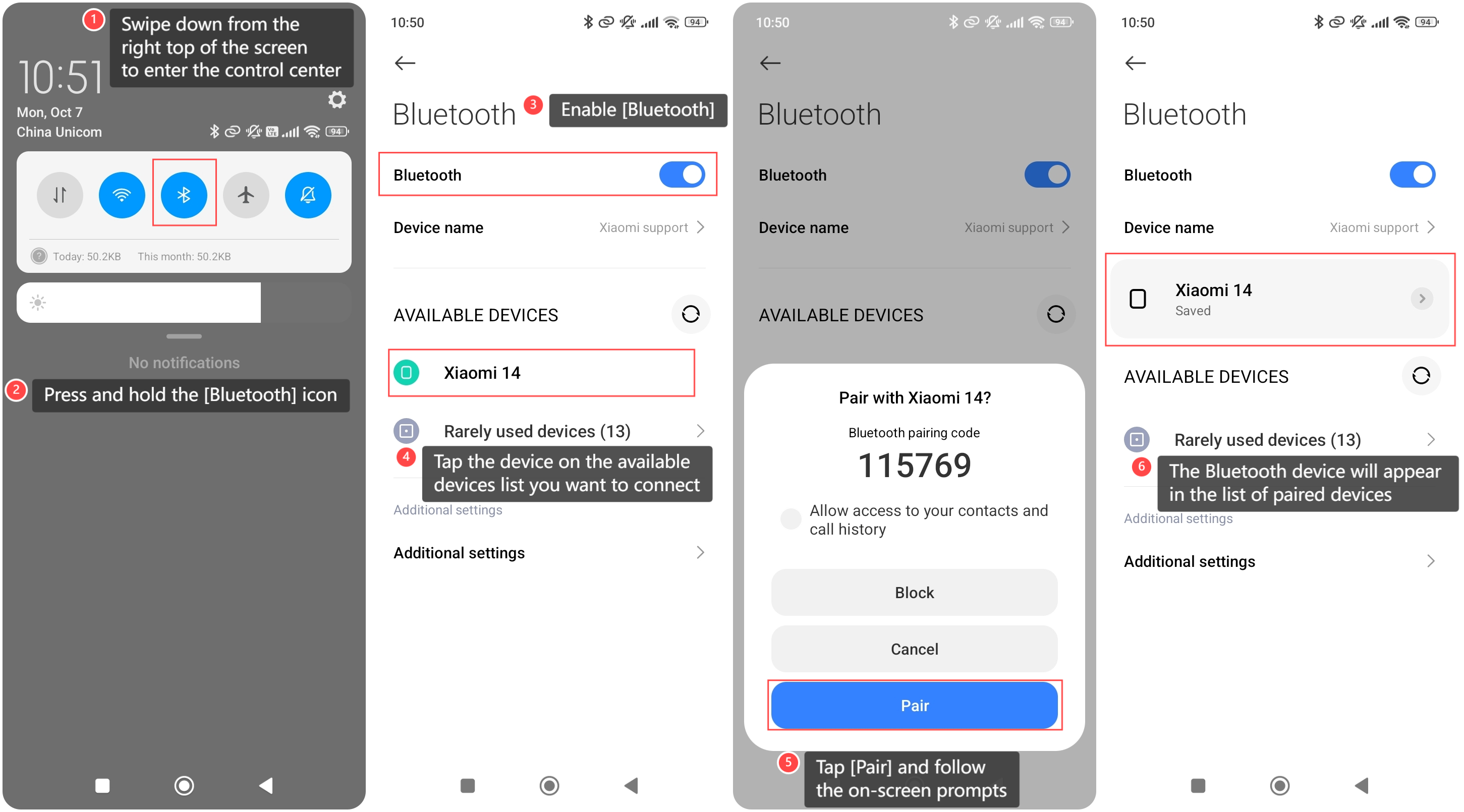
1. Swipe down from the right top of the screen to enter the control center;
2. Press and hold the [Bluetooth] icon;
3. Tap [Pair] and follow the on-screen prompts to complete the pairing process;
5. Once paired, the Bluetooth device will appear in the list of paired devices.
1. Swipe down from the right top of the screen to enter the control center;
2. Press and hold the [Bluetooth] icon;
3. Tap [Pair] and follow the on-screen prompts to complete the pairing process;
5. Once paired, the Bluetooth device will appear in the list of paired devices.
Note:
To conserve battery life, you can turn off Bluetooth when not in use.
To conserve battery life, you can turn off Bluetooth when not in use.
Does it help?
Yes
No