

How to add a protective watermark for a photo on the Redmi Pad SE 8.7 4G?
A protective watermark for a photo on the Redmi Pad SE 8.7 4G allows you to secure and personalize your images by adding a text or logo overlay, ensuring that your photos carry a visible mark of ownership. This feature is particularly useful for protecting your creative work from unauthorized use or sharing.
To add a protective watermark for a photo on your tablet, please refer to the following methods:
Method 1:
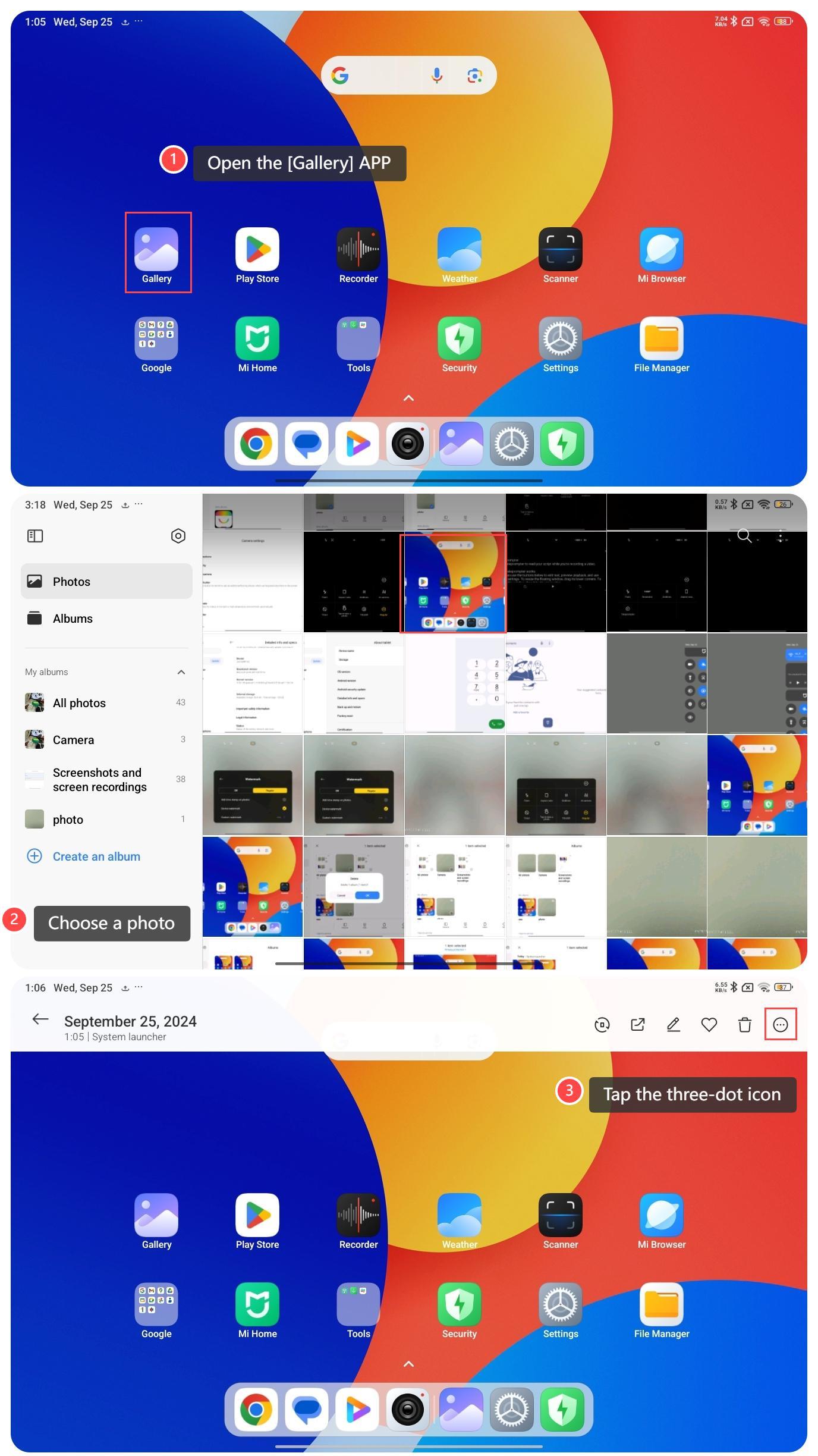
1. Open the [Gallery] APP;
2. Choose a photo you want to add a protective watermark;
3. Tap the three-dot icon at the upper right corner;
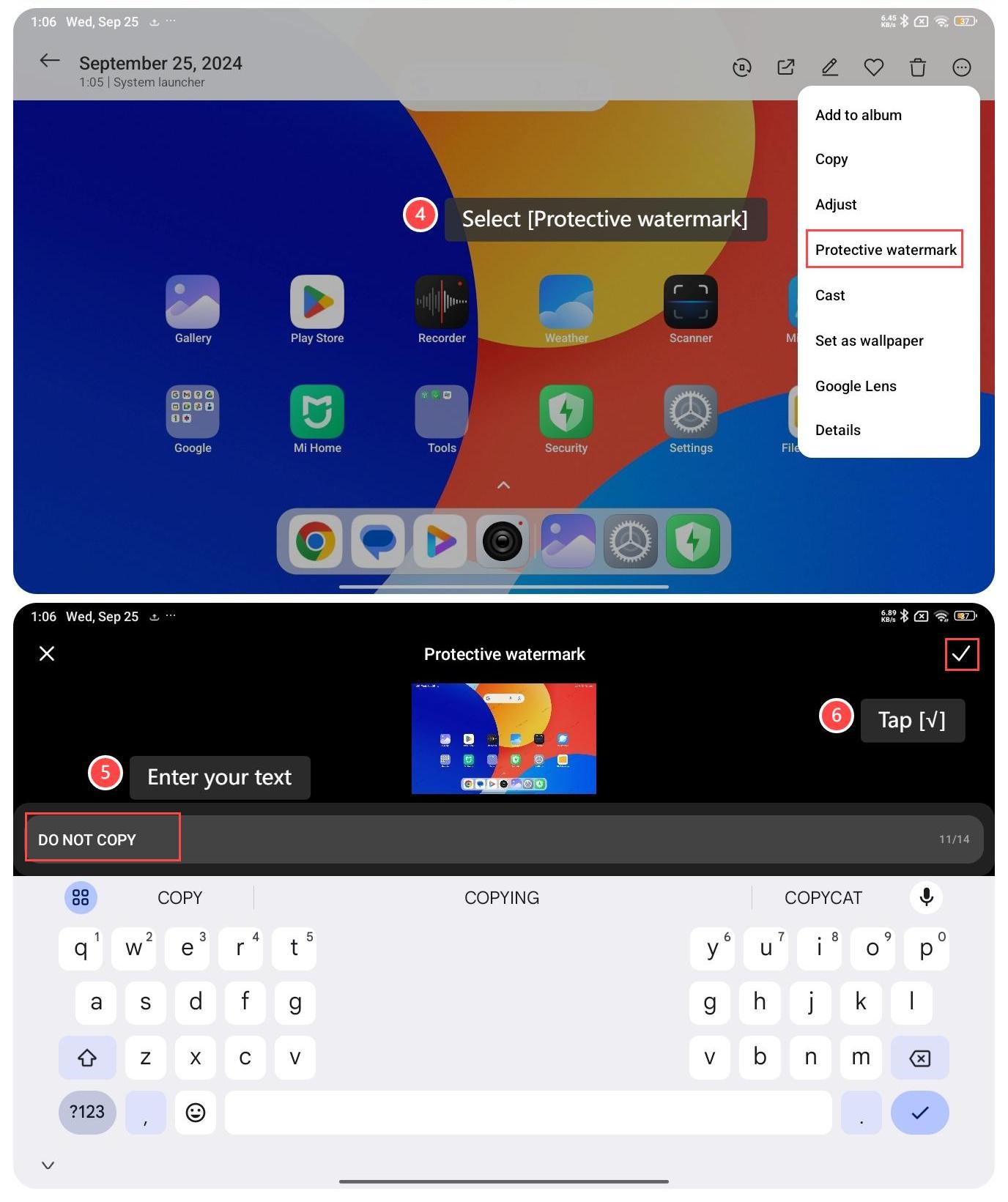
4. Select [Protective watermark];
5. Enter your text, such as your name or a logo, to ensure your photos are marked as yours;
6. Tap [√].
Method 2:
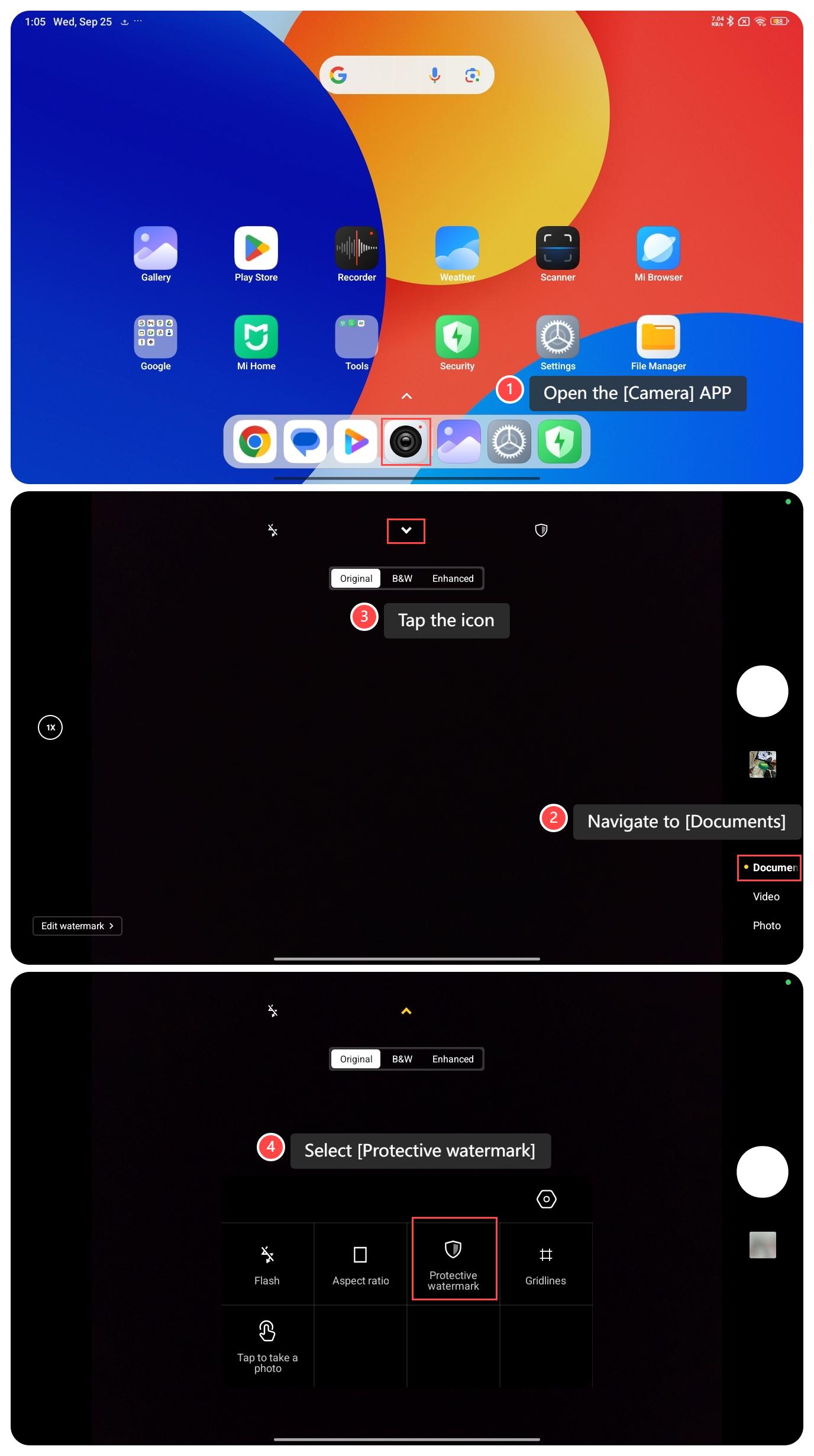
1. Open the [Camera] APP;
2. Navigate to [Documents];
3. Tap the icon in the middle at the top;
4. Select [Protective watermark]. Once enabled, your photo will automatically include the watermark for added protection.
To add a protective watermark for a photo on your tablet, please refer to the following methods:
Method 1:
1. Open the [Gallery] APP;
2. Choose a photo you want to add a protective watermark;
3. Tap the three-dot icon at the upper right corner;
4. Select [Protective watermark];
5. Enter your text, such as your name or a logo, to ensure your photos are marked as yours;
6. Tap [√].
Method 2:
1. Open the [Camera] APP;
2. Navigate to [Documents];
3. Tap the icon in the middle at the top;
4. Select [Protective watermark]. Once enabled, your photo will automatically include the watermark for added protection.
Does it help?
Yes
No