

How to set the Emergency SOS on the Redmi Pad SE 8.7 4G?
The Emergency SOS on the Redmi Pad SE 8.7 4G is designed to provide a fast and direct way to contact emergency services such as police in urgent situations. This feature on your tablet is designed to be easily accessible. It is particularly important in emergency situations where speed is essential. It's important to familiarize yourself with how to use this feature on your tablet in case of an emergency.
To set the Emergency SOS on your tablet, please refer to the following steps:
1. Go to [Settings];
2. Tap [Safety & emergency];
3. Select [Emergency SOS] in this interface;
4. Tap [Start setup];
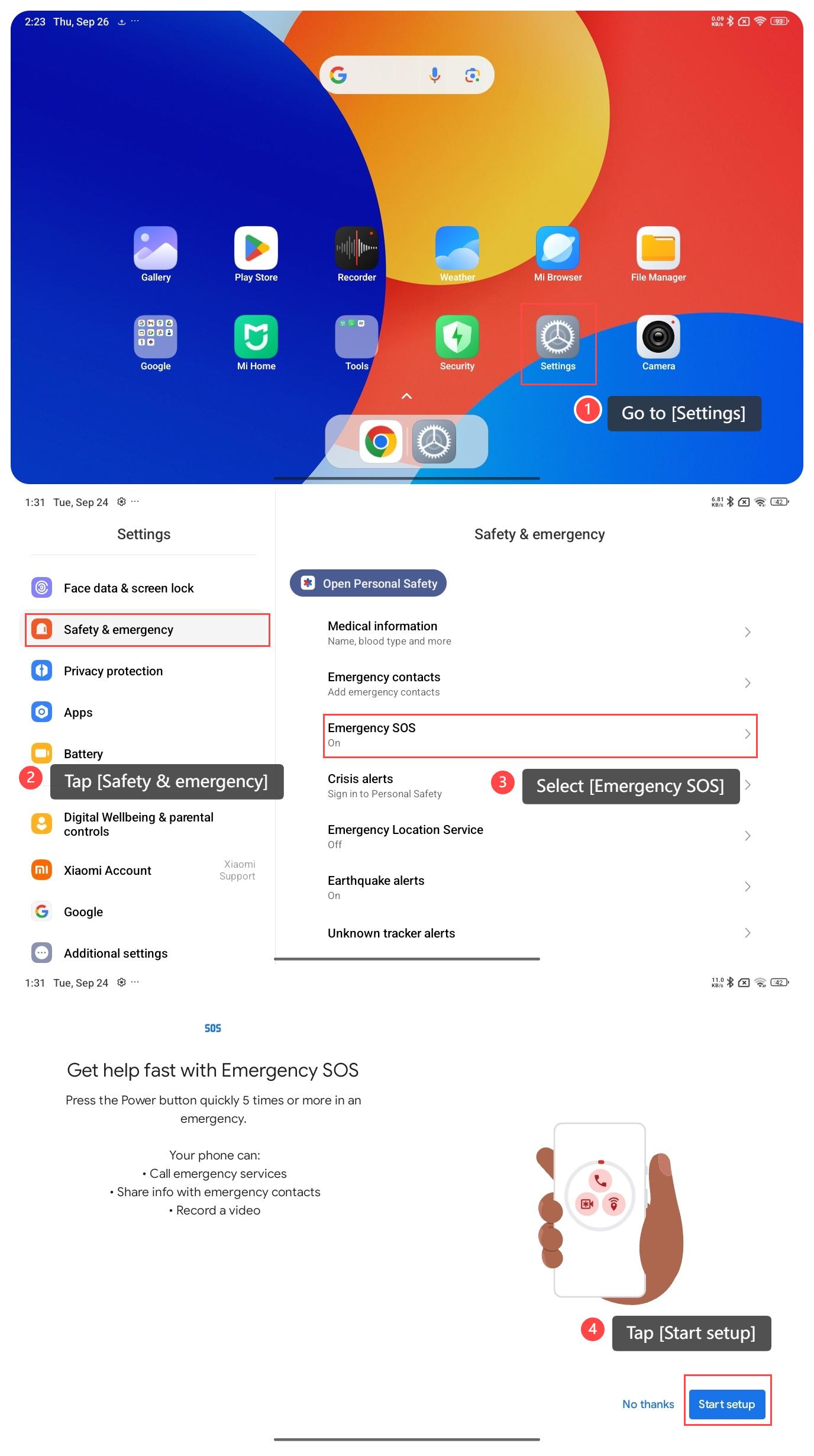
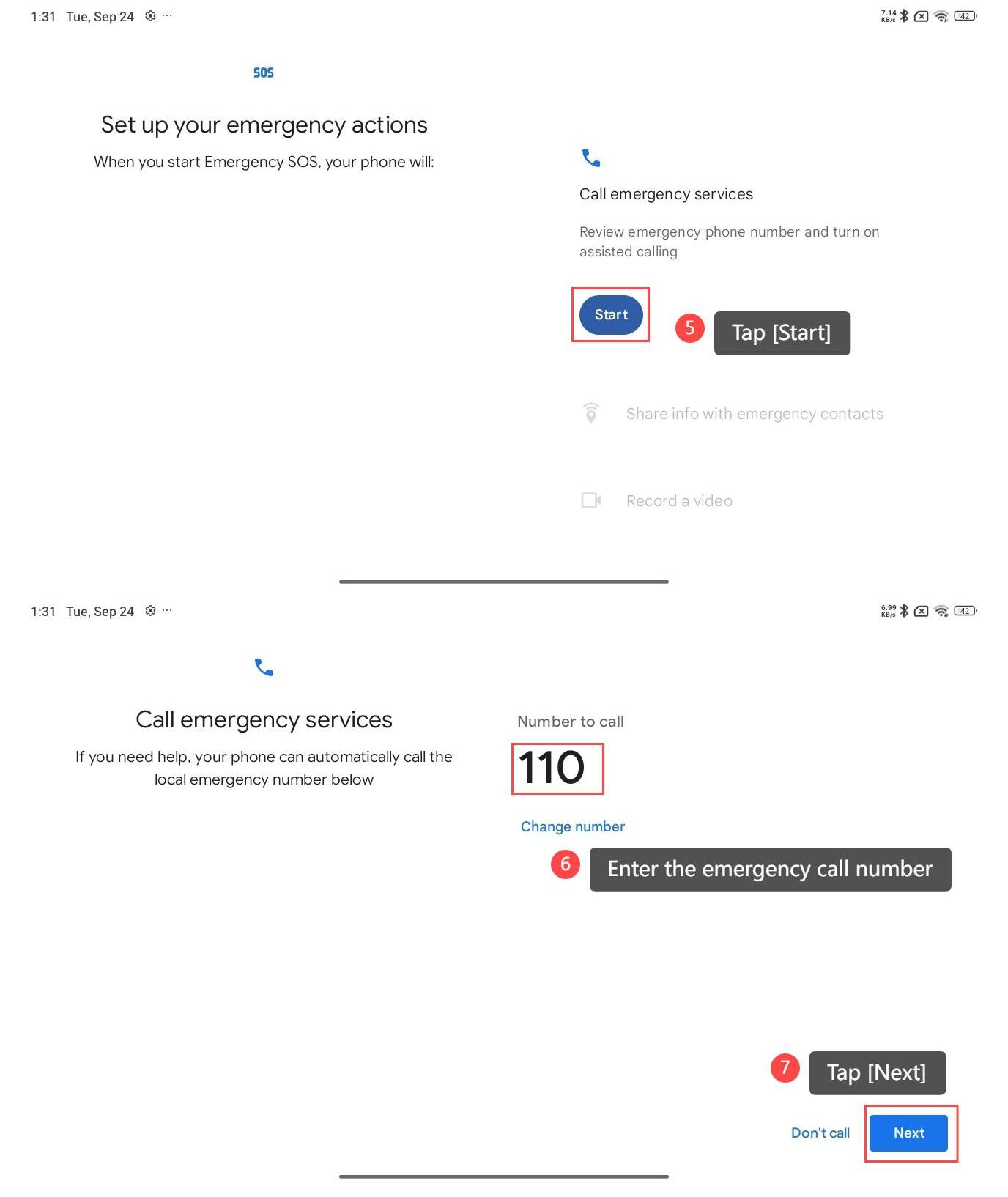
5. Tap [Start];
6. Enter the emergency call number;
7. Tap [Next] to complete the setting;
8. If you encounter an emergency crisis, please press the power button quickly 5 times to enable this feature.
Note:
Please ensure that you have already signed into your Google account to use the Emergency SOS on your device.
To set the Emergency SOS on your tablet, please refer to the following steps:
1. Go to [Settings];
2. Tap [Safety & emergency];
3. Select [Emergency SOS] in this interface;
4. Tap [Start setup];
5. Tap [Start];
6. Enter the emergency call number;
7. Tap [Next] to complete the setting;
8. If you encounter an emergency crisis, please press the power button quickly 5 times to enable this feature.
Note:
Please ensure that you have already signed into your Google account to use the Emergency SOS on your device.
Does it help?
Yes
No