

How to set the face unlock on the Redmi Pad SE 8.7?
Setting up face unlock on the Redmi Pad SE 8.7 enhances security and convenience, allowing quick access without needing to enter passwords, while maintaining privacy by recognizing only registered faces.
To set up face unlock on the tablet, please refer to the following steps:
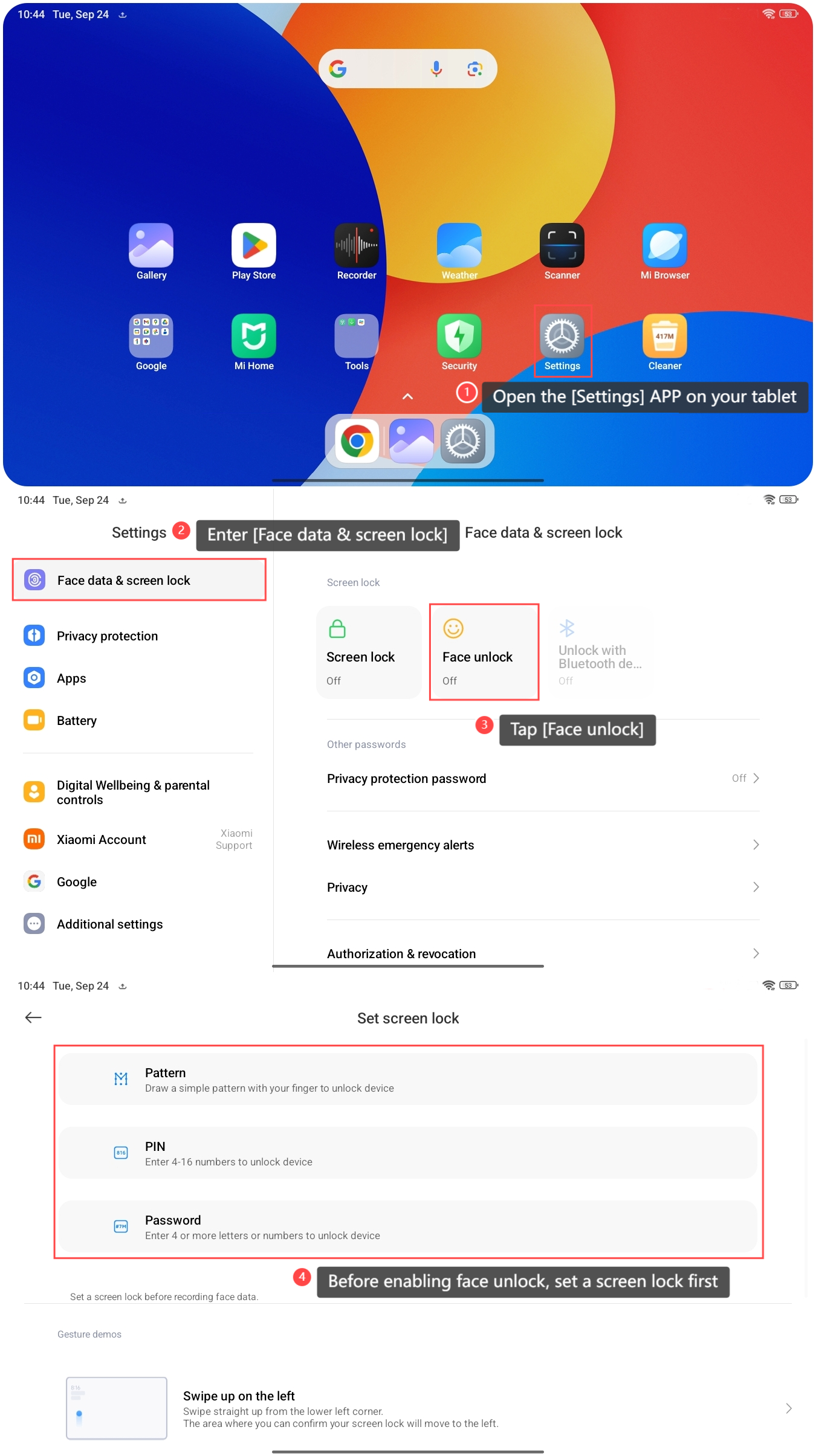
1. Open the [Settings] APP on your tablet;
2. Enter [Face data & screen lock];
3. Tap [Face unlock];
4. Before enabling face unlock, set a screen lock first. You can choose [Pattern], [PIN], or [Password] as you prefer;
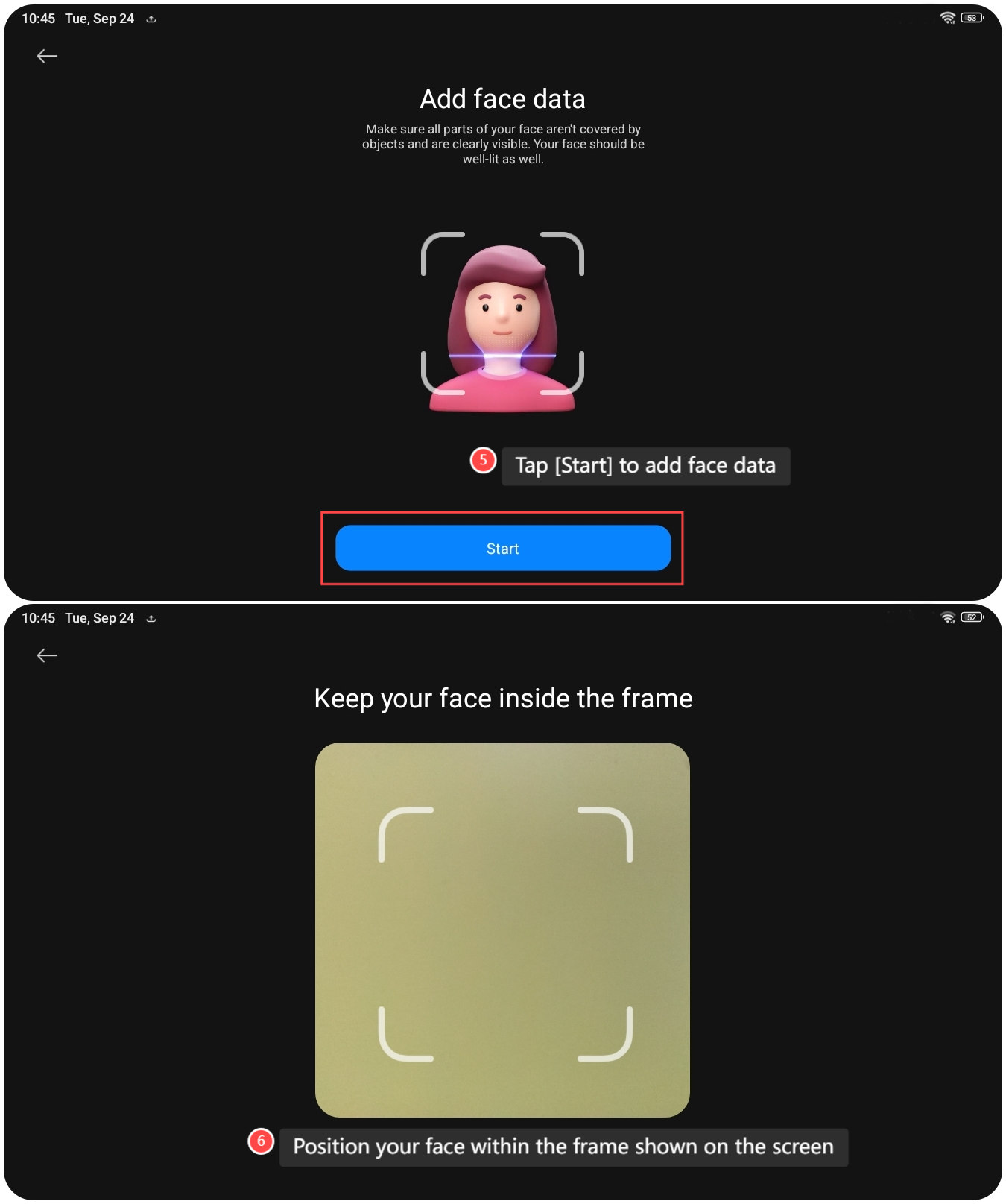
5. After setting up, tap [Start] to add face data;
6. Position your face within the frame shown on the screen. Once registration is completed, you can unlock the tablet using your face data now.
Note:
Face unlock is less secure than a PIN, password, or pattern. Your tablet can be unlocked with your photo, as well as by people or objects with a similar appearance.
To set up face unlock on the tablet, please refer to the following steps:
1. Open the [Settings] APP on your tablet;
2. Enter [Face data & screen lock];
3. Tap [Face unlock];
4. Before enabling face unlock, set a screen lock first. You can choose [Pattern], [PIN], or [Password] as you prefer;
5. After setting up, tap [Start] to add face data;
6. Position your face within the frame shown on the screen. Once registration is completed, you can unlock the tablet using your face data now.
Note:
Face unlock is less secure than a PIN, password, or pattern. Your tablet can be unlocked with your photo, as well as by people or objects with a similar appearance.
Does it help?
Yes
No