

How to set the Dark mode on the Redmi Pad SE 8.7?
The Redmi Pad SE 8.7 supports setting dark mode, which can be easier on the eyes, especially in low-light environments, minimizing glare and discomfort. You will find text easier to read against a dark background, enhancing overall usability. Besides, dark mode can help reduce visual distractions, allowing you to focus more on content.
To set the dark mode on your tablet, please refer to the following methods:
Method 1:
1. Go to [Settings];
2. Tap [Display & brightness];
3. Enable [Dark mode].

Note:
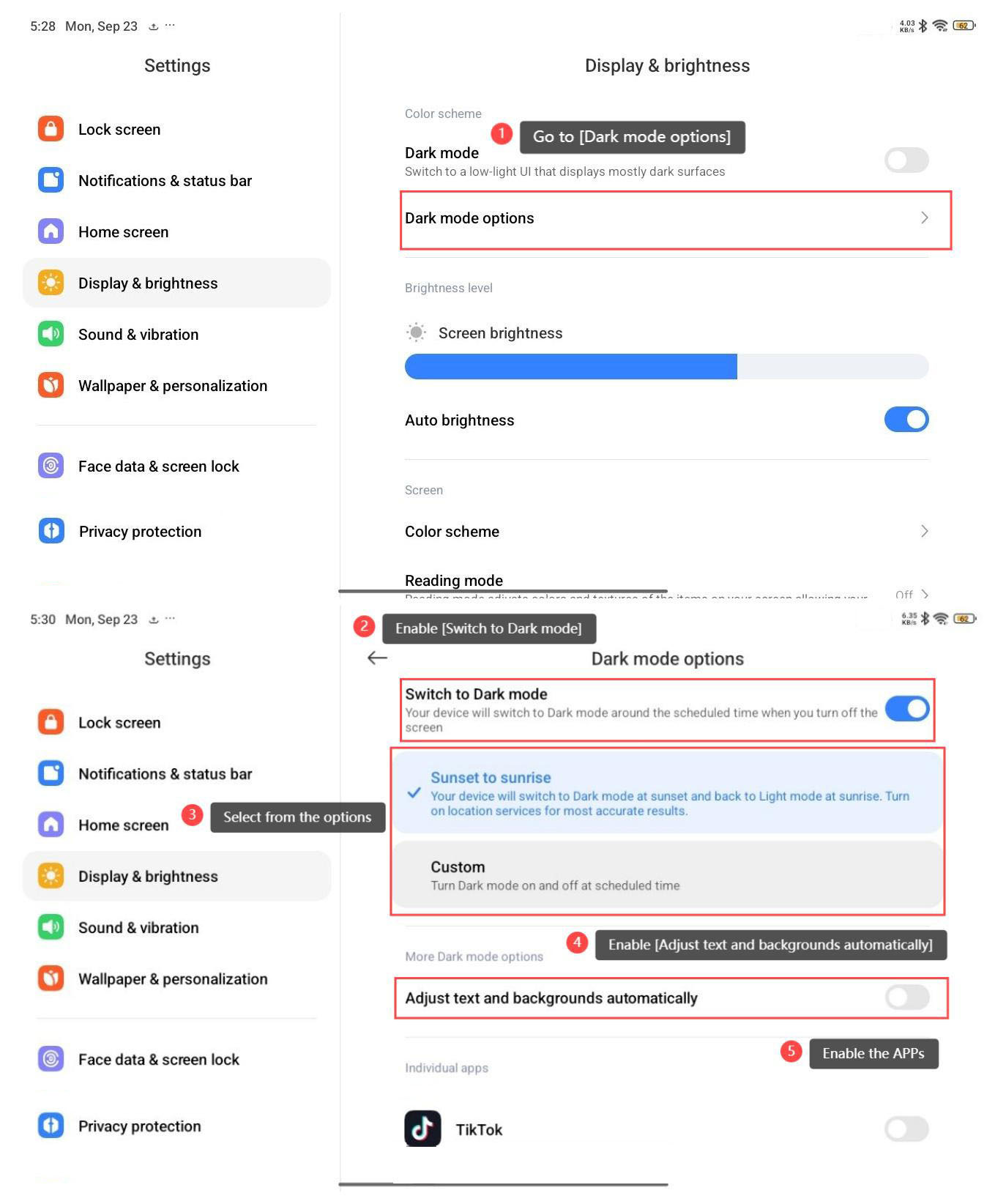
To adjust the settings of dark mode, please refer to the following steps:
1. Go to [Dark mode options];
2. Enable [Switch to Dark mode];
3. Select from the options to configure the scheduled time;
4. You can enable [Adjust text and backgrounds automatically], and the text and backgrounds will be adjusted automatically with the dark mode;
5. You can enable the APPs below [Individual apps], and the APP will enter the dark mode with the settings on the phone.
Method 2:
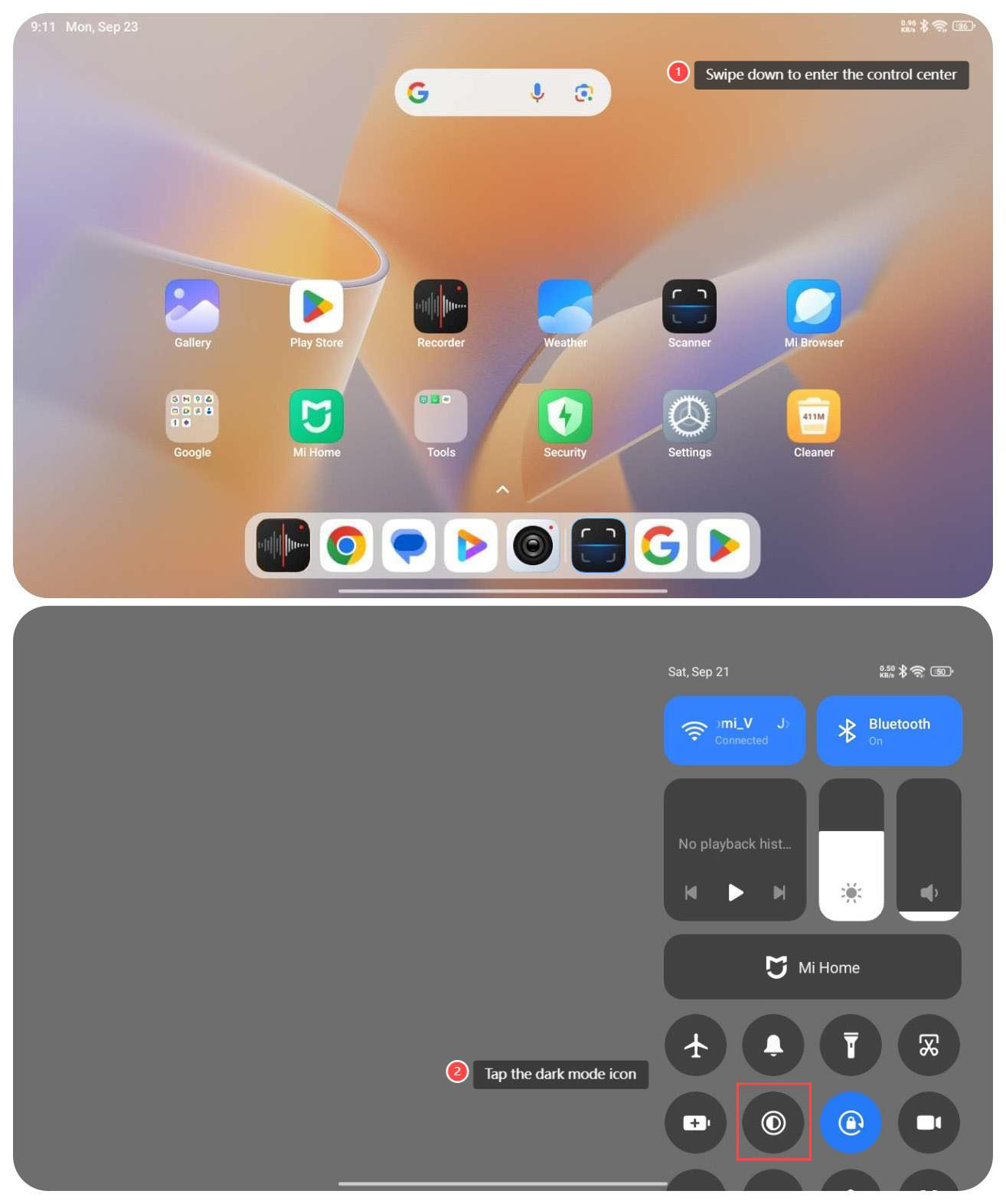
1. Swipe down from the right top of the screen to enter the control center;
2. Tap the dark mode icon.
To set the dark mode on your tablet, please refer to the following methods:
Method 1:
1. Go to [Settings];
2. Tap [Display & brightness];
3. Enable [Dark mode].
Note:
To adjust the settings of dark mode, please refer to the following steps:
1. Go to [Dark mode options];
2. Enable [Switch to Dark mode];
3. Select from the options to configure the scheduled time;
4. You can enable [Adjust text and backgrounds automatically], and the text and backgrounds will be adjusted automatically with the dark mode;
5. You can enable the APPs below [Individual apps], and the APP will enter the dark mode with the settings on the phone.
Method 2:
1. Swipe down from the right top of the screen to enter the control center;
2. Tap the dark mode icon.
Does it help?
Yes
No