

How to use the camera on the Redmi Pad SE 8.7 to scan a QR code?
The Redmi Pad SE 8.7 supports to scanning a QR code with camera, which can quickly directs you to websites, APPs, or online content with manual entry, display text, contact information, or product details, enhancing convenience and facilitate mobile payments and transactions by linking to payment gateways.
To use the camera on your tablet to scan a QR code, please refer to the following steps:
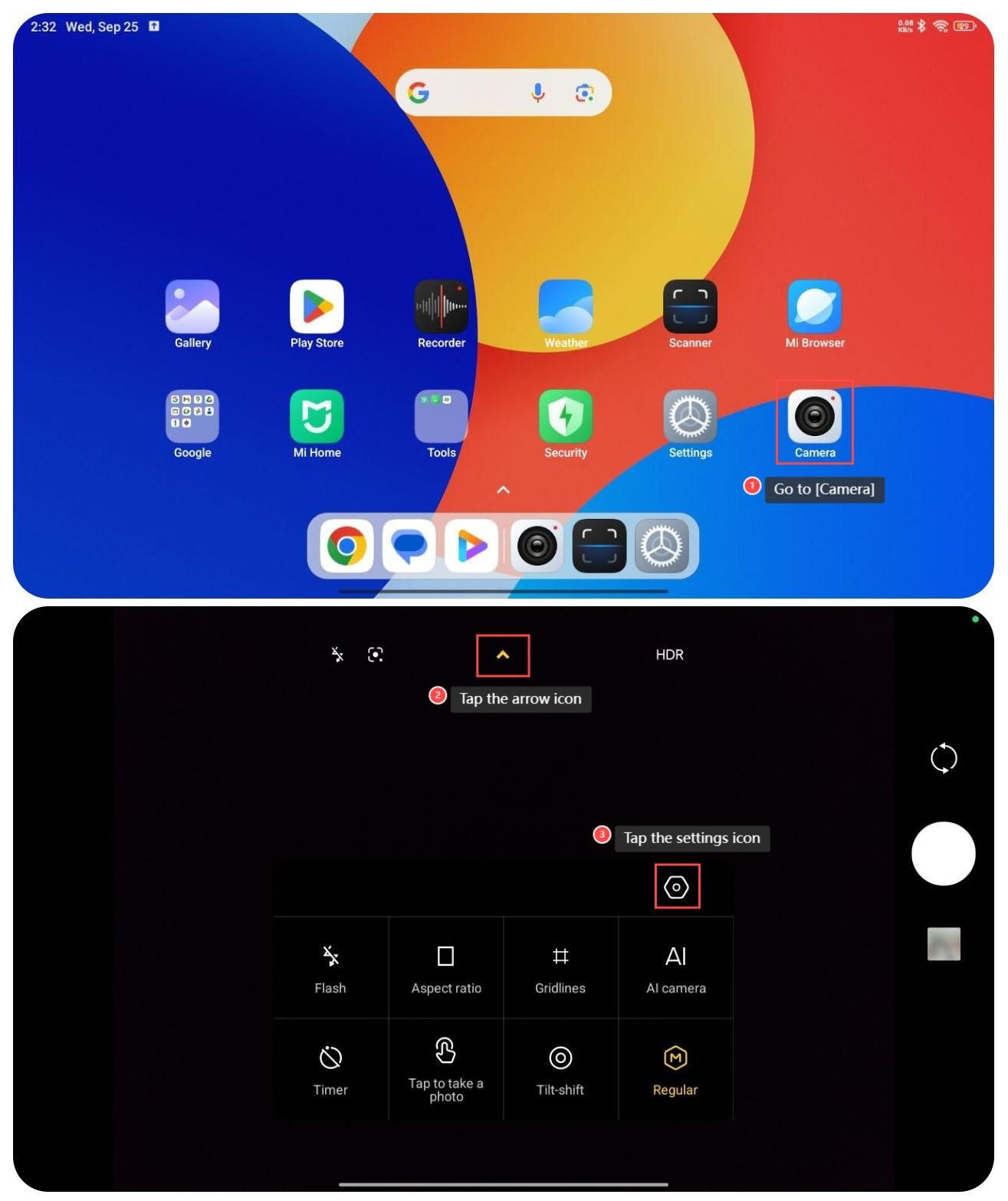
1. Go to [Camera];
2. Tap the arrow icon on the top of the screen;
3. Tap the settings icon;
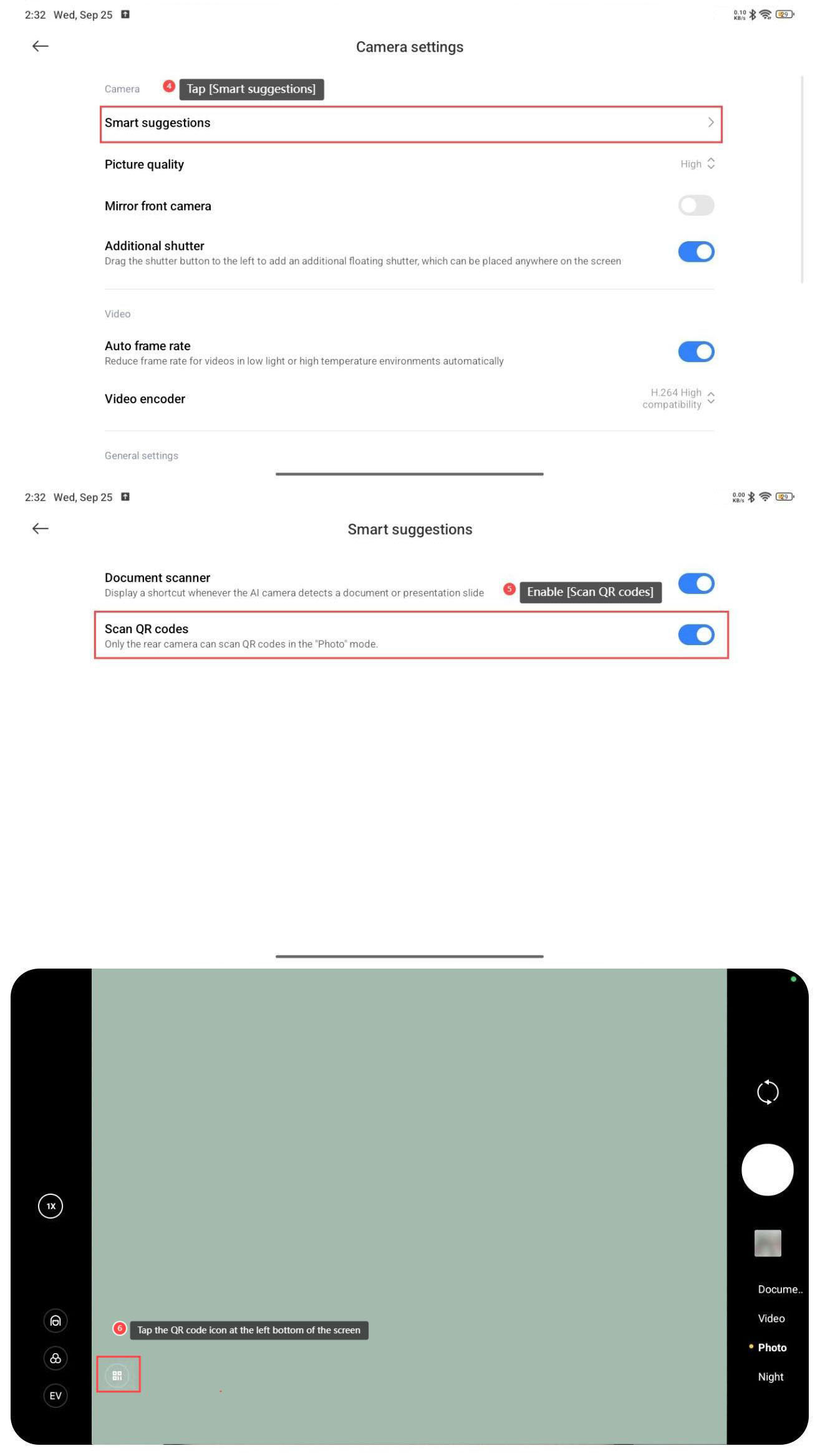
4. Tap [Smart suggestions];
5. Enable [Scan QR codes];
6. Go back to the homepage of the camera, scan a QR code with camera and tap the QR code icon at the left bottom of the screen.
To use the camera on your tablet to scan a QR code, please refer to the following steps:
1. Go to [Camera];
2. Tap the arrow icon on the top of the screen;
3. Tap the settings icon;
4. Tap [Smart suggestions];
5. Enable [Scan QR codes];
6. Go back to the homepage of the camera, scan a QR code with camera and tap the QR code icon at the left bottom of the screen.
Does it help?
Yes
No