

How to use Enterprise mode on the Redmi Pad SE 8.7?
Enterprise Mode on the Redmi Pad SE 8.7 is a feature aimed at businesses and organizations that enhances device security and management. This mode helps organizations maintain control over devices and protect important information. With Enterprise Mode, administrators can implement strict security protocols, manage app permissions, and remotely monitor device usage. This ensures that sensitive data remains protected while allowing employees to access the tools they need to be productive in a secure environment.
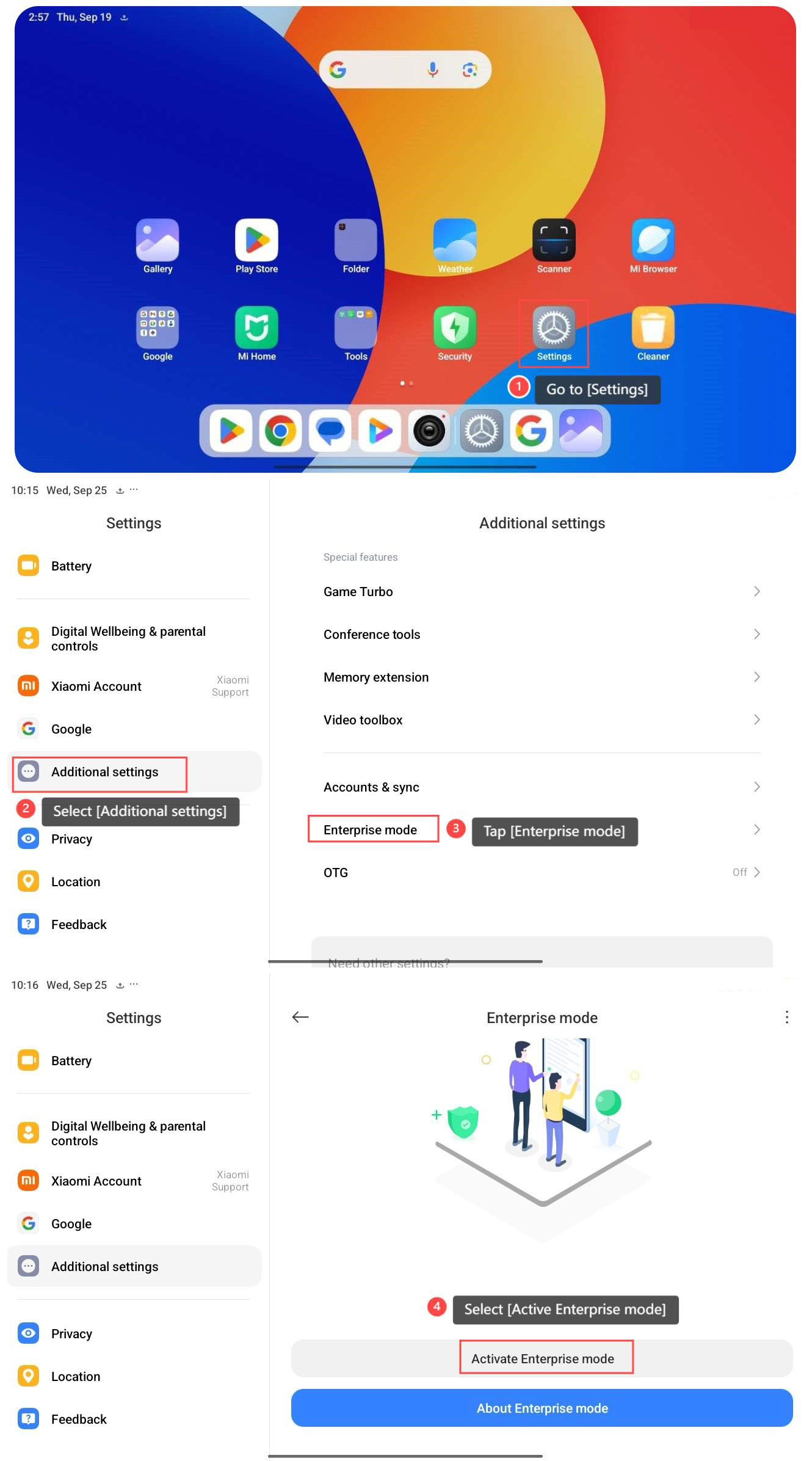
To use Enterprise mode on the Redmi Pad SE 8.7, please refer to the following steps:
1. Go to [Settings];
2. Select [Additional settings];
3. Tap [Enterprise mode];
4. Select [Active Enterprise mode];
1. Go to [Settings];
2. Select [Additional settings];
3. Tap [Enterprise mode];
4. Select [Active Enterprise mode];
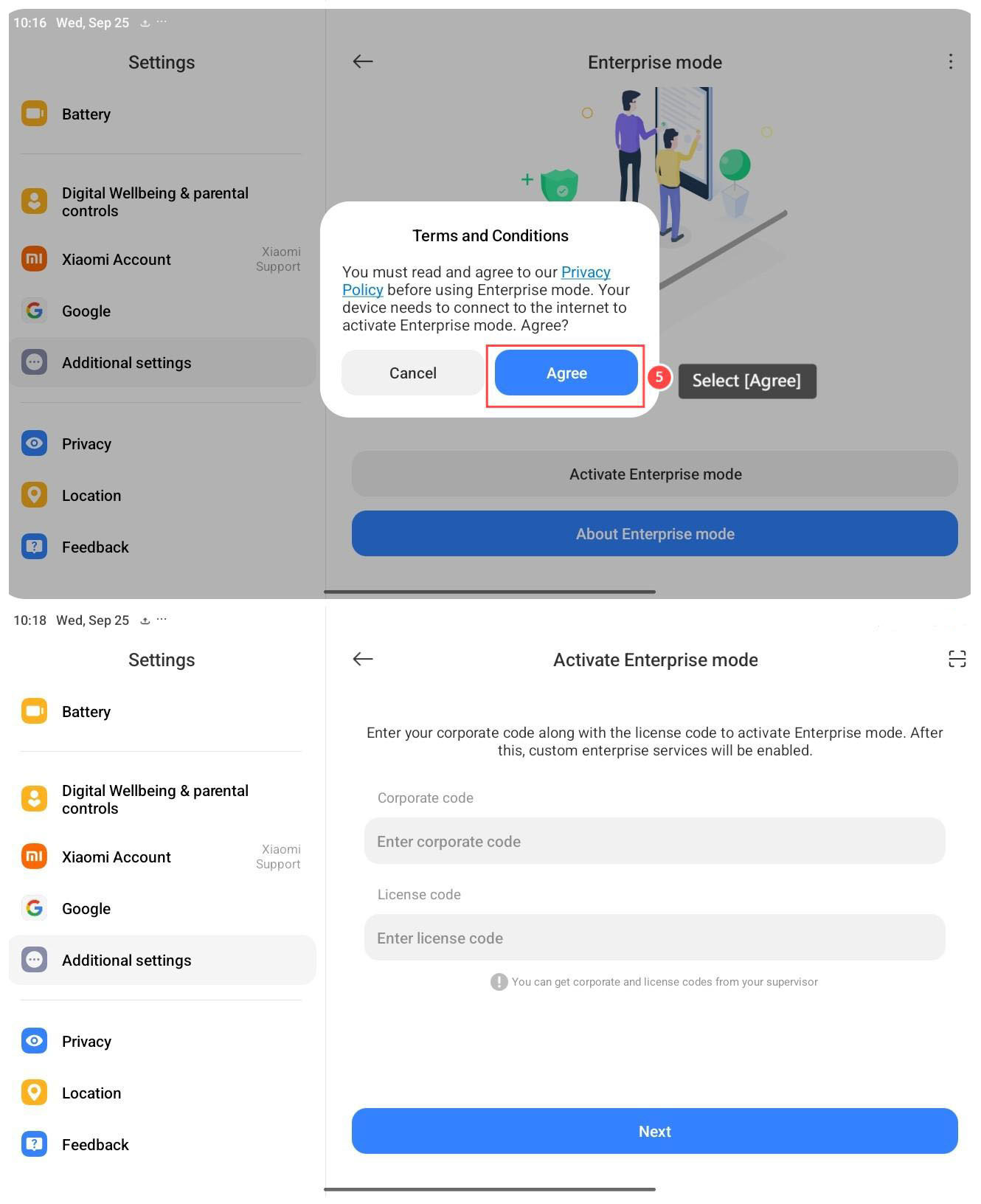
5. Select [Agree];
6. Follow the prompts to enable Enterprise mode.
Does it help?
Yes
No