

How to set the functions of earphone buttons on the Redmi Pad SE 8.7?
Setting up the functions of earphone buttons on the Redmi Pad SE 8.7 allows you to customize how the buttons on their earphones respond to various actions.
To set the sound effect on your tablet, please refer to the following steps:
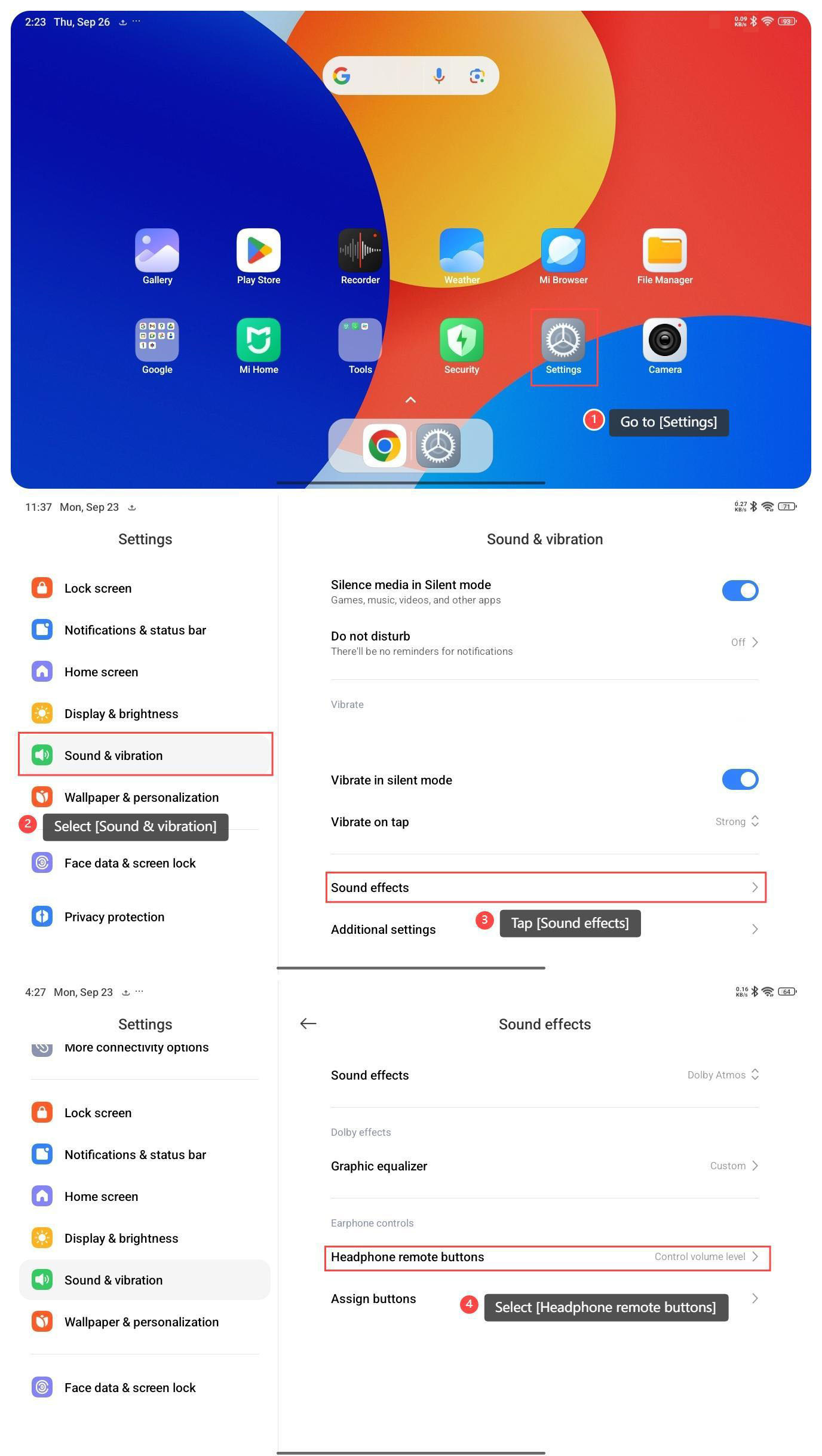
1. Go to [Settings];
2. Select [Sound & vibration];
3. Tap [Sound effects];
4. Select [Headphone remote buttons];
To set the sound effect on your tablet, please refer to the following steps:
1. Go to [Settings];
2. Select [Sound & vibration];
3. Tap [Sound effects];
4. Select [Headphone remote buttons];
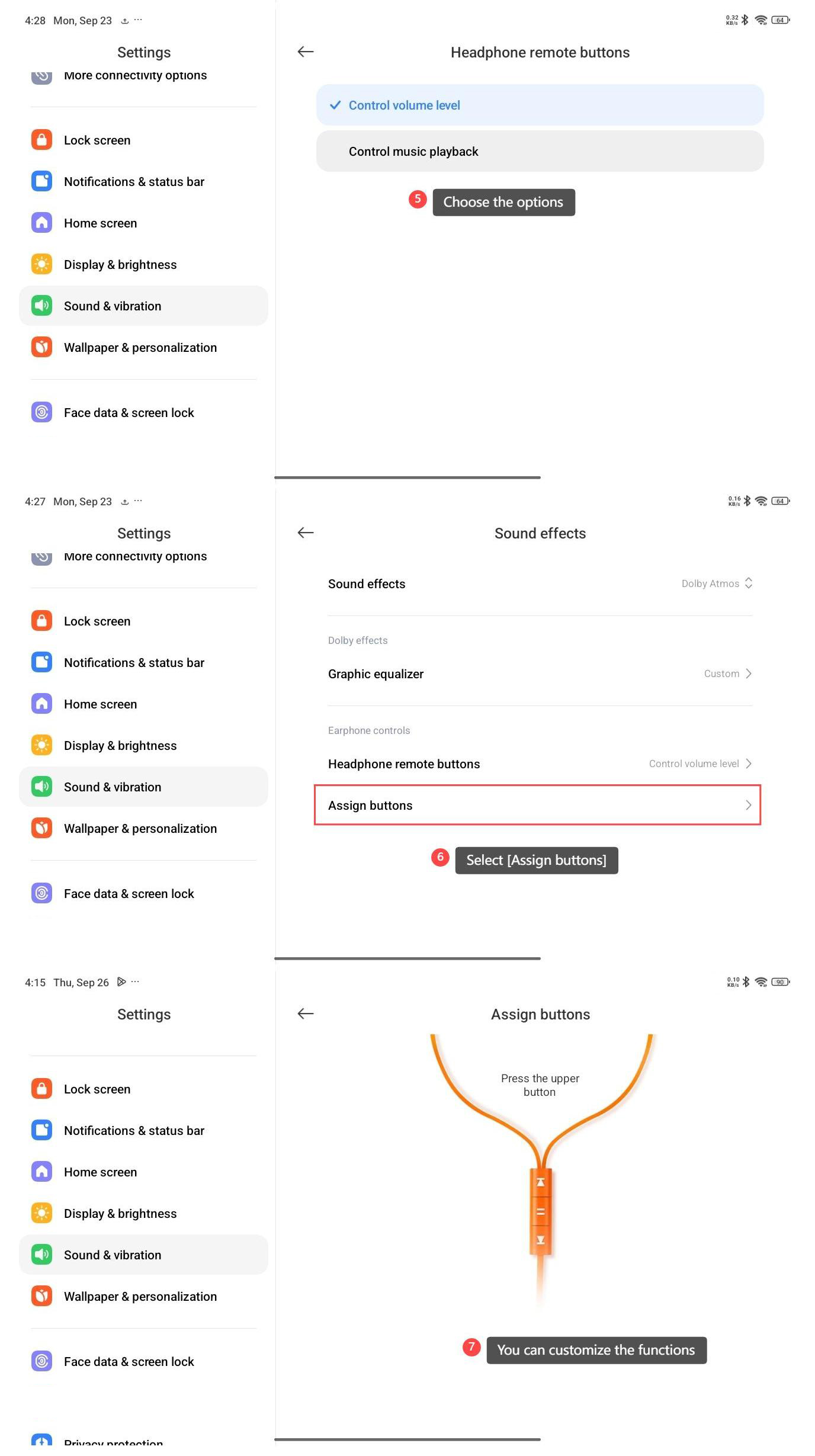
5. Choose the options [Control volume level] or [Control music playback] as you prefer;
6. Select [Assign buttons];
7. You can customize the functions for single, double, or triple taps on the earphone buttons.
6. Select [Assign buttons];
7. You can customize the functions for single, double, or triple taps on the earphone buttons.
Note:
1. Ensure that your earphones are compatible with your tablet. Some earphones may have specific compatibility requirements or may not support all features on certain devices;
2. Understand the functionality of each button on your earphones. Different earphones have different button configurations, and it's important to know which button controls play/pause, volume, and track navigation.
1. Ensure that your earphones are compatible with your tablet. Some earphones may have specific compatibility requirements or may not support all features on certain devices;
2. Understand the functionality of each button on your earphones. Different earphones have different button configurations, and it's important to know which button controls play/pause, volume, and track navigation.
Does it help?
Yes
No