

How to turn on/off mobile data on the Redmi Pad SE 8.7 4G?
Mobile data on the Redmi Pad SE 8.7 4G refers to the wireless internet connectivity that your tablet uses to access the internet when not connected to a Wi-Fi network. It relies on cellular networks operated by mobile carriers to transmit data between your device and the internet. Using this function needs to insert a SIM card.
To turn on/off mobile data on your device, please refer to the following methods:
Method 1:
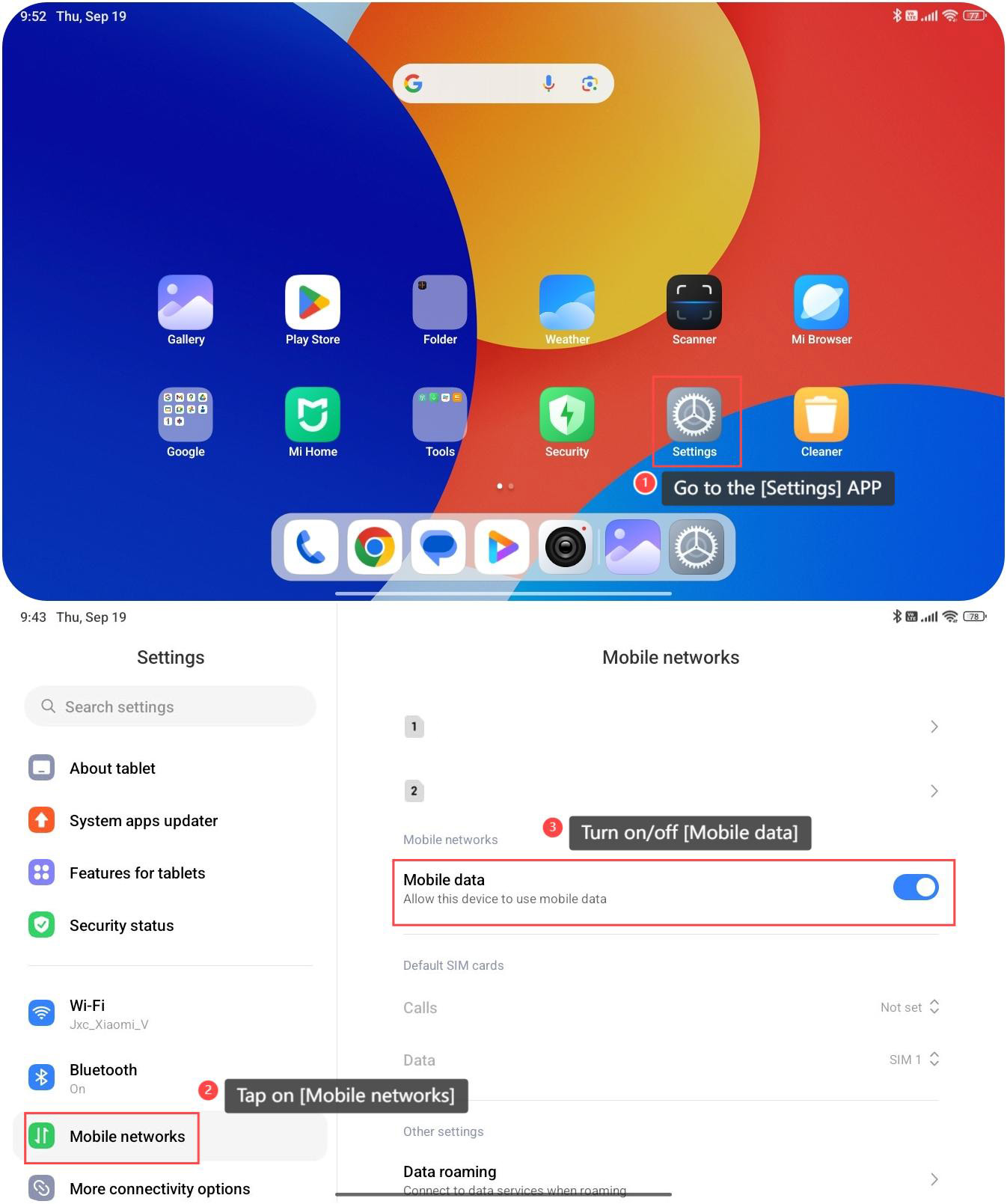
1. Go to the [Settings] APP;
2. Tap on [Mobile networks];
3. Then you can turn on/off [Mobile data] on this interface.
Method 2:
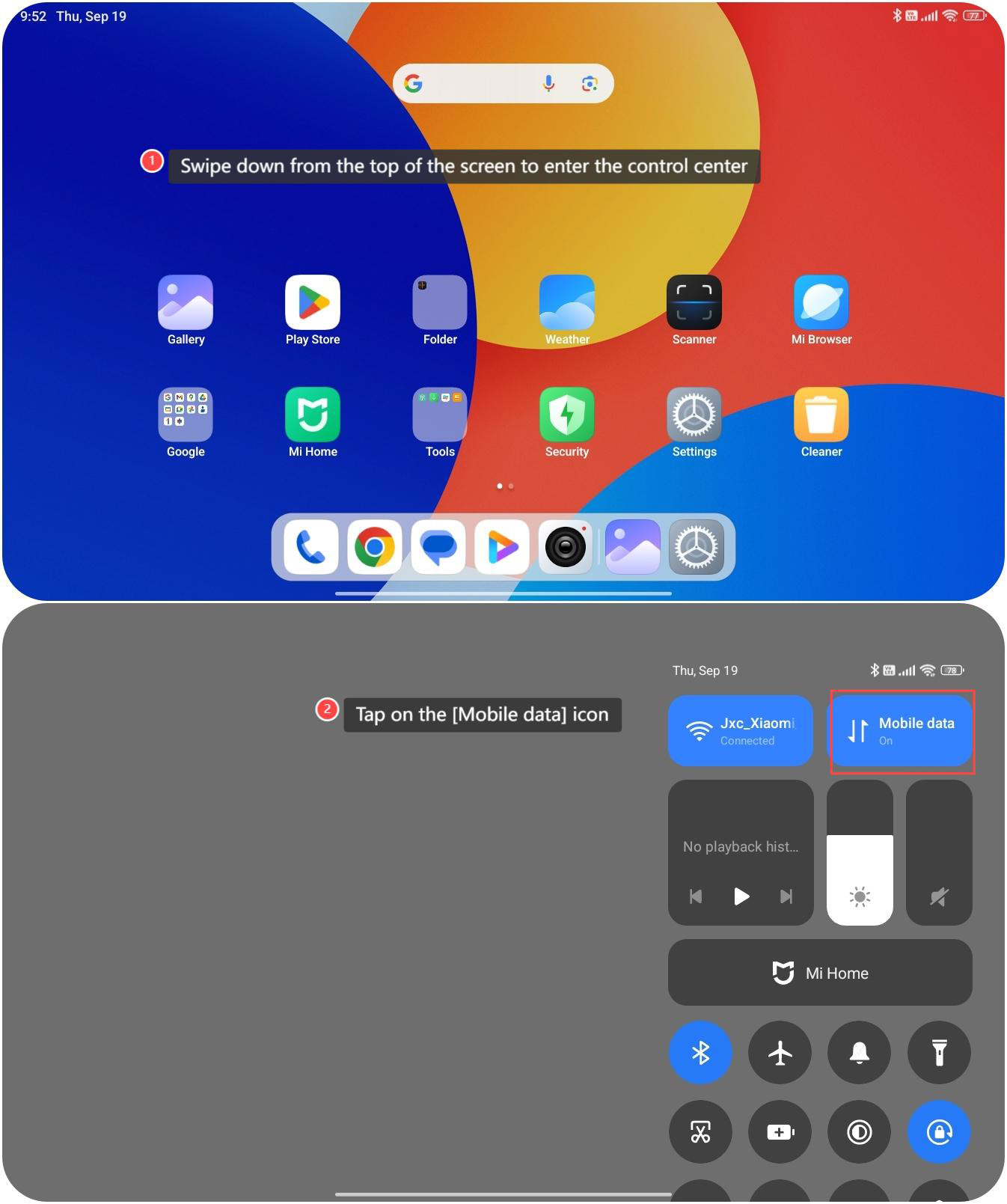
1. Swipe down from the top of the screen to enter the control center;
2. You can also simply tap on the [Mobile data] icon to turn it on/off.
Note:
Using mobile data can consume your cellular data quota and incur charges from your mobile carrier if you exceed your data allowance. Therefore, it's essential to monitor your data usage to avoid unexpected costs.
To turn on/off mobile data on your device, please refer to the following methods:
Method 1:
1. Go to the [Settings] APP;
2. Tap on [Mobile networks];
3. Then you can turn on/off [Mobile data] on this interface.
Method 2:
1. Swipe down from the top of the screen to enter the control center;
2. You can also simply tap on the [Mobile data] icon to turn it on/off.
Note:
Using mobile data can consume your cellular data quota and incur charges from your mobile carrier if you exceed your data allowance. Therefore, it's essential to monitor your data usage to avoid unexpected costs.
Does it help?
Yes
No