

How to check IMEI on the Redmi Pad SE 8.7 4G?
IMEI (International Mobile Equipment Identity) on the Redmi Pad SE 8.7 4G is a unique number that identifies the device on mobile networks. It consists of 15 digits and is used for tracking, locking, or unlocking devices.
To check IMEI, please refer to the following methods:
Method 1:
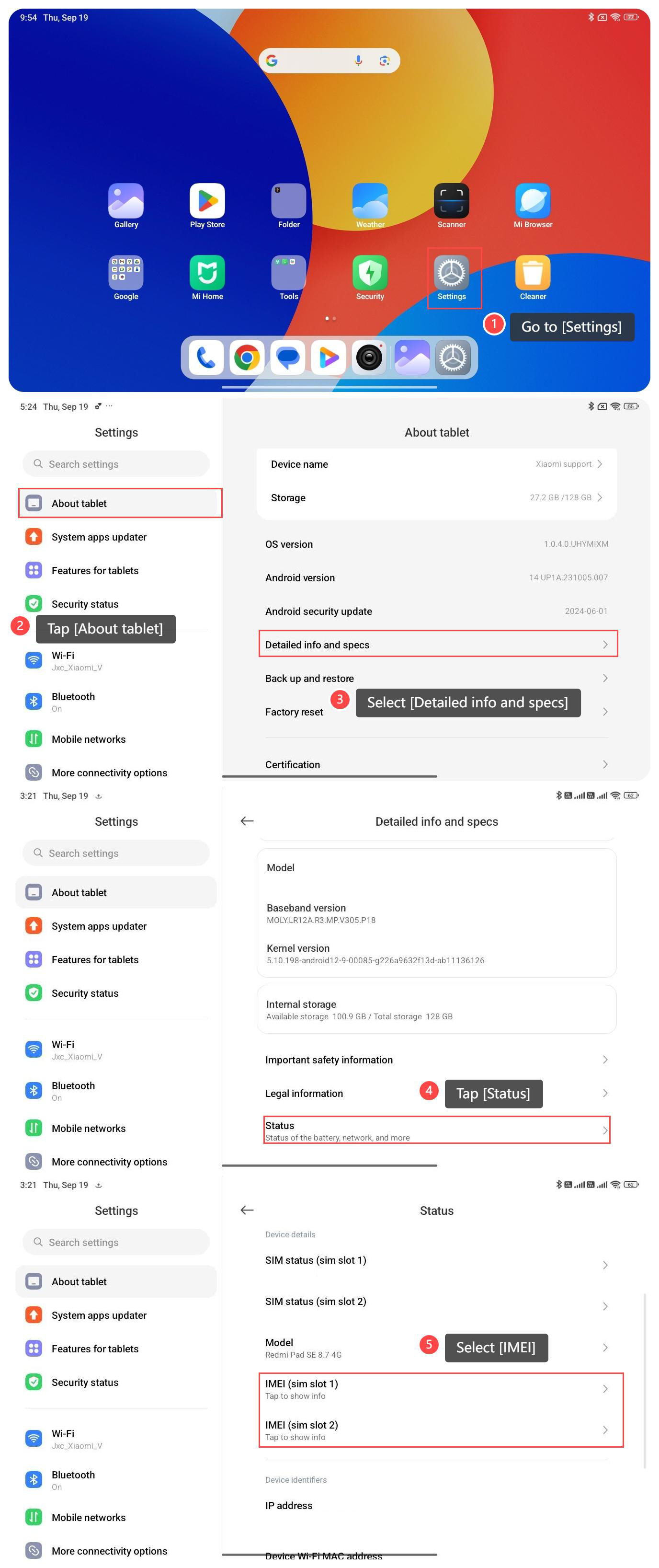
1. Go to [Settings];
2. Tap [About tablet];
3. Select [Detailed info and specs];
4. Tap [Status];
5. Select [IMEI], and the IMEI number is listed there.
Method 2:
You can also find the IMEI by dialing *#06# on the dialer app, and it will display the IMEI number on the screen.
To find it, please refer to the following steps:
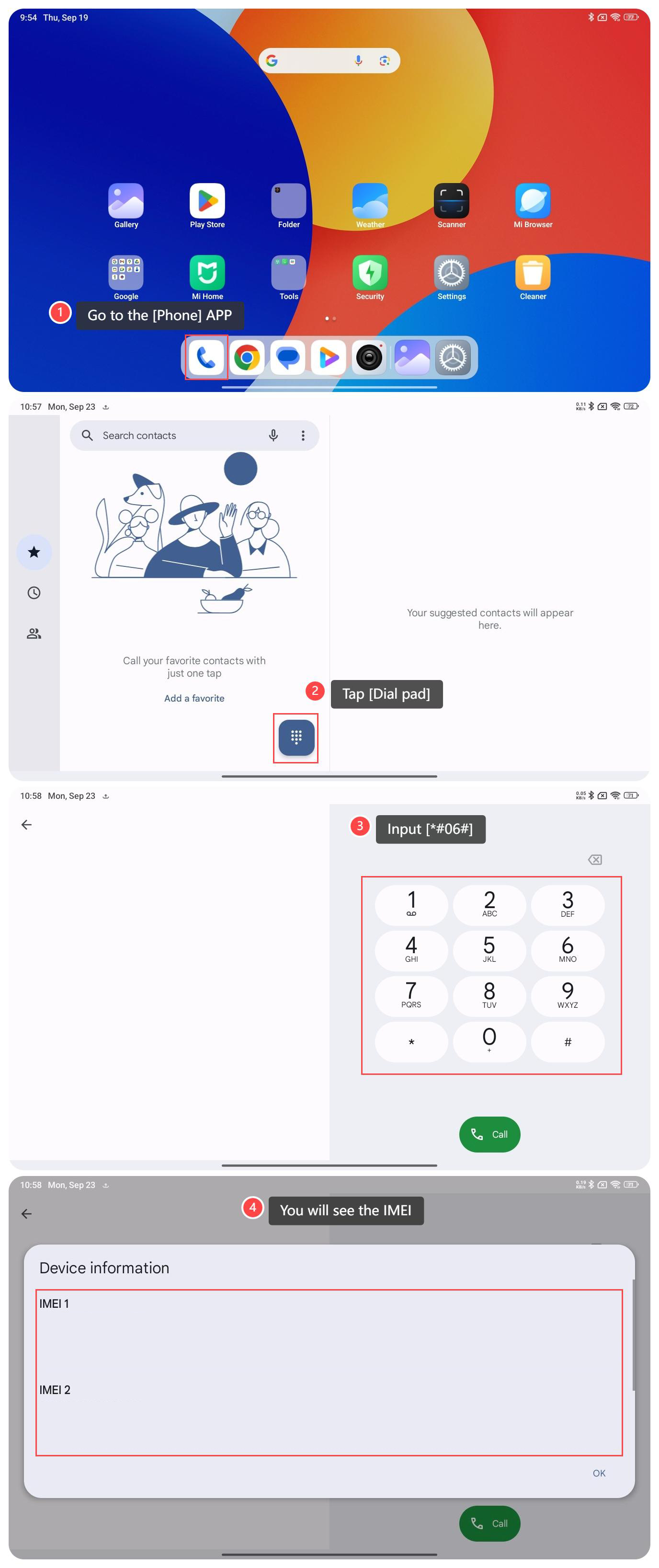
1. Go to the [Phone] APP;
2. Tap [Dial pad];
3. Input [*#06#];
4. And then you will see the IMEI.
To check IMEI, please refer to the following methods:
Method 1:
1. Go to [Settings];
2. Tap [About tablet];
3. Select [Detailed info and specs];
4. Tap [Status];
5. Select [IMEI], and the IMEI number is listed there.
Method 2:
You can also find the IMEI by dialing *#06# on the dialer app, and it will display the IMEI number on the screen.
To find it, please refer to the following steps:
1. Go to the [Phone] APP;
2. Tap [Dial pad];
3. Input [*#06#];
4. And then you will see the IMEI.
Does it help?
Yes
No