

How turn on/off Location History on the Redmi Pad SE 8.7 4G?
Location History on the Redmi Pad SE 8.7 4G is a feature that records and tracks the device’s geographical location over time. You can manage this feature through the device settings, where you choose to enable or disable location tracking based on your preferences for privacy and functionality.
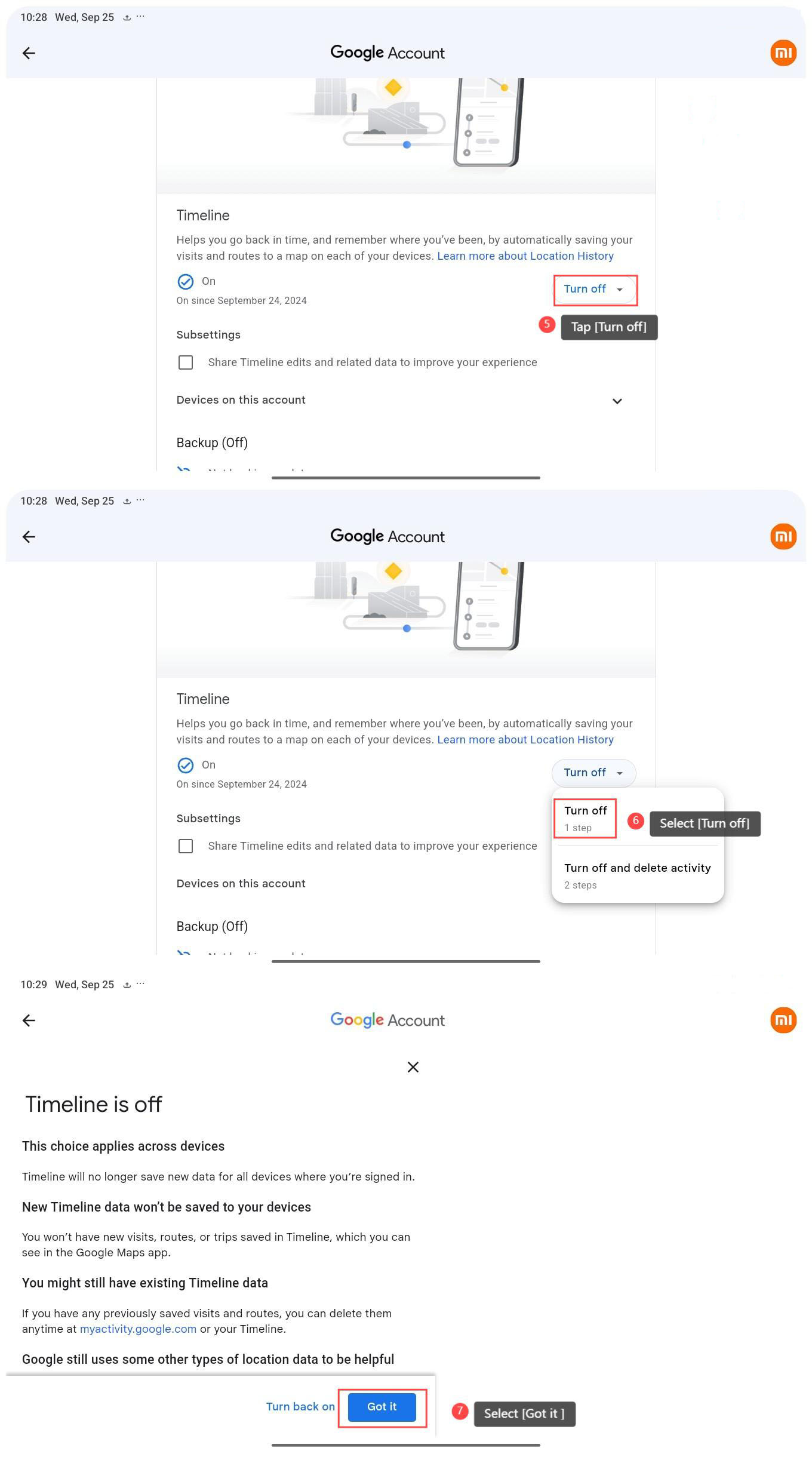
To turn off Location History, please refer to the following steps:
1. Go to [Settings];
2. Select [Location];
3. Tap [Location services];
4. Select [Google Location History];
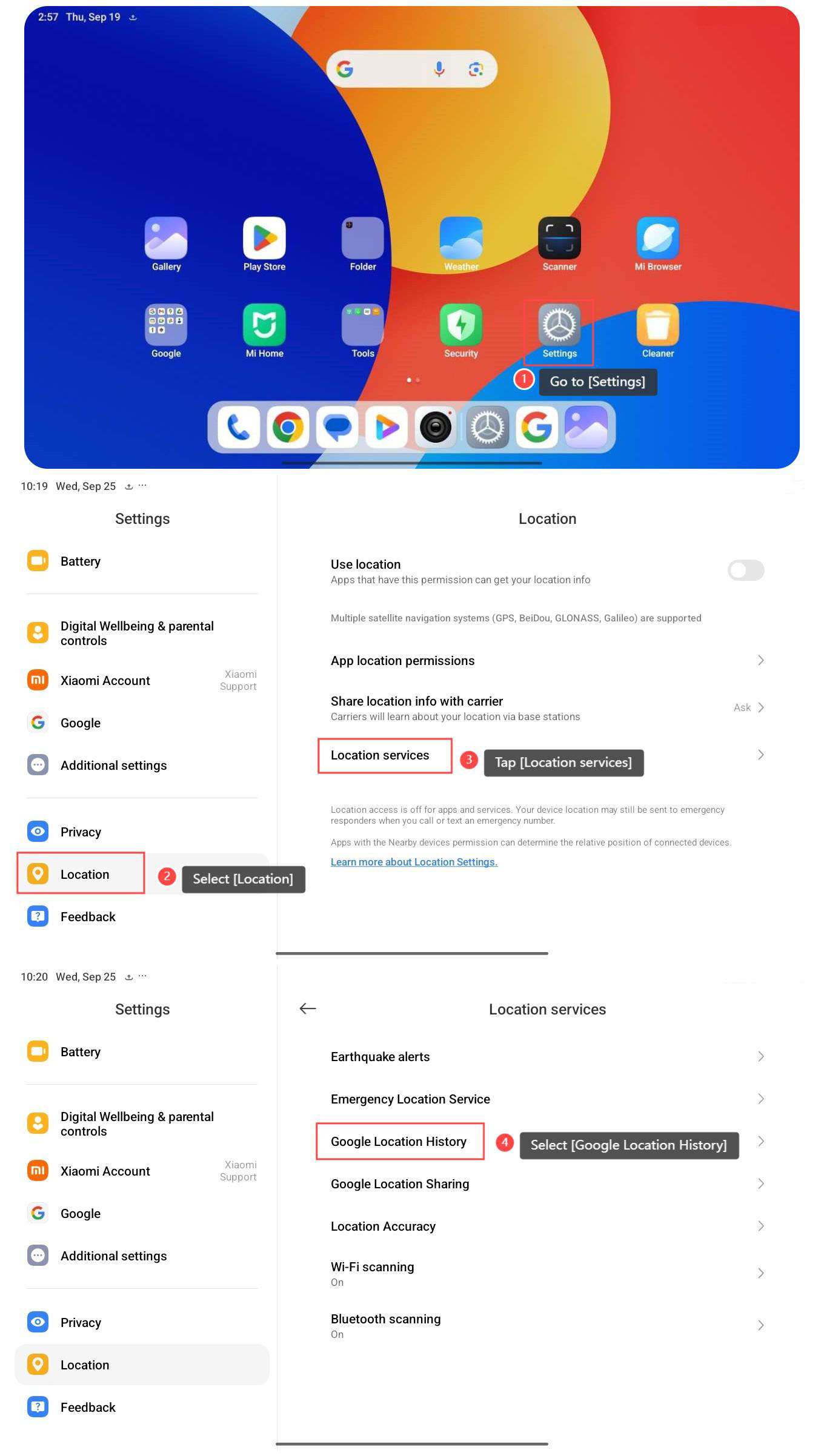
5. Tap [Turn off];
6. Select [Turn off];
7. Select [Got it ].
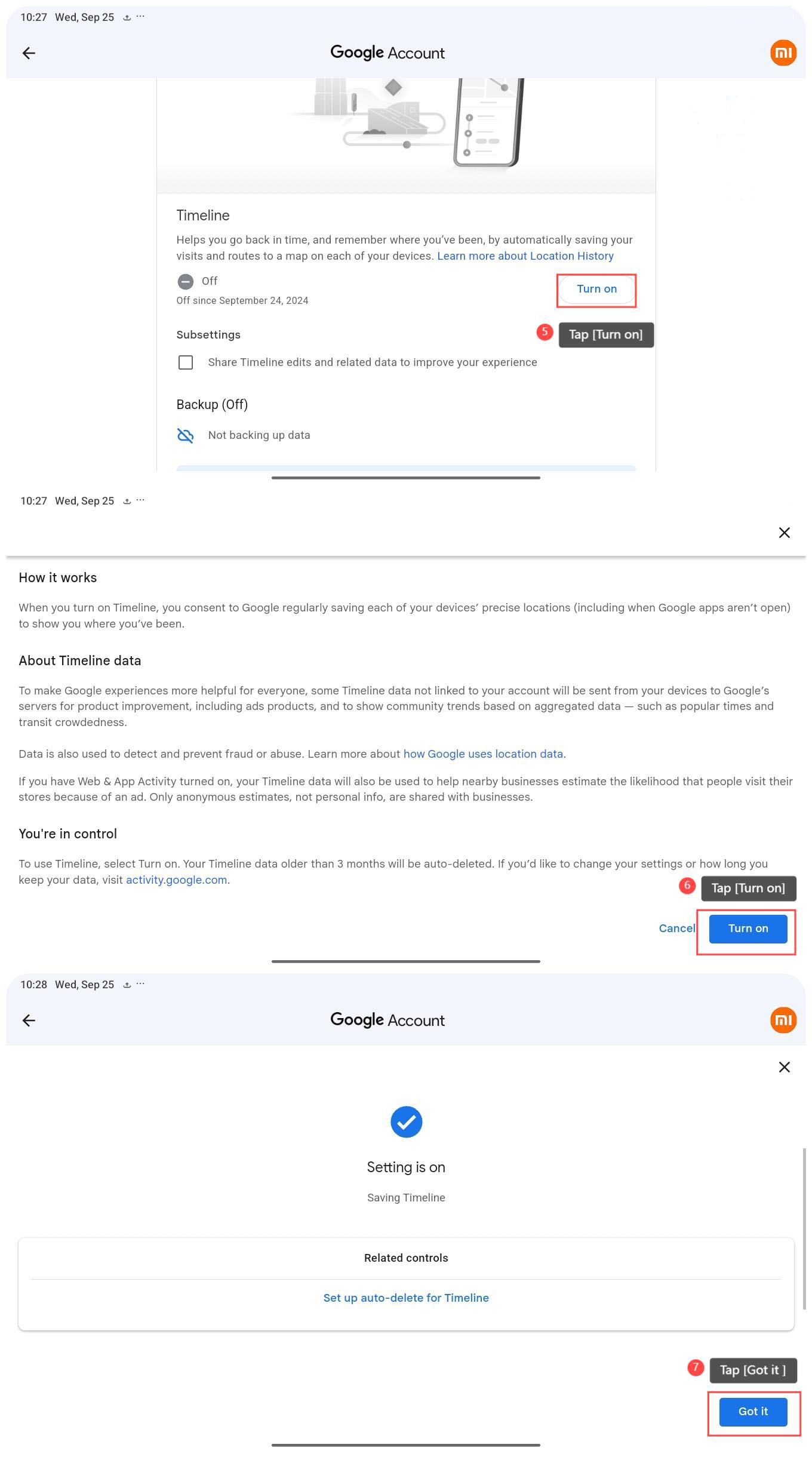
To turn on Location History, please refer to the following steps:
1. Go to [Settings];
2. Select [Location];
3. Tap [Location services];
4. Select [Google Location History];
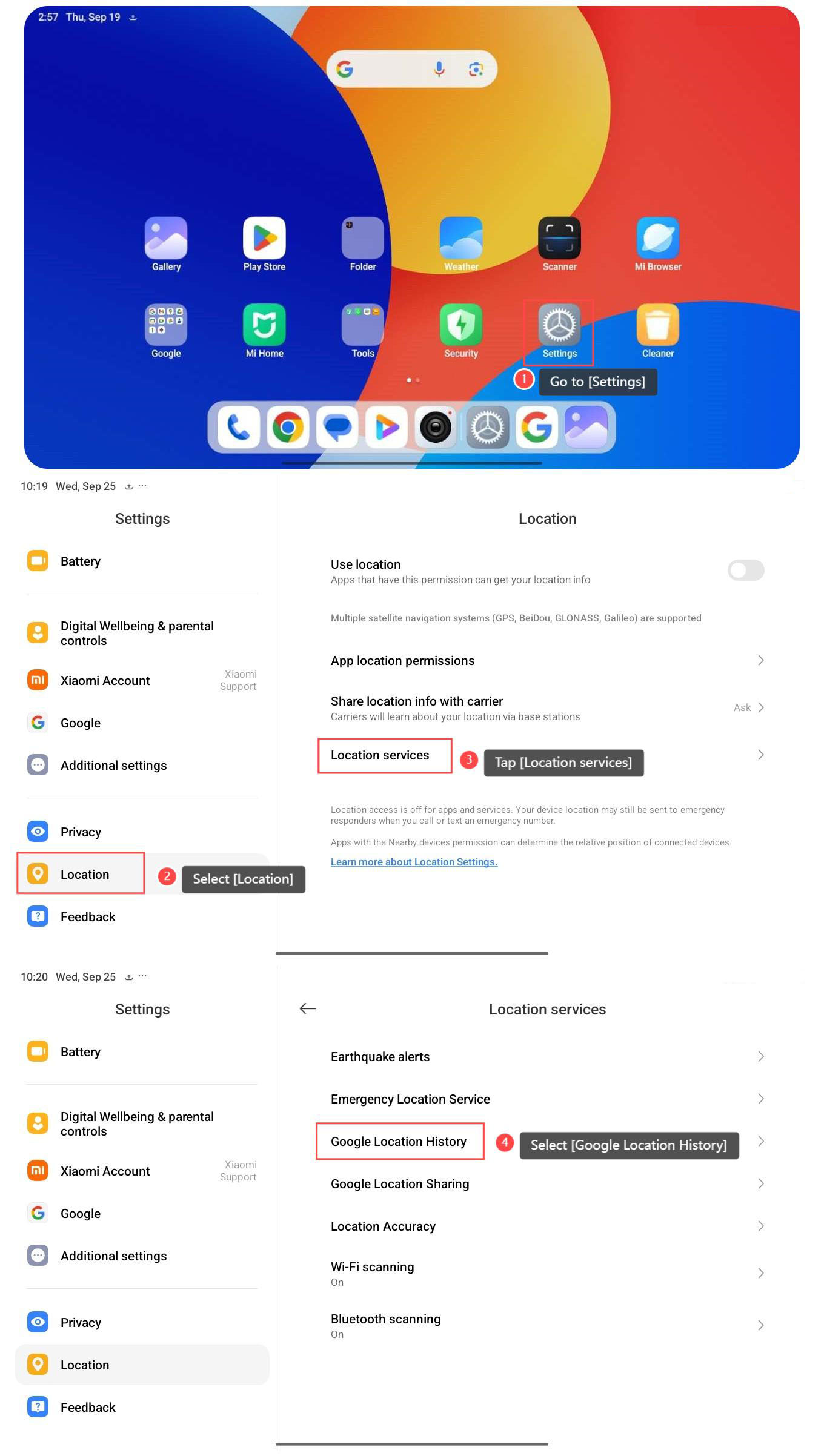
5. Tap [Turn on];
6. Tap [Turn on];
7. Tap [Got it ].
Note:
1. If you turn on the Location History, continuous tracking can lead to unauthorized access or monitoring of personal movements;
2. If you turn off the Location History, location-based services and apps will not work effectively without location data.
To turn off Location History, please refer to the following steps:
1. Go to [Settings];
2. Select [Location];
3. Tap [Location services];
4. Select [Google Location History];
5. Tap [Turn off];
6. Select [Turn off];
7. Select [Got it ].
To turn on Location History, please refer to the following steps:
1. Go to [Settings];
2. Select [Location];
3. Tap [Location services];
4. Select [Google Location History];
5. Tap [Turn on];
6. Tap [Turn on];
7. Tap [Got it ].
Note:
1. If you turn on the Location History, continuous tracking can lead to unauthorized access or monitoring of personal movements;
2. If you turn off the Location History, location-based services and apps will not work effectively without location data.
Does it help?
Yes
No