

How to turn on/off Bluetooth scanning on the Redmi Pad SE 8.7 4G?
Bluetooth scanning is the built-in feature of the Redmi Pad SE 8.7 4G allowing applications and services to scan for nearby devices at any time, even when Bluetooth is off. This can be used, for example, to improve location-based features and services. After enabling it, your applications can get better location info and provide an improved using experience.
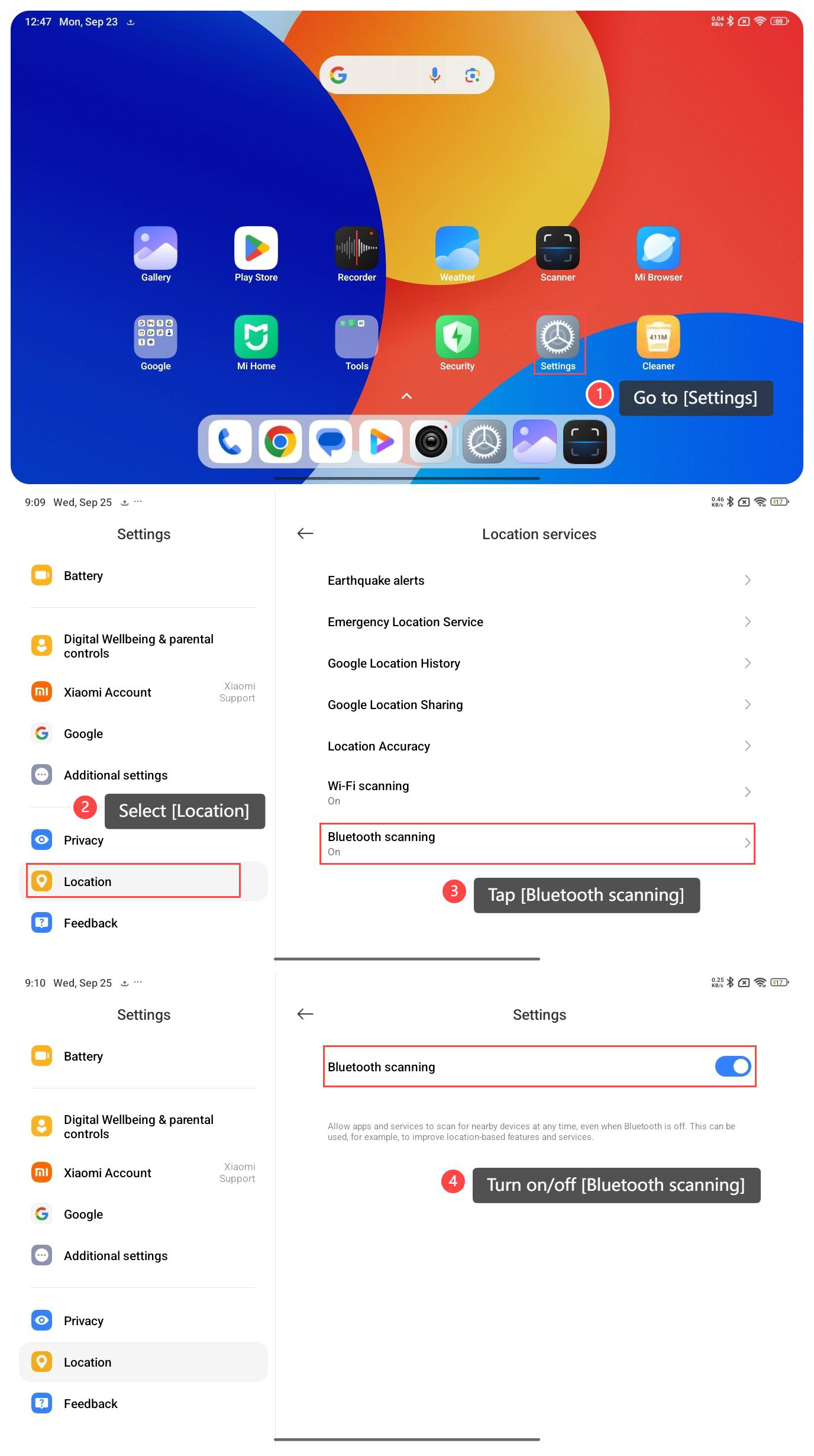
To turn on/off Bluetooth scanning on your tablet, please refer to the following steps:
1. Go to [Settings];
2. Scroll down and select [Location];
3. Tap [Bluetooth scanning];
4. Turn on/off [Bluetooth scanning].
Note:
While this feature enhances location accuracy, it also means that your device is periodically scanning for Bluetooth devices, which can improve power consumption. If you're concerned about privacy or want to conserve battery, you can choose to disable Bluetooth scanning in your device's settings.
To turn on/off Bluetooth scanning on your tablet, please refer to the following steps:
1. Go to [Settings];
2. Scroll down and select [Location];
3. Tap [Bluetooth scanning];
4. Turn on/off [Bluetooth scanning].
Note:
While this feature enhances location accuracy, it also means that your device is periodically scanning for Bluetooth devices, which can improve power consumption. If you're concerned about privacy or want to conserve battery, you can choose to disable Bluetooth scanning in your device's settings.
Does it help?
Yes
No