

How to make and check the private files on the Redmi Pad SE 8.7?
The private files on the Redmi Pad SE 8.7 refer to files or data that you want to keep confidential, secure, or hidden from casual access. It can encompass various types of data, including photos, videos, documents, or any other files that you consider private.
To make and check the private files on your tablet, please refer to the following steps:
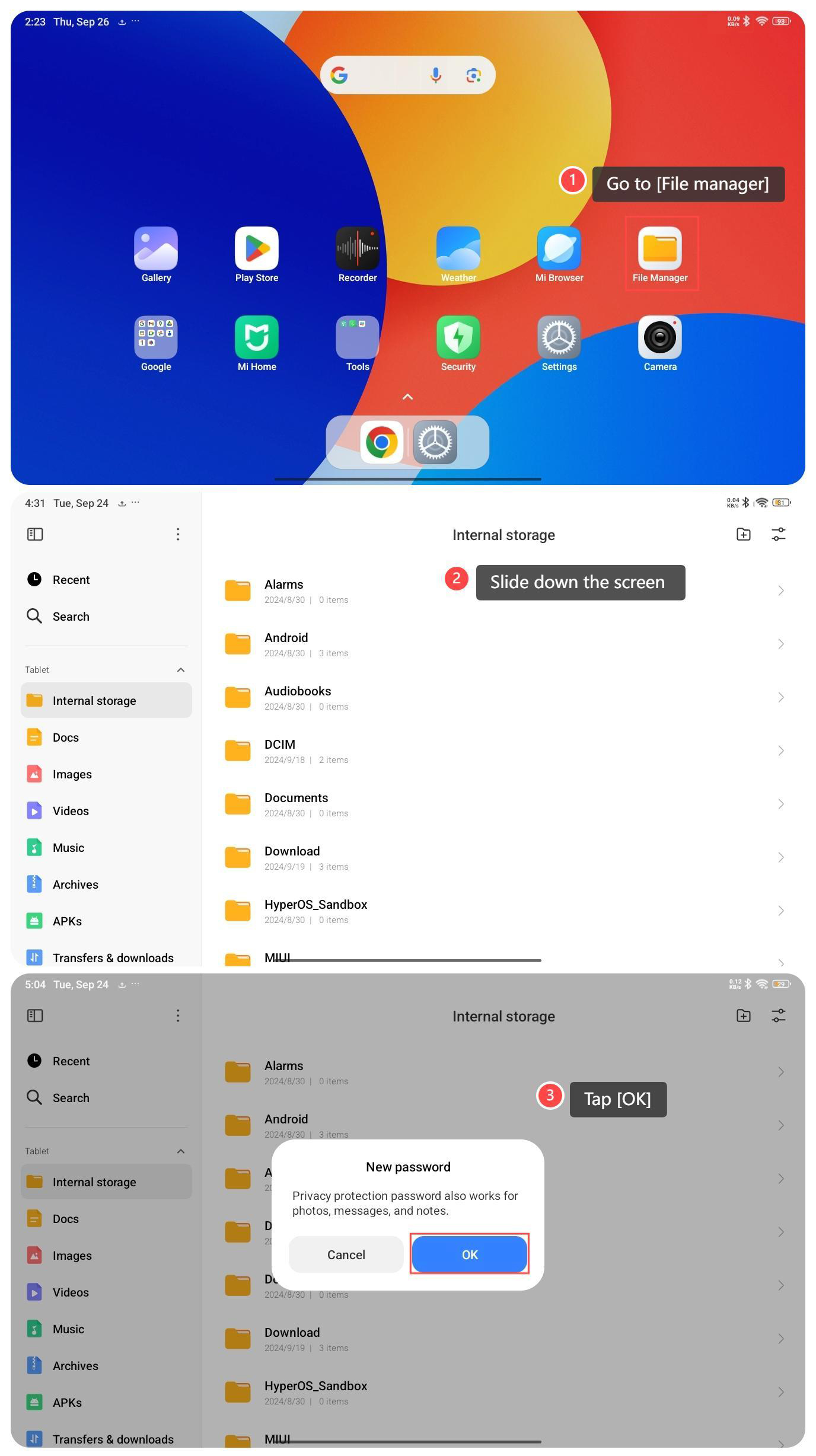
1. Go to [File manager] on your tablet;
2. Slide down the screen then the screen prompts you to release to view private files;
3. If this is your first time accessing private files, please read the notification and tap [OK] to confirm it. Draw your privacy protection password, then tap [Make files private] to make the private files;
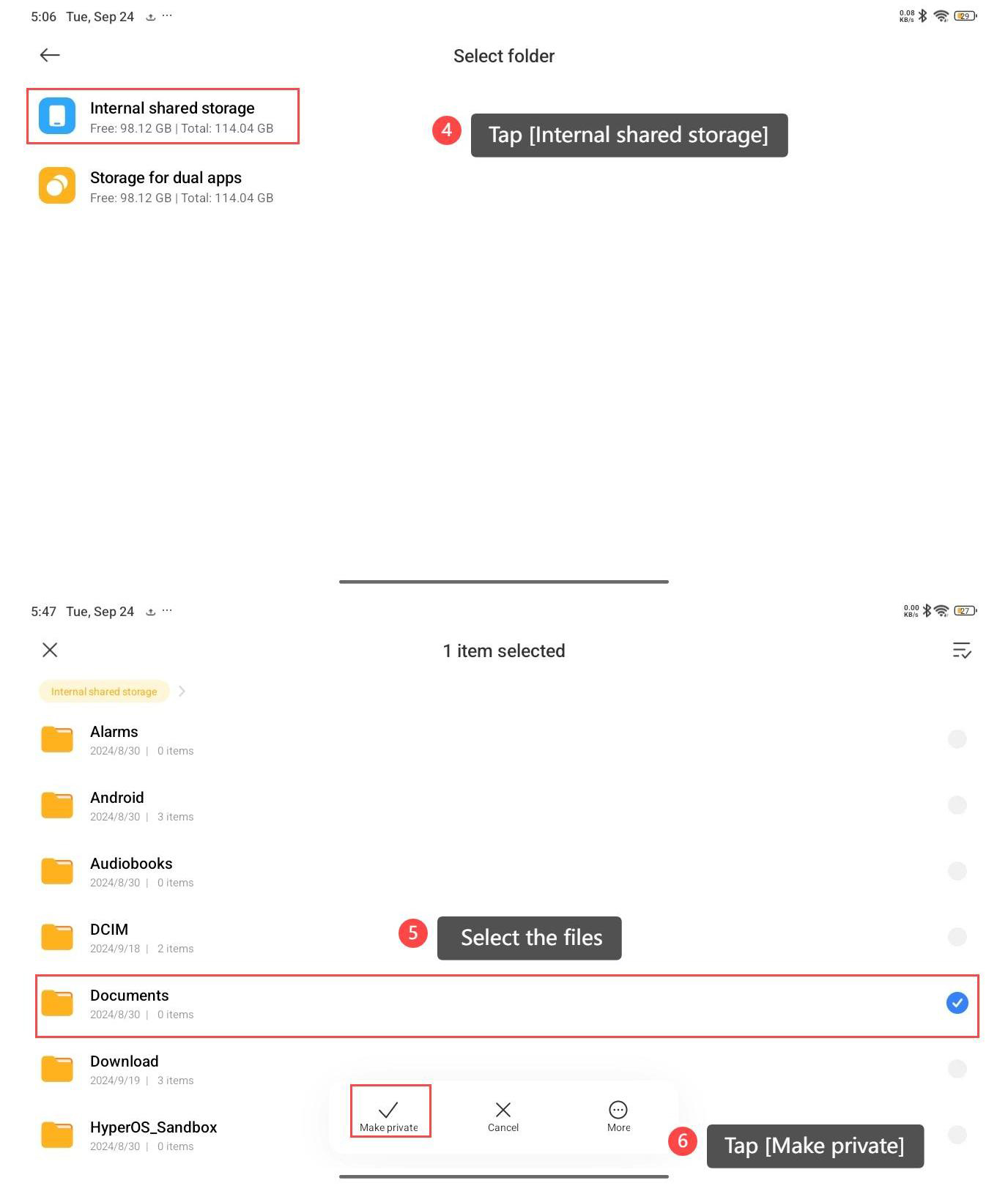
4. Tap [Internal shared storage];
5. Select the files for which you want to make them private;
6. Tap [Make private] to confirm your selection.
To make and check the private files on your tablet, please refer to the following steps:
1. Go to [File manager] on your tablet;
2. Slide down the screen then the screen prompts you to release to view private files;
3. If this is your first time accessing private files, please read the notification and tap [OK] to confirm it. Draw your privacy protection password, then tap [Make files private] to make the private files;
4. Tap [Internal shared storage];
5. Select the files for which you want to make them private;
6. Tap [Make private] to confirm your selection.
Does it help?
Yes
No