

How to update the system of the Redmi Pad SE 8.7 automatically?
The Redmi Pad SE 8.7 can update the system automatically, which can save your time and make you use the latest function in time, without going to settings and downloading the package of the latest version, making updating more convenient and time-saving and the tablet satisfy your needs.
To update the system of your tablet automatically, please refer to the following steps:
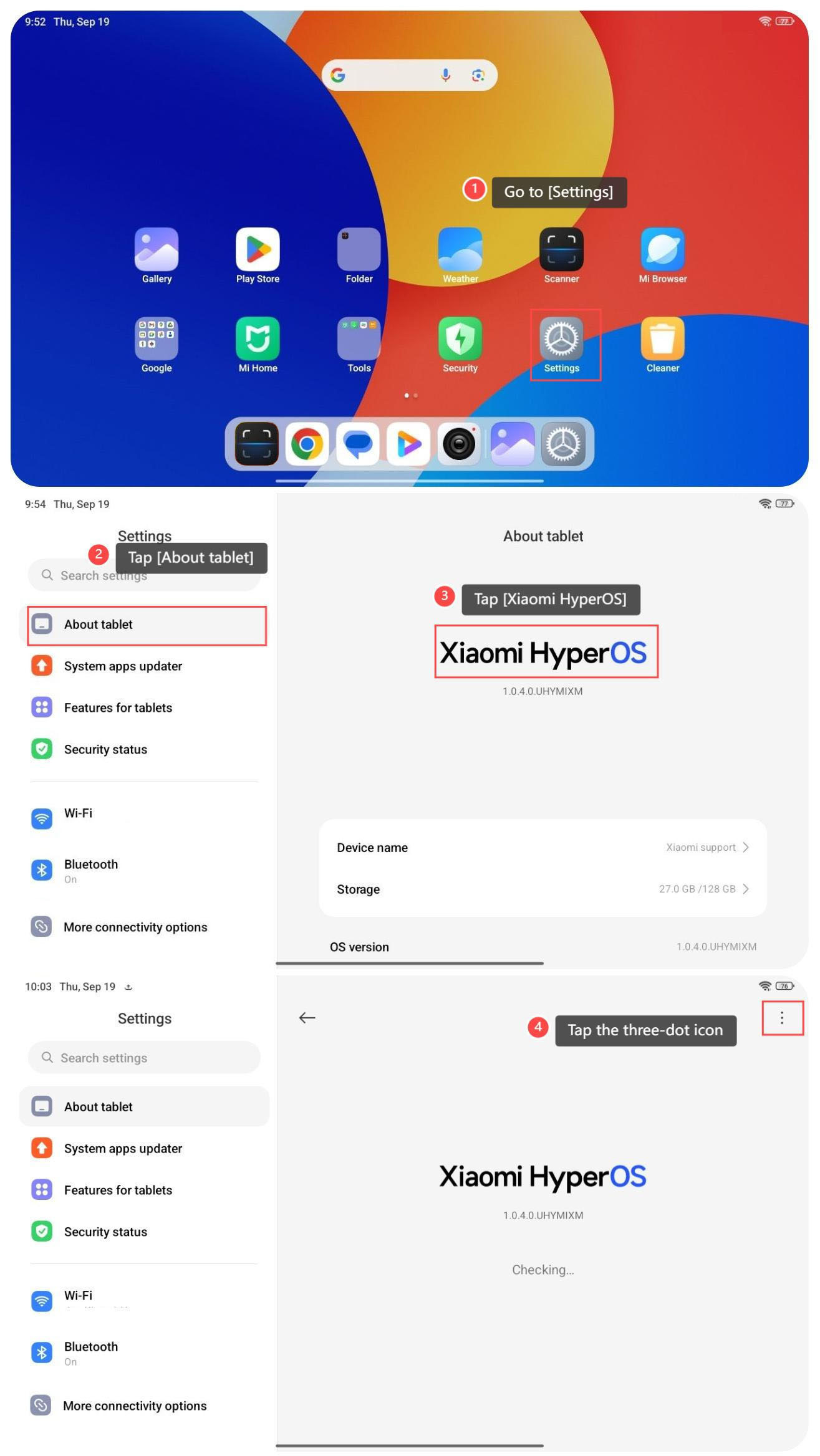
1. Go to [Settings];
2. Tap [About tablet];
3. Tap [Xiaomi HyperOS];
4. Tap the three-dot icon at the right top of the screen;
To update the system of your tablet automatically, please refer to the following steps:
1. Go to [Settings];
2. Tap [About tablet];
3. Tap [Xiaomi HyperOS];
4. Tap the three-dot icon at the right top of the screen;
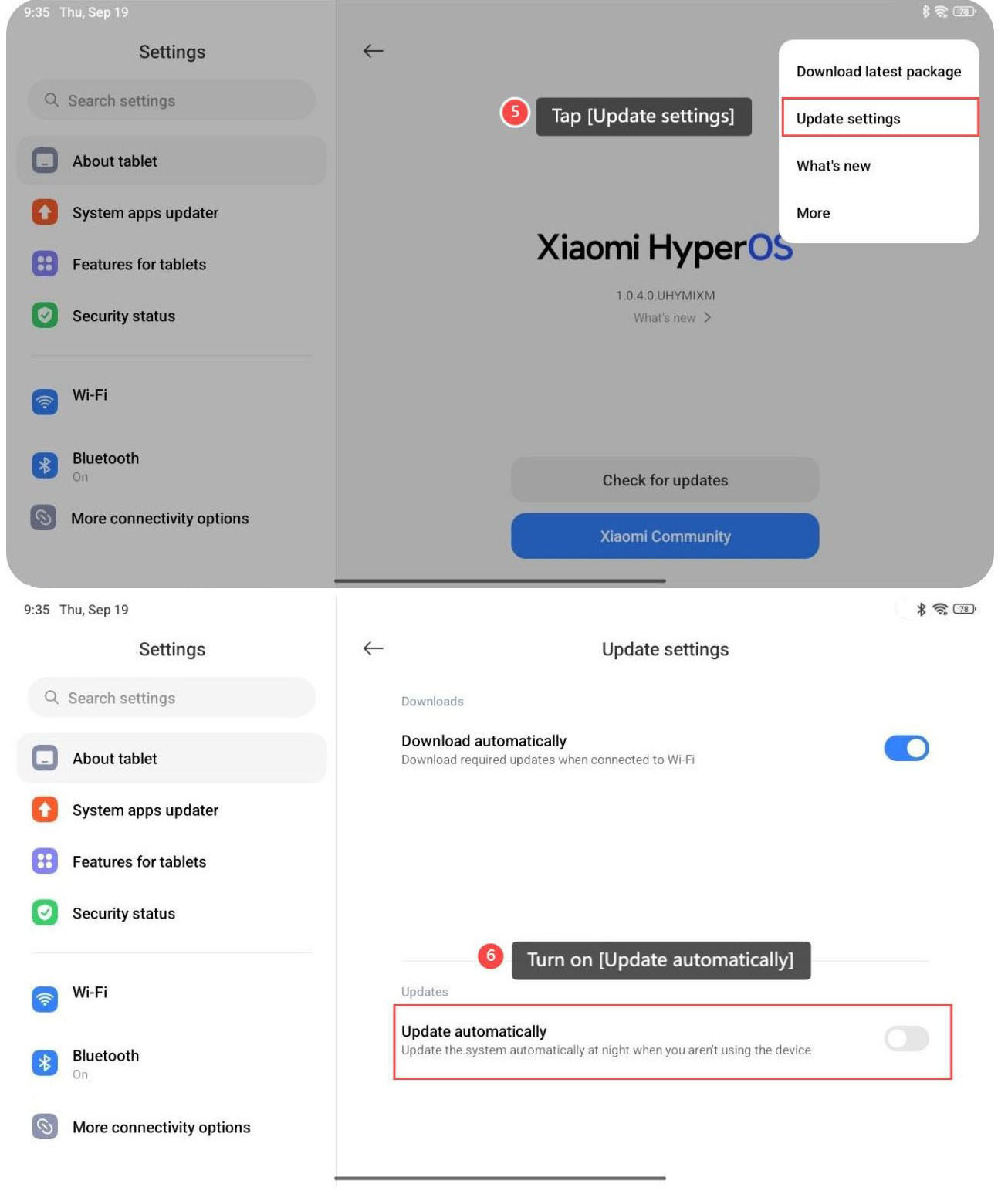
5. Tap [Update settings];
6. Turn on [Update automatically].
6. Turn on [Update automatically].
Does it help?
Yes
No