

How to create a Folder on the Home screen of the Redmi Pad SE 8.7?
Creating a folder on the Home screen of the Redmi Pad SE 8.7 allows you to organize your apps more efficiently. This function enables you to group related apps together, making it easier to access them quickly and reducing clutter on your Home screen. For example, you can create a folder for social media apps, productivity tools, or games. Additionally, having these folders helps you maintain a tidy interface, allowing for smoother navigation. You can customize folder names, making them visually distinct and easy to locate.
To create a Folder on the Home screen of the Redmi Pad SE 8.7, please refer to the following steps:
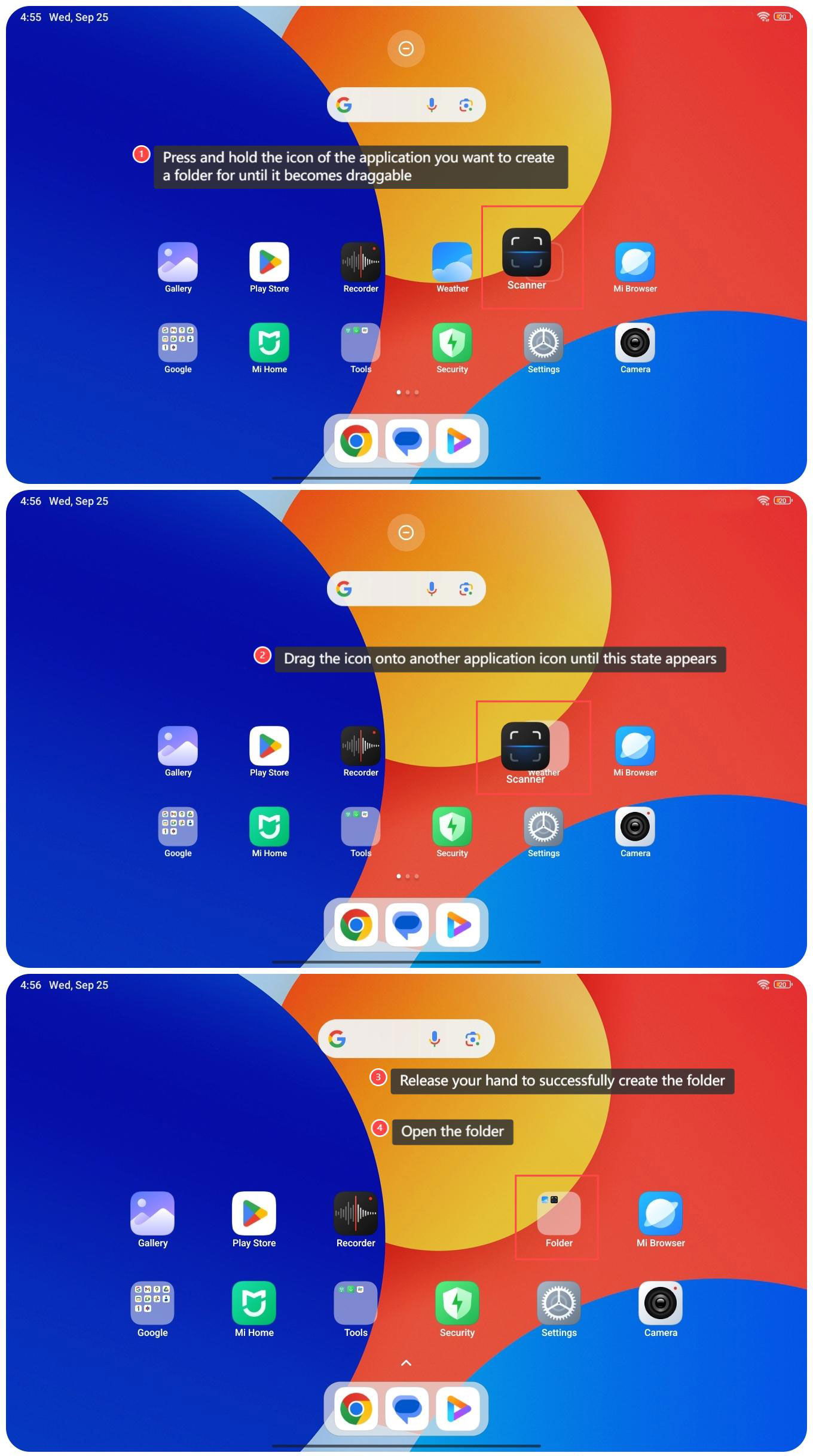
1. Press and hold the icon of the application you want to create a folder for until it becomes draggable;
2. Drag the icon onto another application icon until this state appears;
3. Release your hand to successfully create the folder;
4. Open the folder;
To create a Folder on the Home screen of the Redmi Pad SE 8.7, please refer to the following steps:
1. Press and hold the icon of the application you want to create a folder for until it becomes draggable;
2. Drag the icon onto another application icon until this state appears;
3. Release your hand to successfully create the folder;
4. Open the folder;
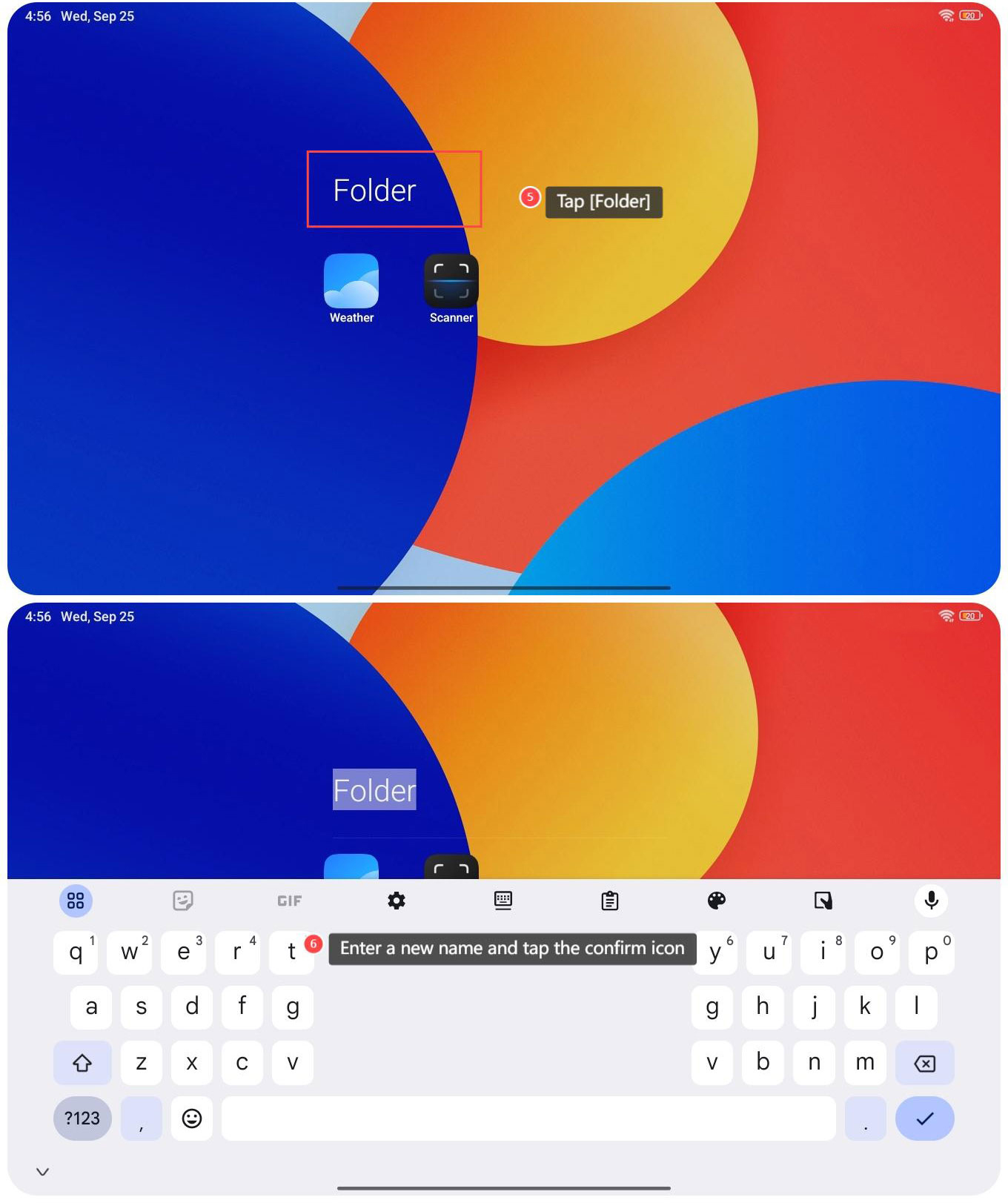
5. Tap [Folder];
6. Enter a new name and tap the confirm icon.
6. Enter a new name and tap the confirm icon.
Does it help?
Yes
No