

How to set the default SIM for mobile data on the Redmi Pad SE 8.7 4G?
The Redmi Pad SE 8.7 4G supports setting the default SIM for mobile data, which can make us use the mobile data according to your needs, and avoid unnecessary consumption of mobile data of another SIM.
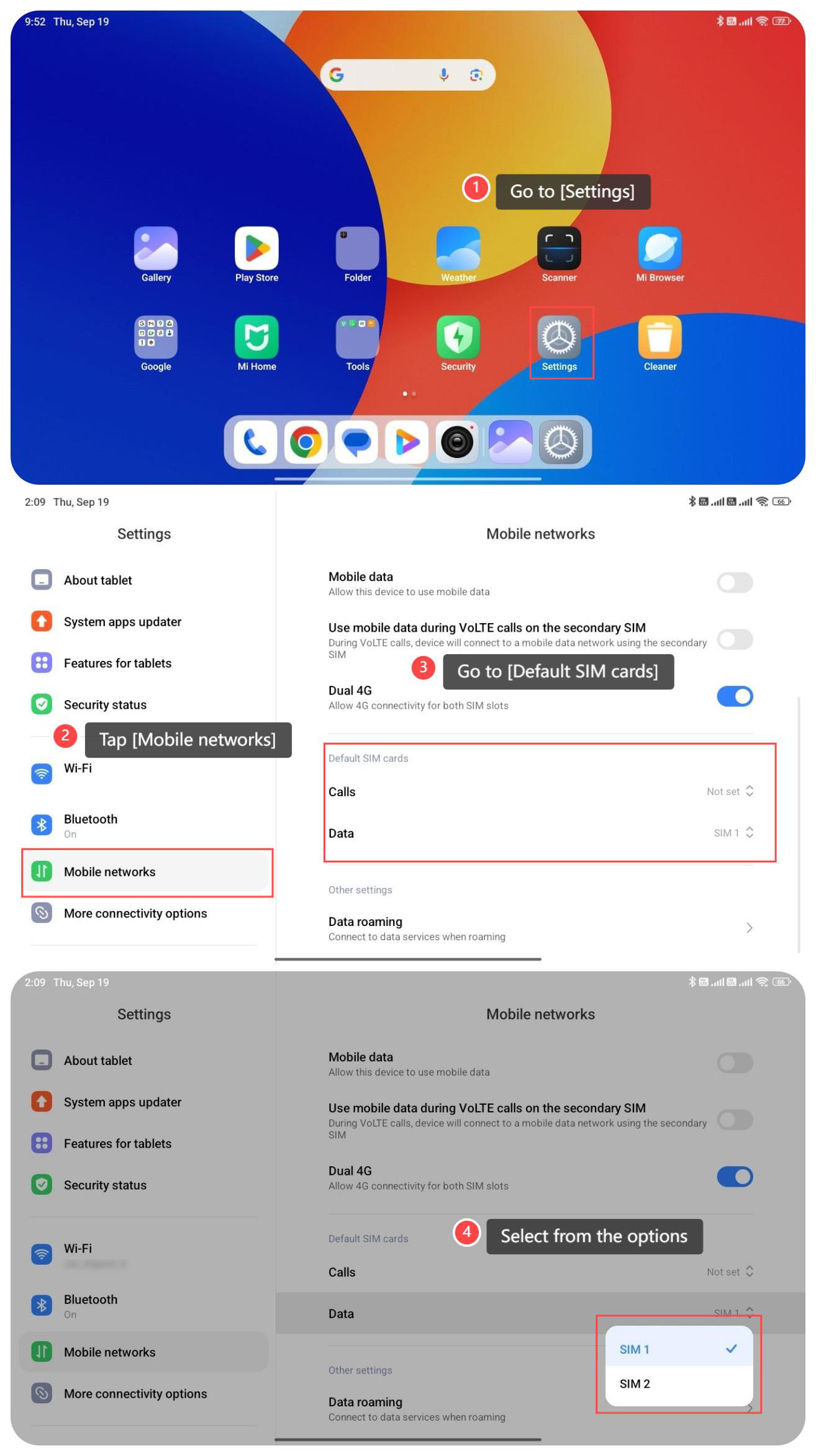
To set the default SIM for mobile data, please refer to the following steps:
1. Go to [Settings];
2. Tap [Mobile networks];
3. Go to [Default SIM cards];
4. Select SIM 1 or SIM 2 for mobile data.
To set the default SIM for mobile data, please refer to the following steps:
1. Go to [Settings];
2. Tap [Mobile networks];
3. Go to [Default SIM cards];
4. Select SIM 1 or SIM 2 for mobile data.
Does it help?
Yes
No