

How to show Bluetooth devices without names on the Redmi Pad SE 8.7 4G?
Bluetooth devices without names on the Redmi Pad SE 8.7 4G refer to connected devices that lack identifiable labels, showing up as generic names instead. This often occurs with unrecognized or less common devices that haven’t been properly named. They function normally, but identifying them can be tricky. It appears as generic identifiers due to not being properly connected or because the device doesn’t broadcast its name.
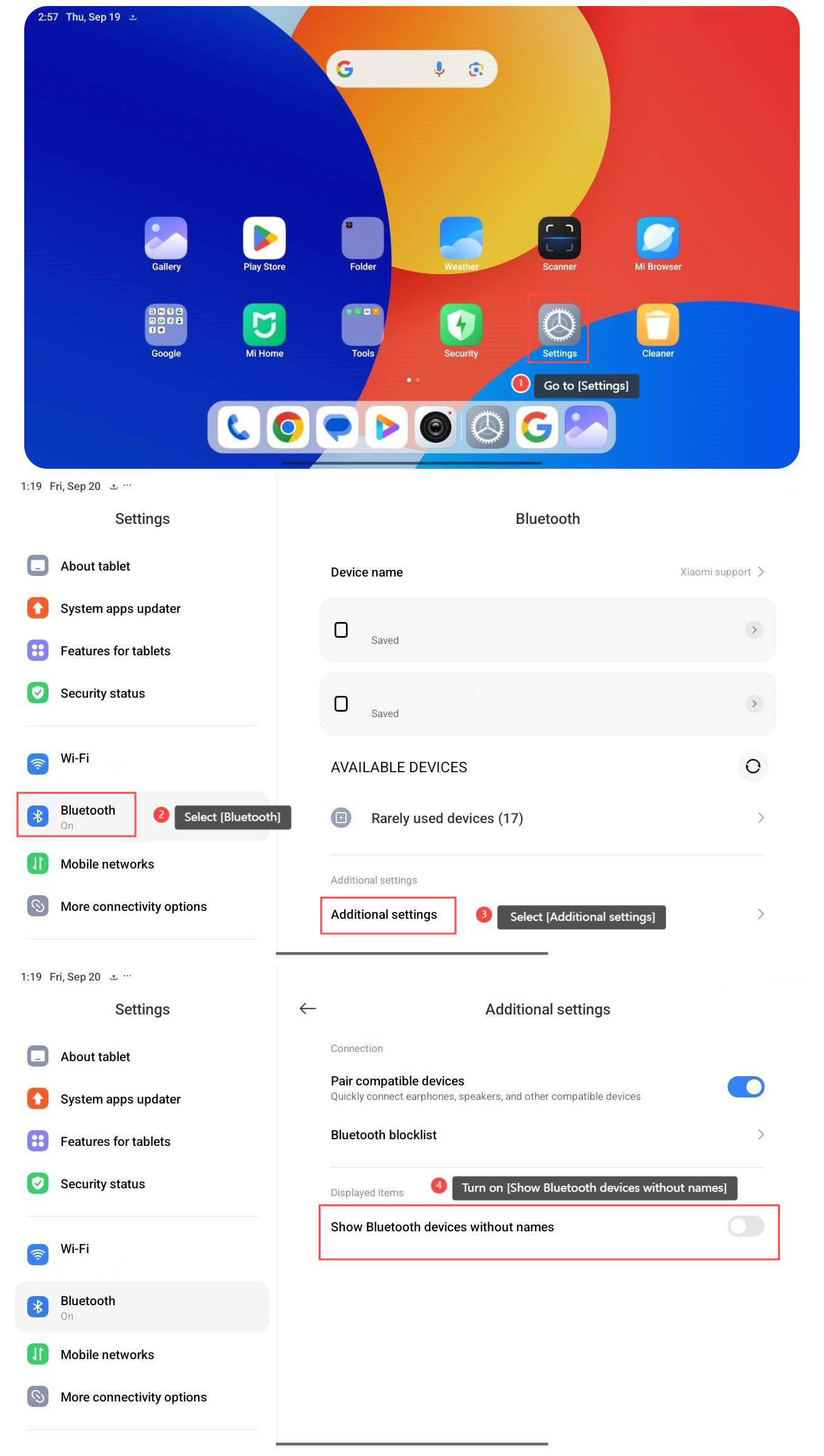
To show Bluetooth devices without names, please refer to the following steps:
1. Go to [Settings];
2. Select [Bluetooth], and turn on the Bluetooth;
3. Select [Additional settings];
4. Turn on [Show Bluetooth devices without names].
To show Bluetooth devices without names, please refer to the following steps:
1. Go to [Settings];
2. Select [Bluetooth], and turn on the Bluetooth;
3. Select [Additional settings];
4. Turn on [Show Bluetooth devices without names].
Does it help?
Yes
No