

How to set the Home screen wallpaper on the Redmi Pad SE 8.7?
The Redmi Pad SE 8.7 supports setting home screen wallpaper, which allows you to express your individuality and style through chosen images or themes. A visually appealing wallpaper can enhance your mood and make using the device more enjoyable. Regularly changing wallpaper can give the device a fresh feel, keeping you engaged and interested.
To set the home screen wallpaper on your tablet, please refer to the following methods:
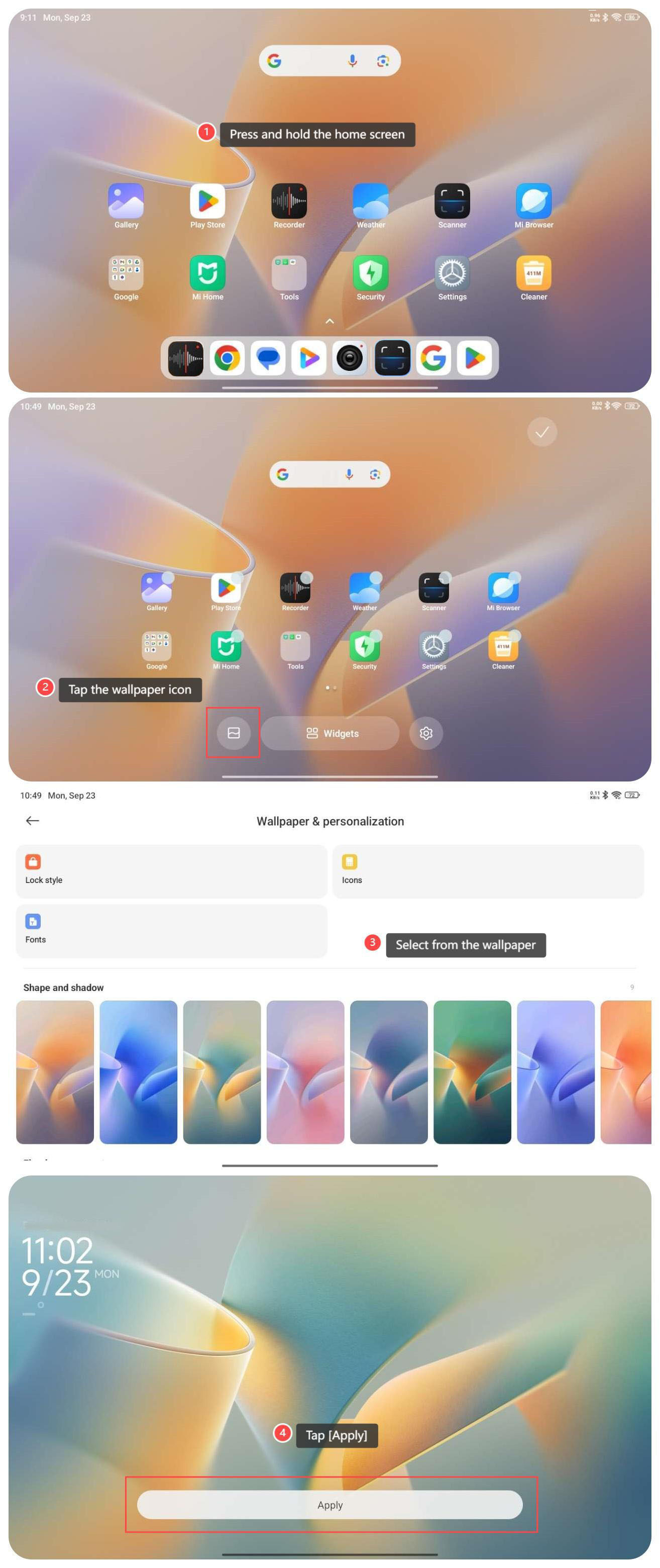
Method 1:
1. Press and hold the home screen;
2. Tap the wallpaper icon;
3. Select the wallpaper according to your preference;
4. Tap [Apply] to use the wallpaper.
Method 2:
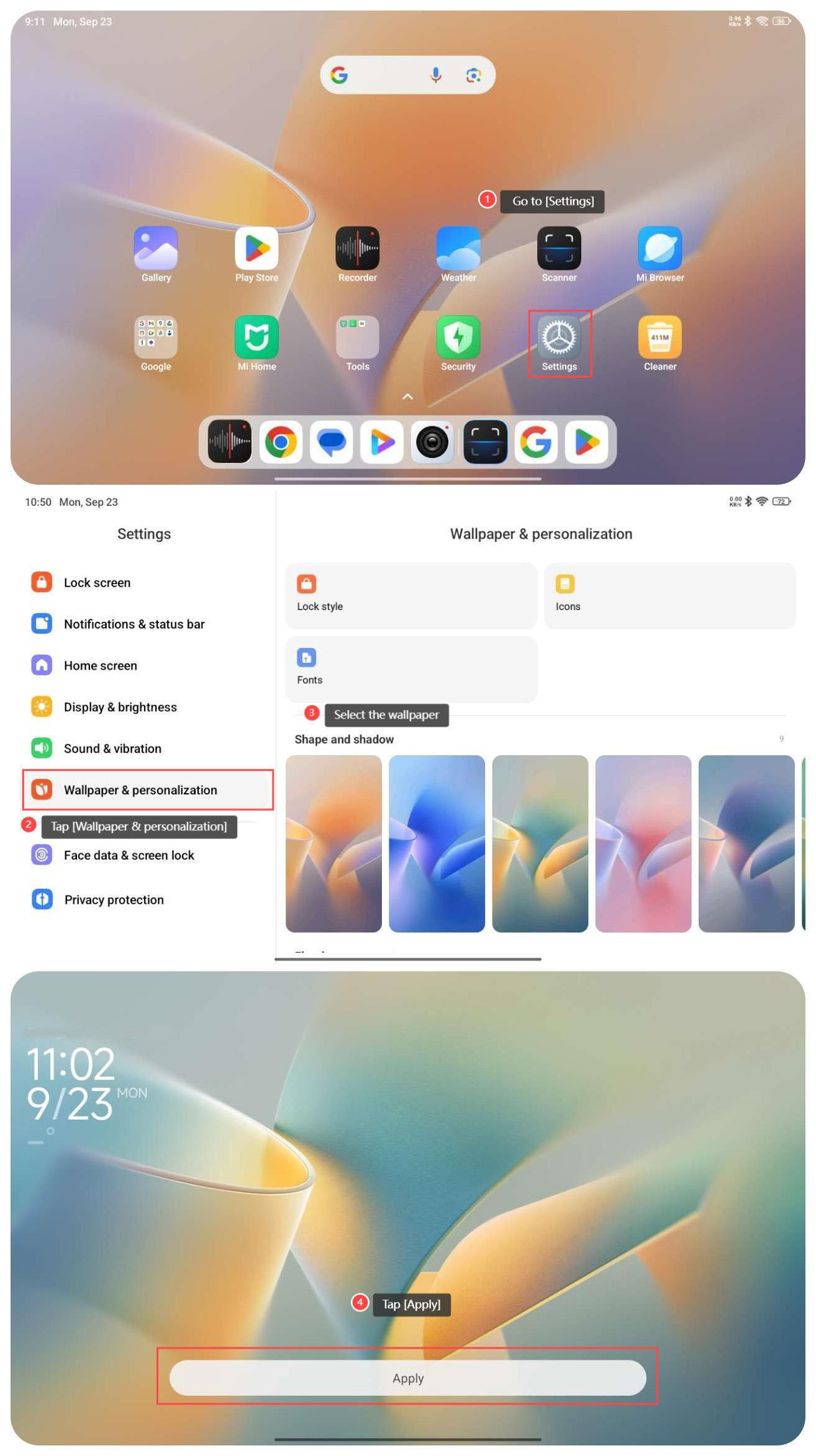
1. Go to [Settings];
2. Tap [Wallpaper & personalization];
3. Select the wallpaper according to your preference;
4. Tap [Apply] to use the wallpaper.
Method 3:
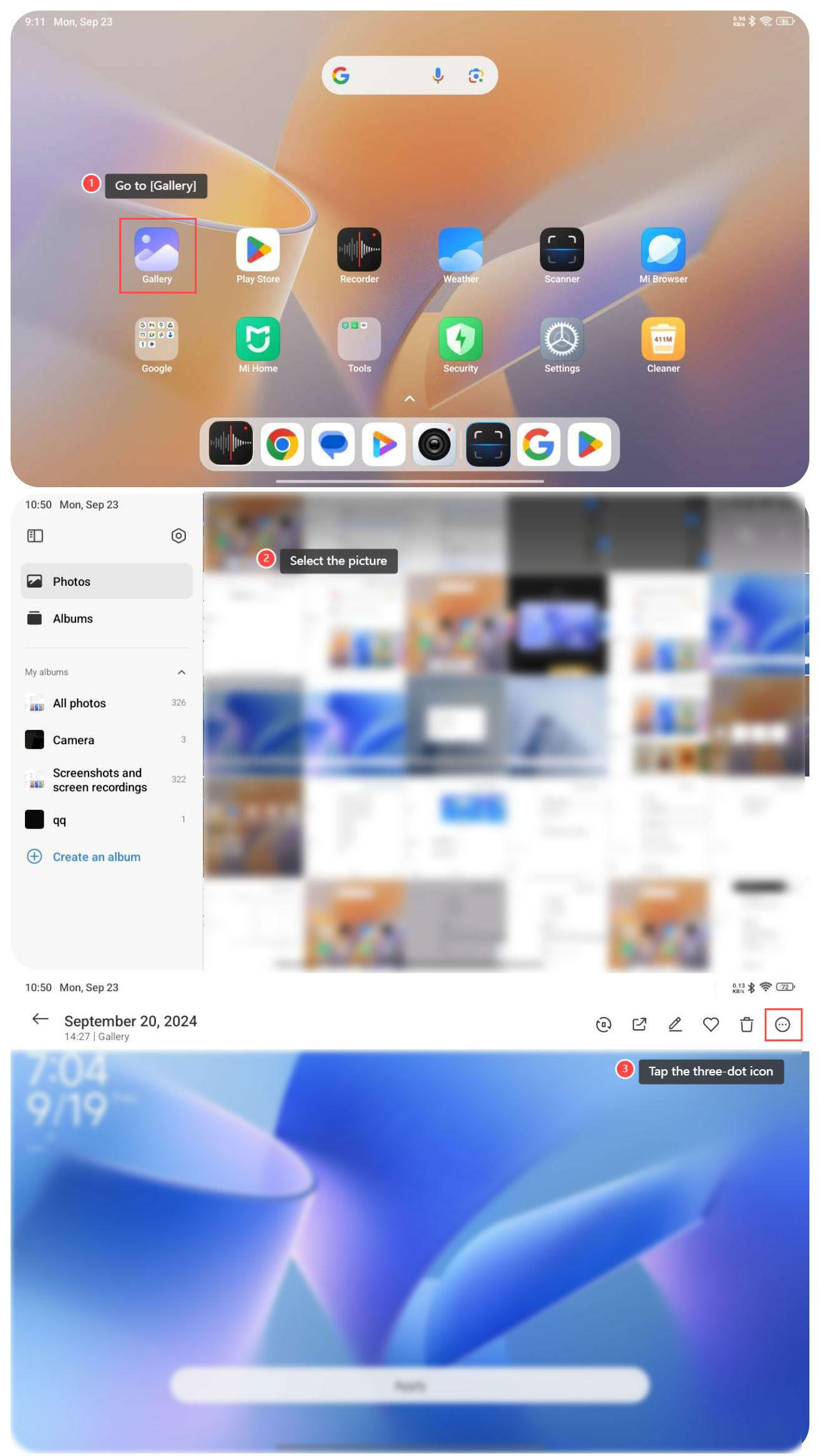
1. Go to [Gallery];
2. Select the picture that you want to set as the wallpaper;
3. Tap the three-dot icon on the right top of the screen;
To set the home screen wallpaper on your tablet, please refer to the following methods:
Method 1:
1. Press and hold the home screen;
2. Tap the wallpaper icon;
3. Select the wallpaper according to your preference;
4. Tap [Apply] to use the wallpaper.
Method 2:
1. Go to [Settings];
2. Tap [Wallpaper & personalization];
3. Select the wallpaper according to your preference;
4. Tap [Apply] to use the wallpaper.
Method 3:
1. Go to [Gallery];
2. Select the picture that you want to set as the wallpaper;
3. Tap the three-dot icon on the right top of the screen;
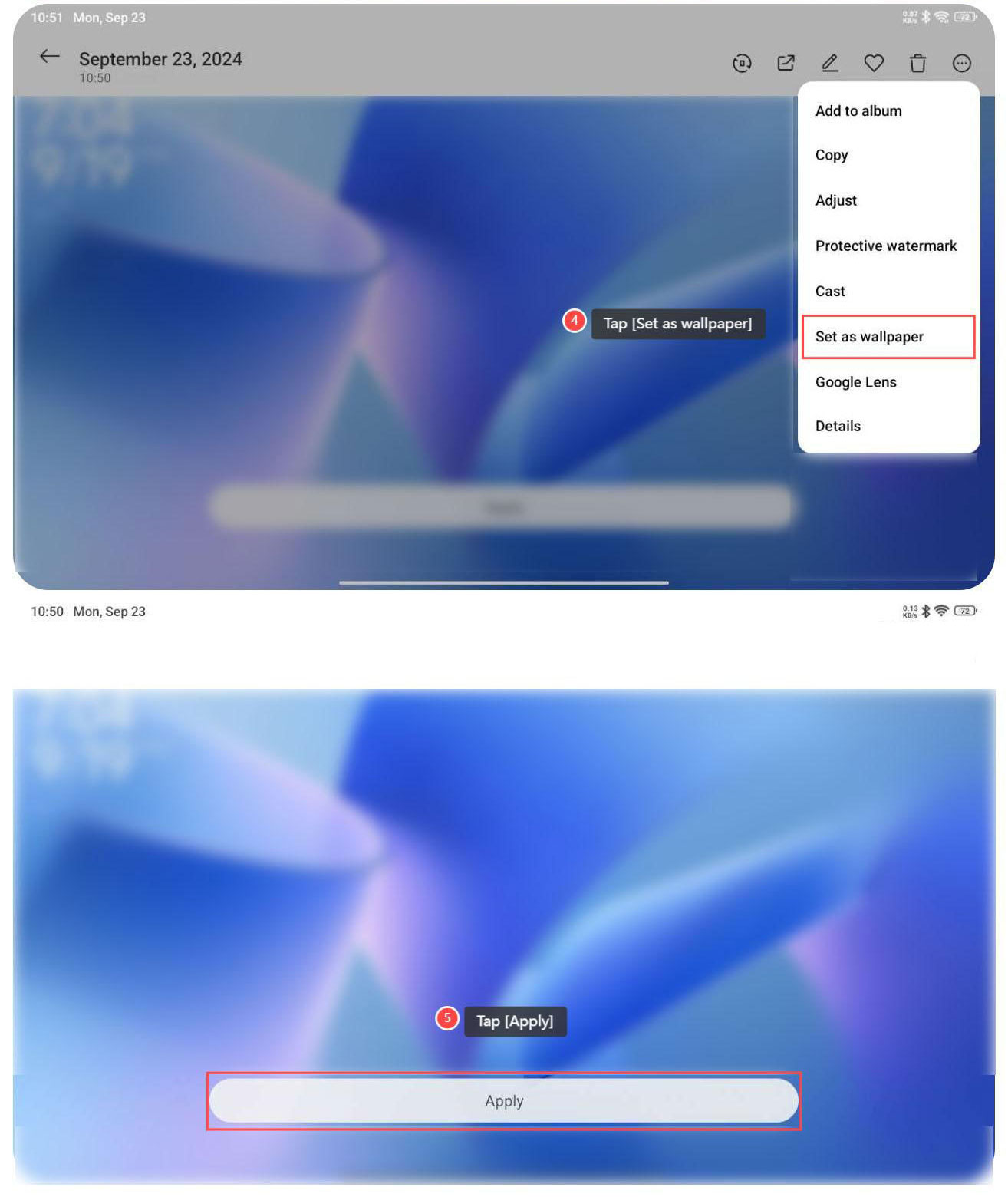
4. Tap [Set as wallpaper];
5. Tap [Apply] to use the wallpaper.
Does it help?
Yes
No