

How to change password type of APP lock on the REDMI Pad SE 8.7?
The REDMI Pad SE 8.7 supports changing password type of APP lock. Switching to a more complex password type, like a pattern, PIN, or biometric authentication, can increase security, making it harder for gaining access if you are not authorized. You can choose a password type that they find easier to remember or use, improving convenience. Changing the password type can help you adapt to different security needs, such as stronger protection for sensitive APPs.
To change password type of APP lock, please refer to the following steps:
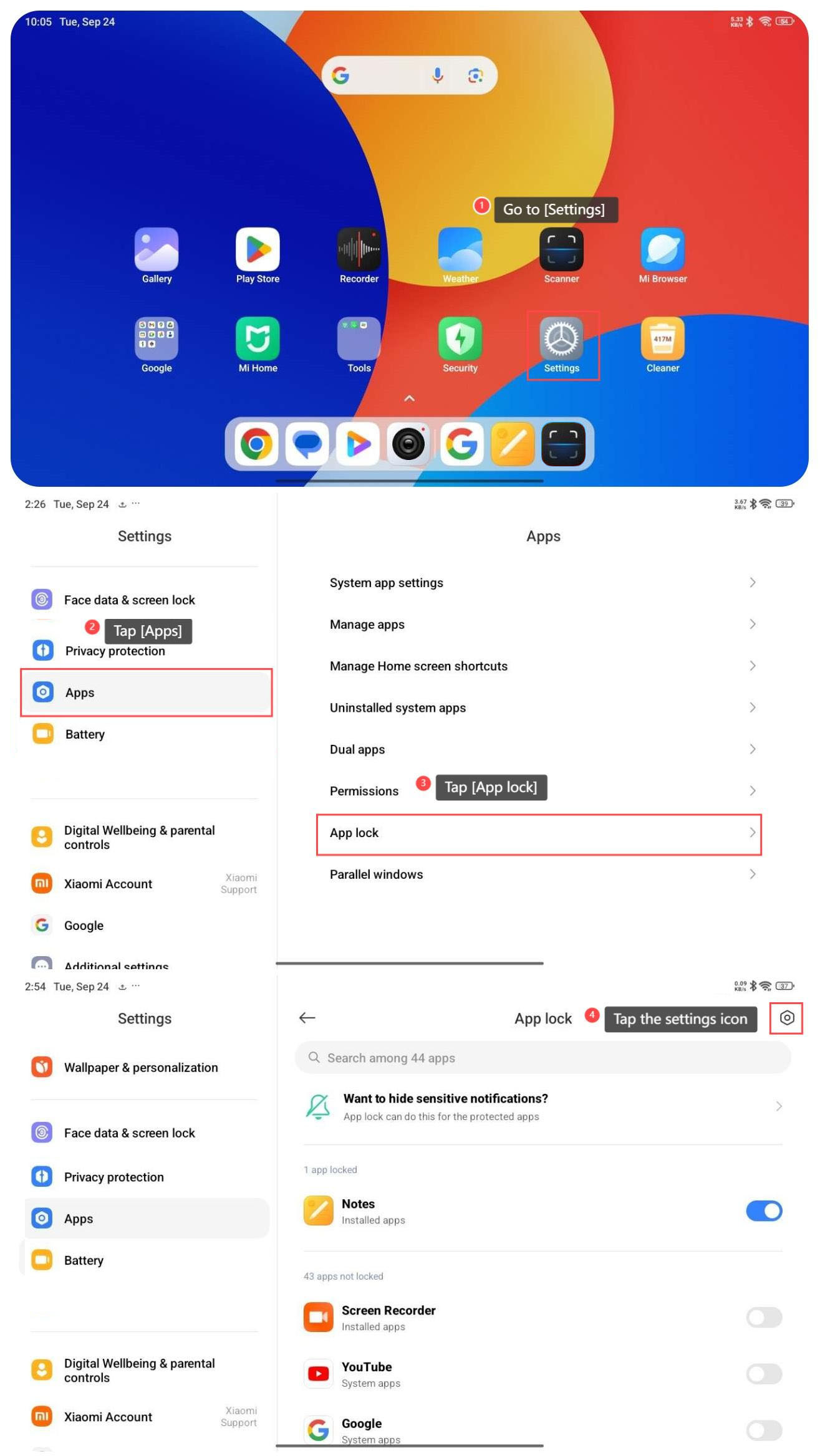
1. Go to [Settings];
2. Tap [Apps];
3. Tap [App lock];
4. Tap the settings icon on the right top of the screen;
5. Tap [Change password type];
6. Select from the options according to your need.
To change password type of APP lock, please refer to the following steps:
1. Go to [Settings];
2. Tap [Apps];
3. Tap [App lock];
4. Tap the settings icon on the right top of the screen;
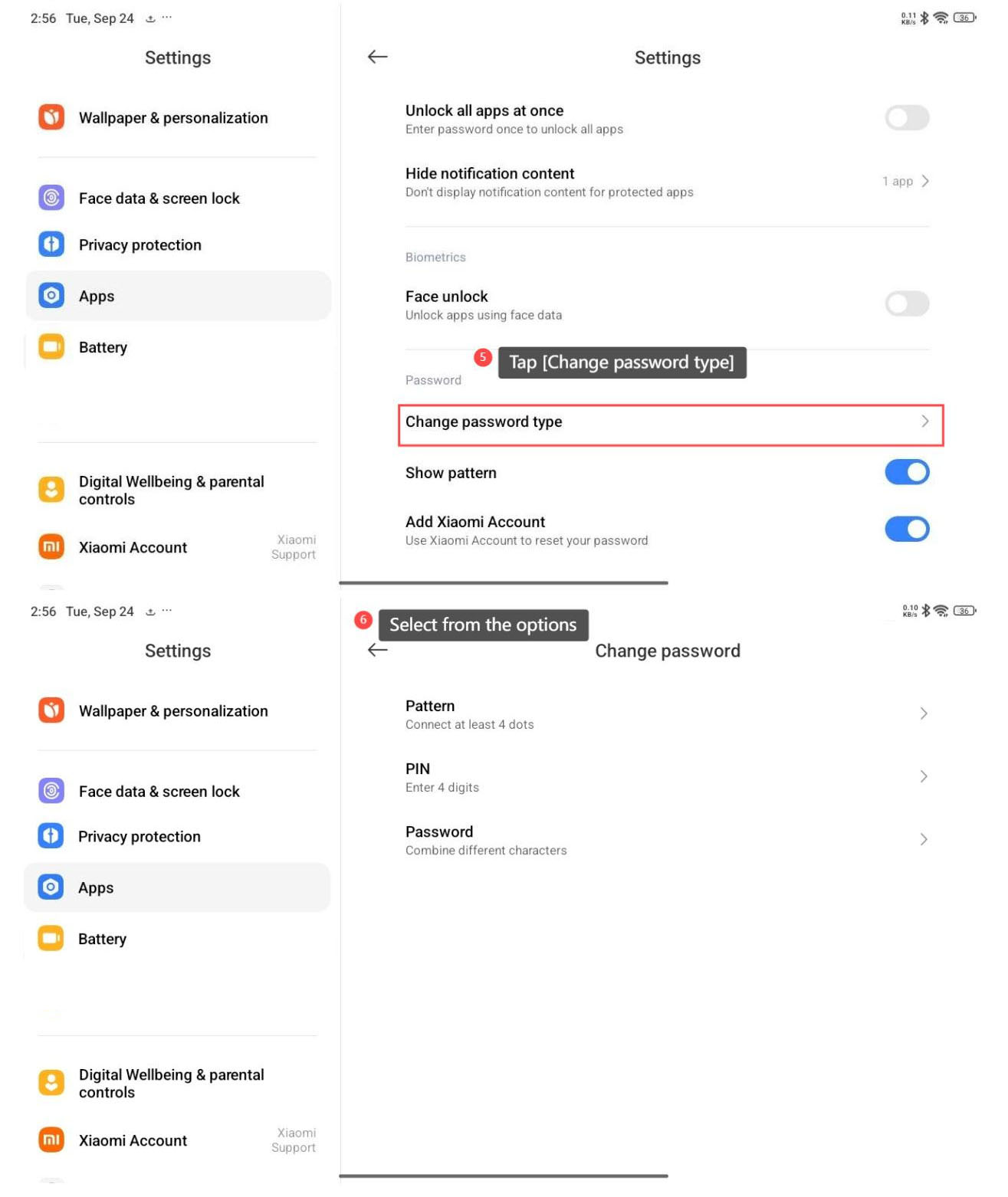
5. Tap [Change password type];
6. Select from the options according to your need.
Does it help?
Yes
No