

How to back up the data of the Redmi Pad SE 8.7?
The data backup function on the Redmi Pad SE 8.7 allows you to create copies of important data, such as photos, videos, documents, and app settings, to prevent loss. This feature enables you to store backups on cloud services or locally on external storage devices. Regularly backing up your data ensures that you can easily restore it in case of device loss, damage, or system failure. You can manage backup settings through the device’s settings menu, allowing you to schedule automatic backups or perform manual backups at your convenience.
To back up the data of the Redmi Pad SE 8.7, please refer to the following methods:
Method 1:
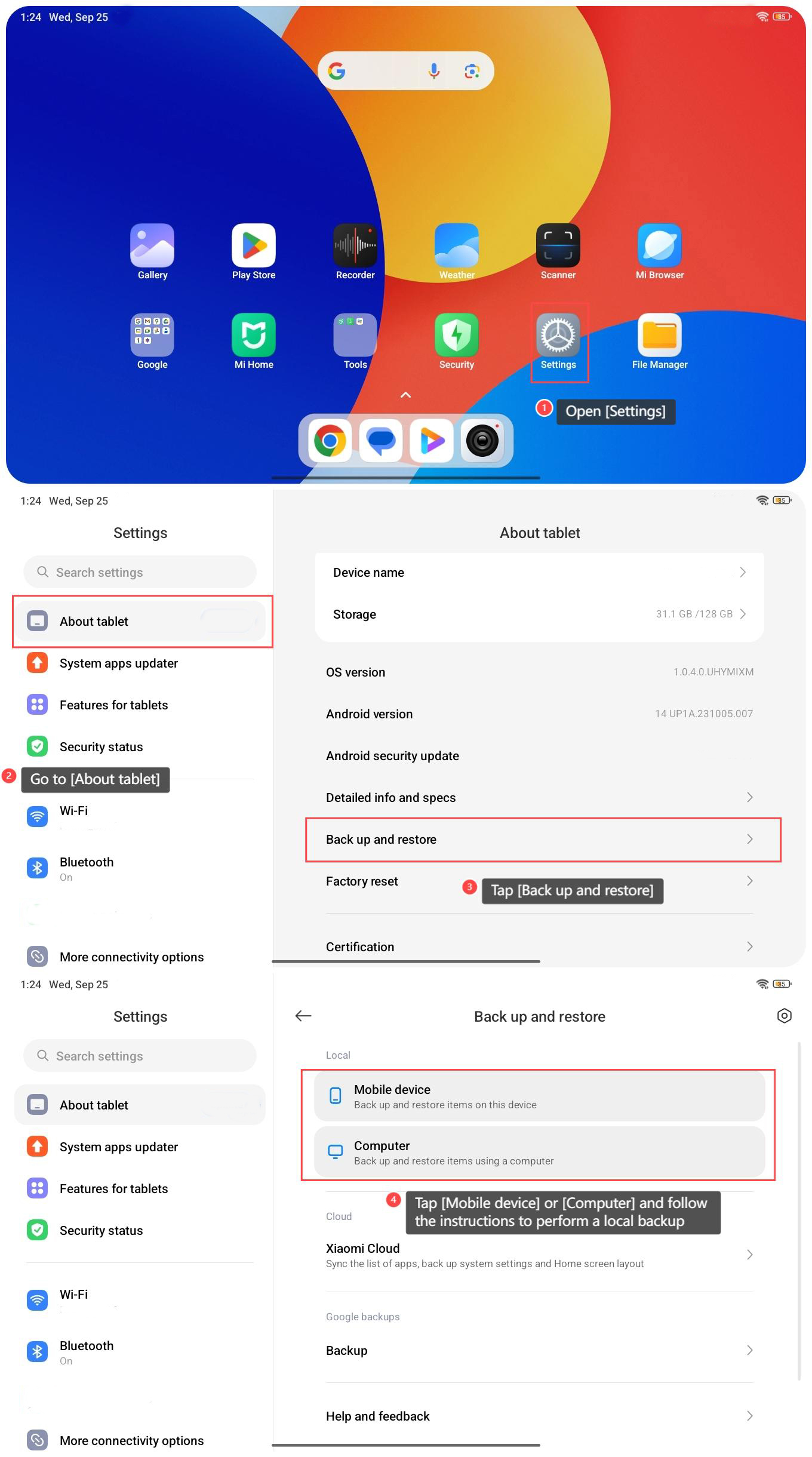
1. Open [Settings] on your tablet;
2. Go to [About tablet];
3. Tap [Back up and restore];
4. Tap [Mobile device] or [Computer] and follow the instructions to perform a local backup.
To back up the data of the Redmi Pad SE 8.7, please refer to the following methods:
Method 1:
1. Open [Settings] on your tablet;
2. Go to [About tablet];
3. Tap [Back up and restore];
4. Tap [Mobile device] or [Computer] and follow the instructions to perform a local backup.
Method 2:
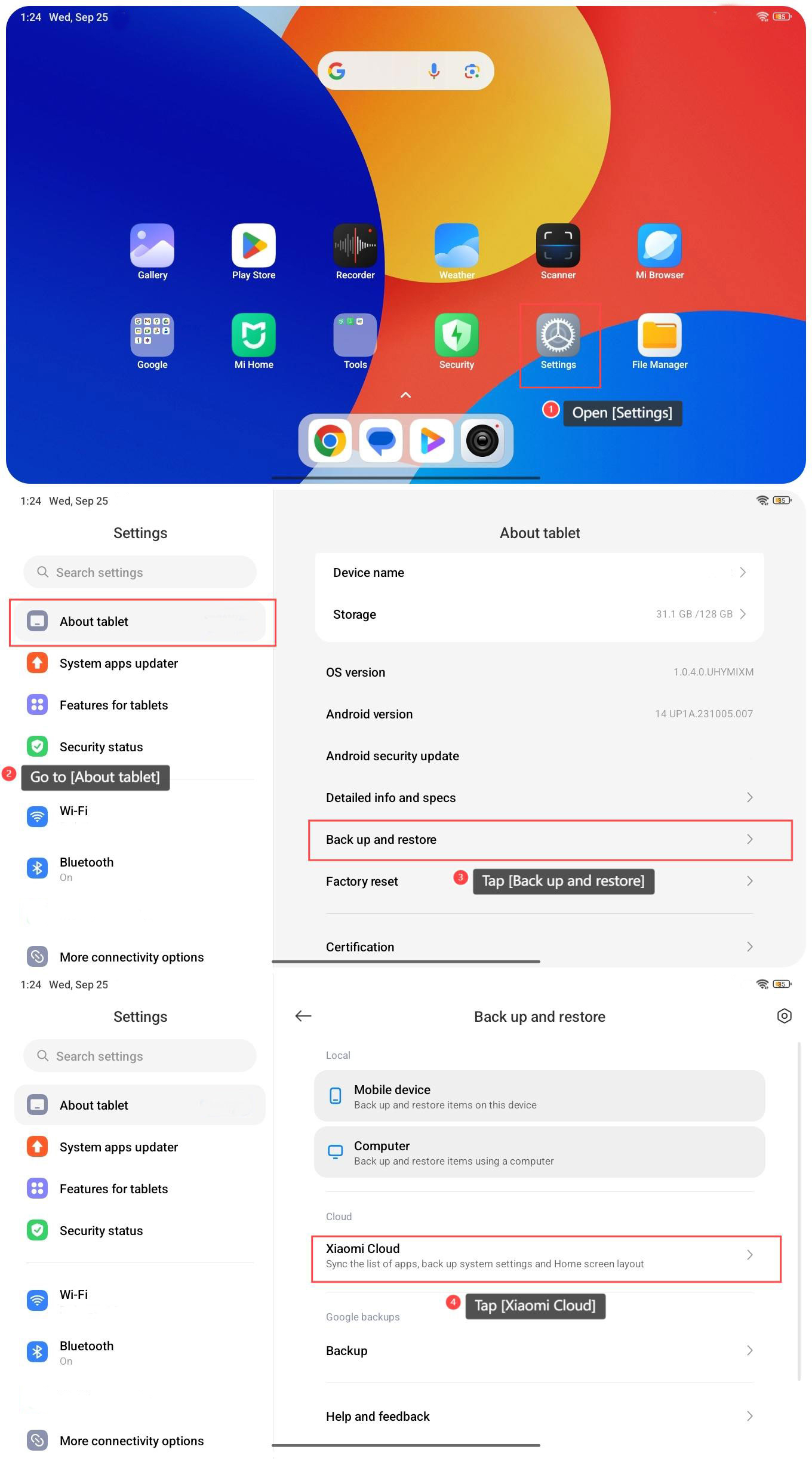
1. Open [Settings] on your tablet;
2. Go to [About tablet];
3. Tap [Back up and restore];
4. Tap [Xiaomi Cloud];
1. Open [Settings] on your tablet;
2. Go to [About tablet];
3. Tap [Back up and restore];
4. Tap [Xiaomi Cloud];
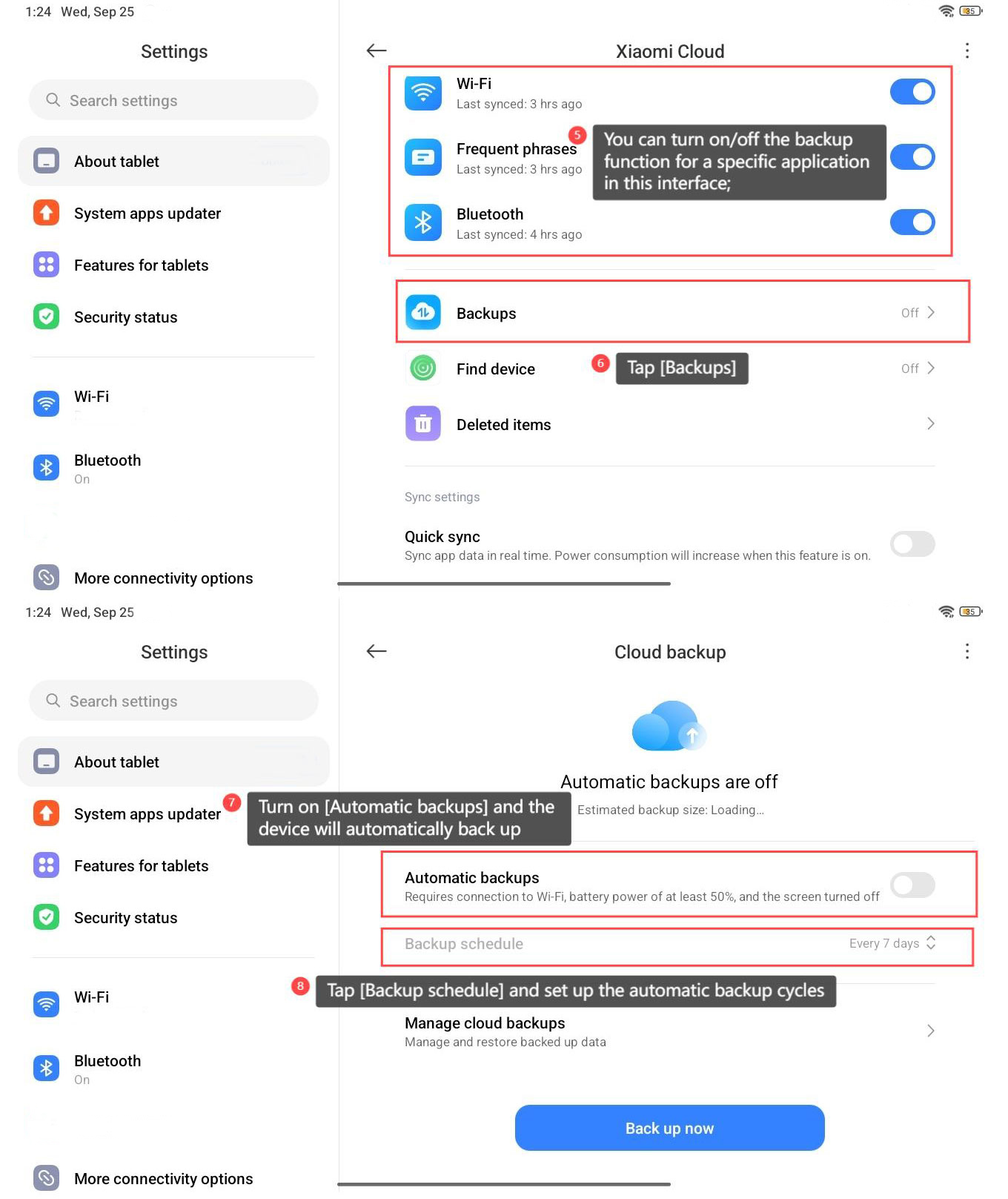
5. You can turn on/off the backup function for a specific application in this interface;
6. Tap [Backups];
7. Turn on [Automatic backups] and the device will automatically back up when conditions are met;
8. You can also tap [Backup schedule] and set up the automatic backup cycles.
6. Tap [Backups];
7. Turn on [Automatic backups] and the device will automatically back up when conditions are met;
8. You can also tap [Backup schedule] and set up the automatic backup cycles.
Method 3:
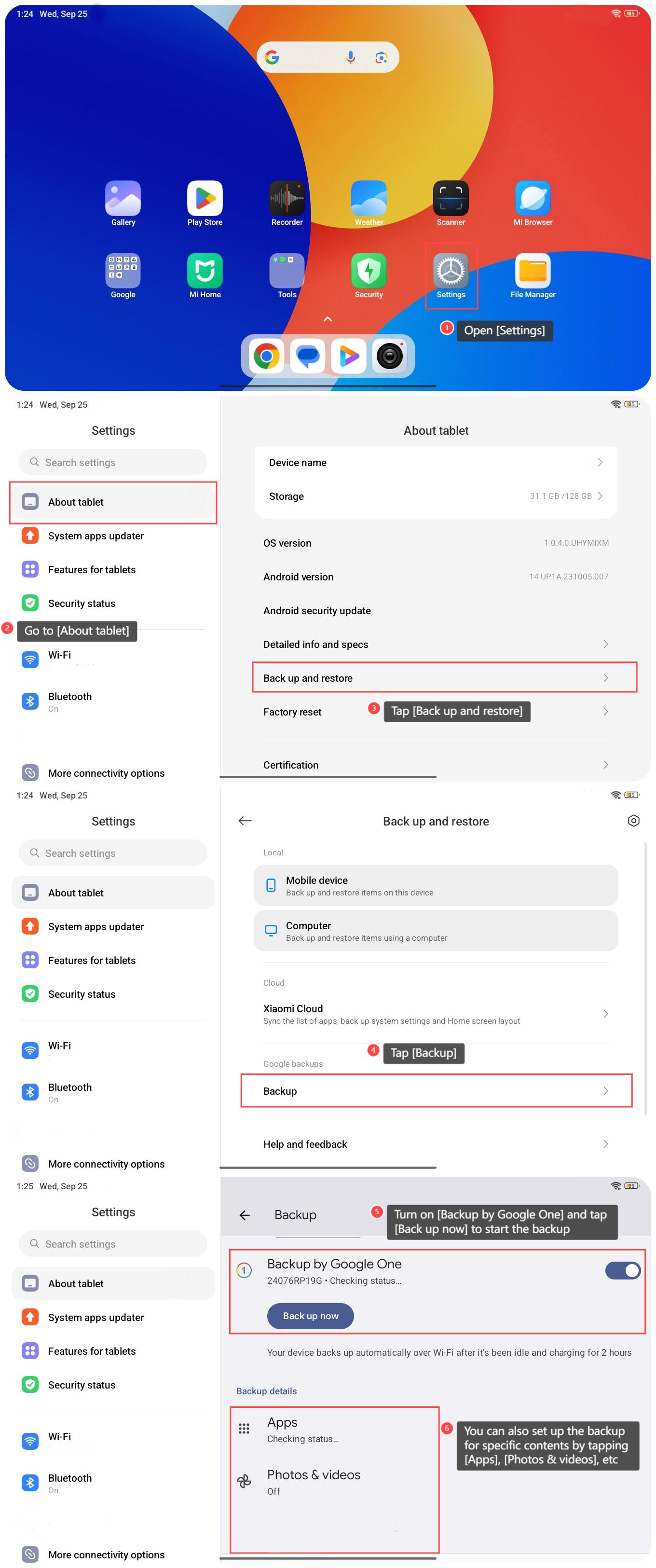
1. Open [Settings] on your tablet;
2. Go to [About tablet];
3. Tap [Back up and restore];
4. Tap [Backup];
5. Turn on [Backup by Google One] and tap [Back up now] to start the backup;
Note:
Your device backs up automatically over Wi-Fi after it’s been idle and charging for 2 hours.
6. You can also set up the backup for specific contents by tapping [Apps], [Photos & videos], etc.
1. Open [Settings] on your tablet;
2. Go to [About tablet];
3. Tap [Back up and restore];
4. Tap [Backup];
5. Turn on [Backup by Google One] and tap [Back up now] to start the backup;
Note:
Your device backs up automatically over Wi-Fi after it’s been idle and charging for 2 hours.
6. You can also set up the backup for specific contents by tapping [Apps], [Photos & videos], etc.
Does it help?
Yes
No