

How to manage floating notifications on the Redmi Pad SE 8.7 4G?
The Redmi Pad SE 8.7 4G supports floating notifications, which allow you to see notifications while using other APPs, enhancing your ability to multitask without interruptions. Floating notifications remain visible on top of other APPs, ensuring you will not miss important messages or alerts. Floating notifications can prompt you to take action, such as replying to messages or checking updates, without requiring a full APP switch.
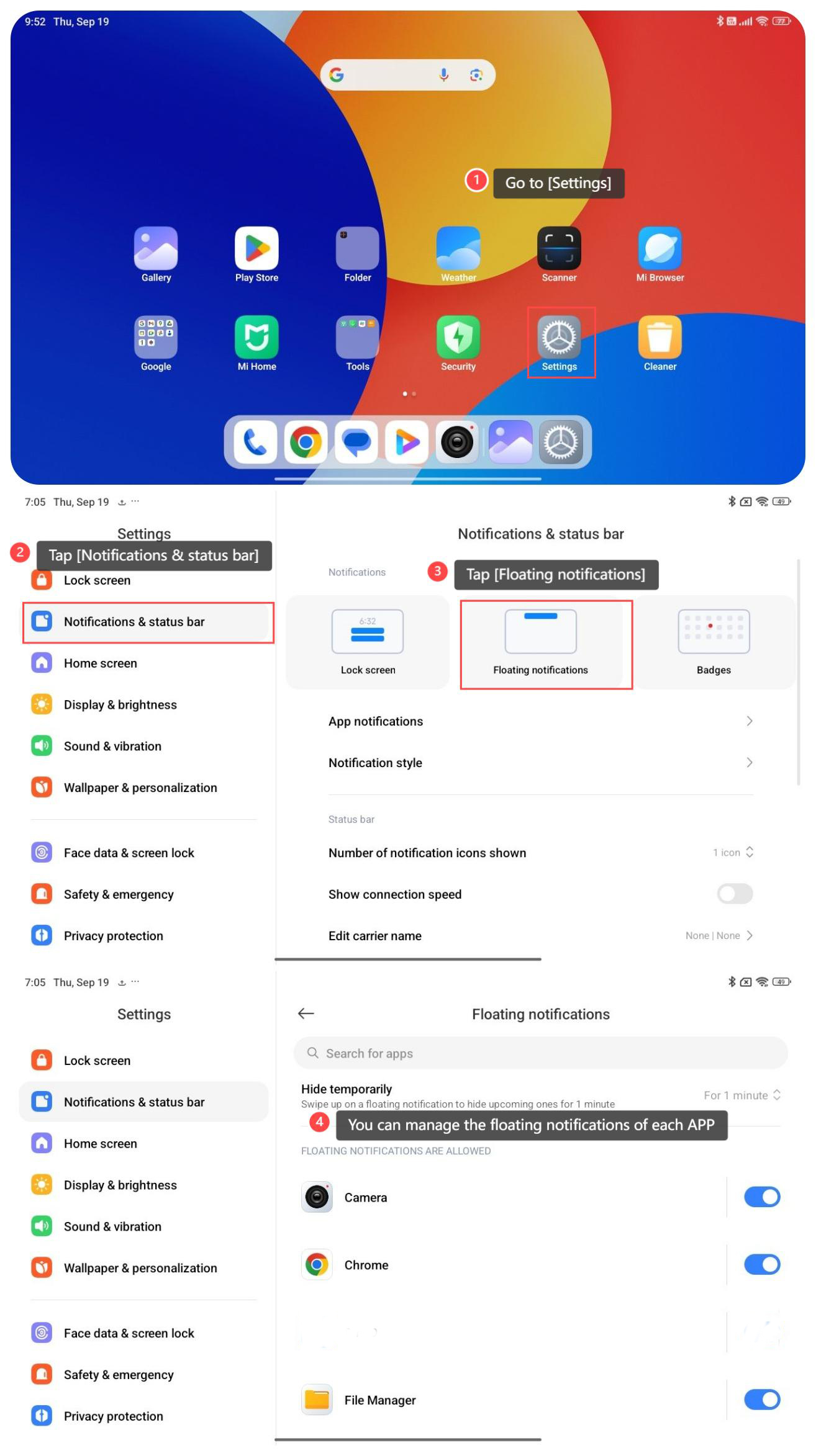
To manage floating notifications on your tablet, please refer to the following steps:
1. Go to [Settings];
2. Tap [Notifications & status bar];
3. Tap [Floating notifications];
4. You can manage the floating notifications of each APP.
To manage floating notifications on your tablet, please refer to the following steps:
1. Go to [Settings];
2. Tap [Notifications & status bar];
3. Tap [Floating notifications];
4. You can manage the floating notifications of each APP.
Does it help?
Yes
No