

How to enable the earthquake alerts on the Redmi Pad SE 8.7 4G?
The Redmi Pad SE 8.7 4G supports enabling the earthquake alerts, which can provide immediate alerts when seismic activity is detected, helping you prepare for potential shaking, offer guidance on what to do before, during, and after an earthquake, enhancing personal safety and give crucial seconds to prepare for shaking, allowing users to take cover or secure items.
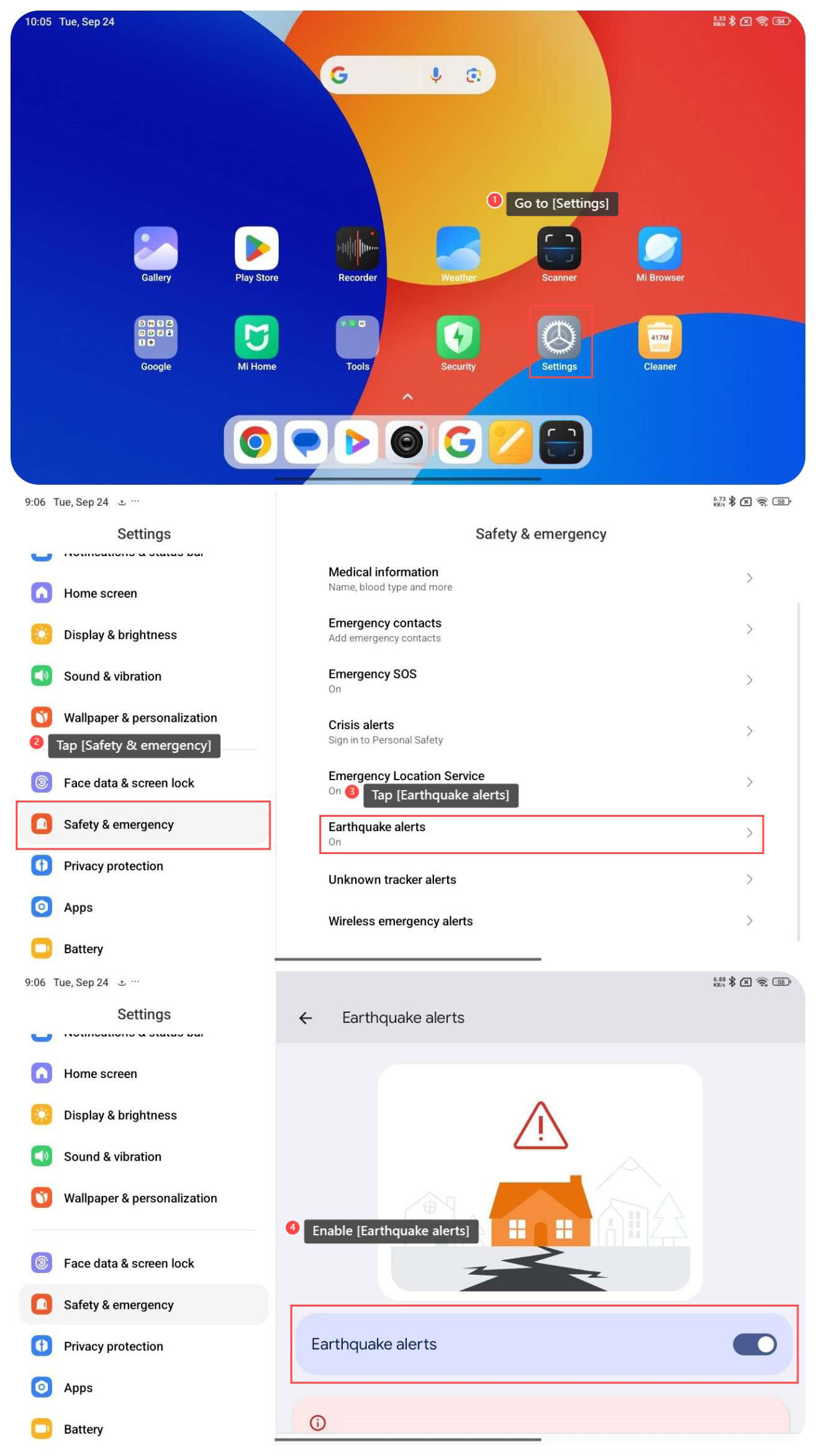
To enable the function of earthquake alerts on your tablet, please refer to the following steps:
1. Go to [Settings];
2. Swipe down to find and tap [Safety & emergency];
3. Tap [Earthquake alerts];
4. Enable [Earthquake alerts].
To enable the function of earthquake alerts on your tablet, please refer to the following steps:
1. Go to [Settings];
2. Swipe down to find and tap [Safety & emergency];
3. Tap [Earthquake alerts];
4. Enable [Earthquake alerts].
Does it help?
Yes
No