

How to turn on the Airplane mode on the Redmi Pad SE 8.7 4G?
The Redmi Pad SE 8.7 4G supports airplane mode, which turns off cellular, Wi-Fi, and Bluetooth connections, preventing the device from sending or receiving signals. By disabling these connections, it helps conserve battery life during travel or when not in use. Besides, it reduces the risk of interference with aircraft systems during flights, complying with airline regulations.
To turn on the Airplane mode on your tablet, please refer to the following methods:
Method 1:
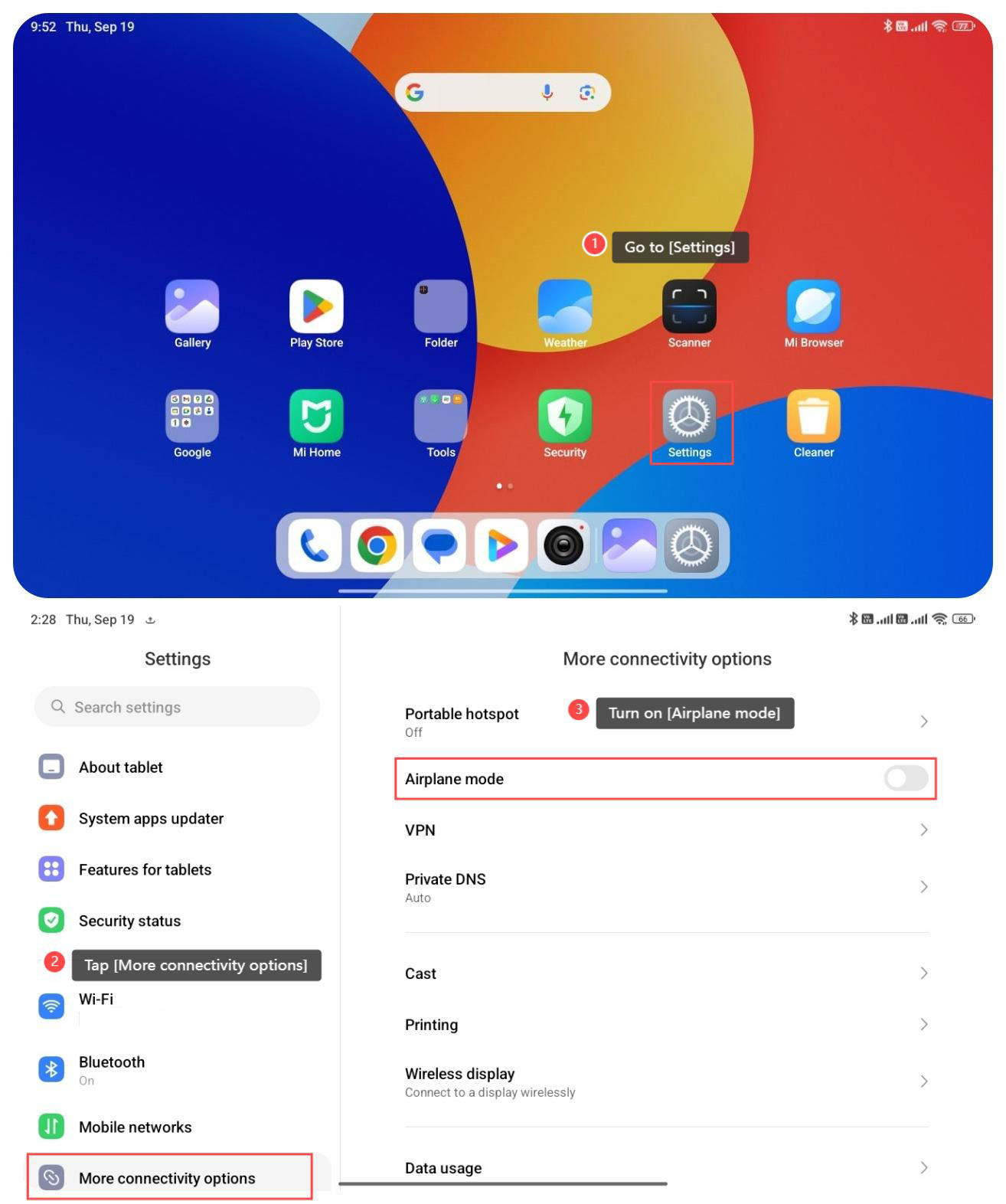
1. Go to [Settings];
2. Tap [More connectivity options];
3. Turn on [Airplane mode].
Method 2:
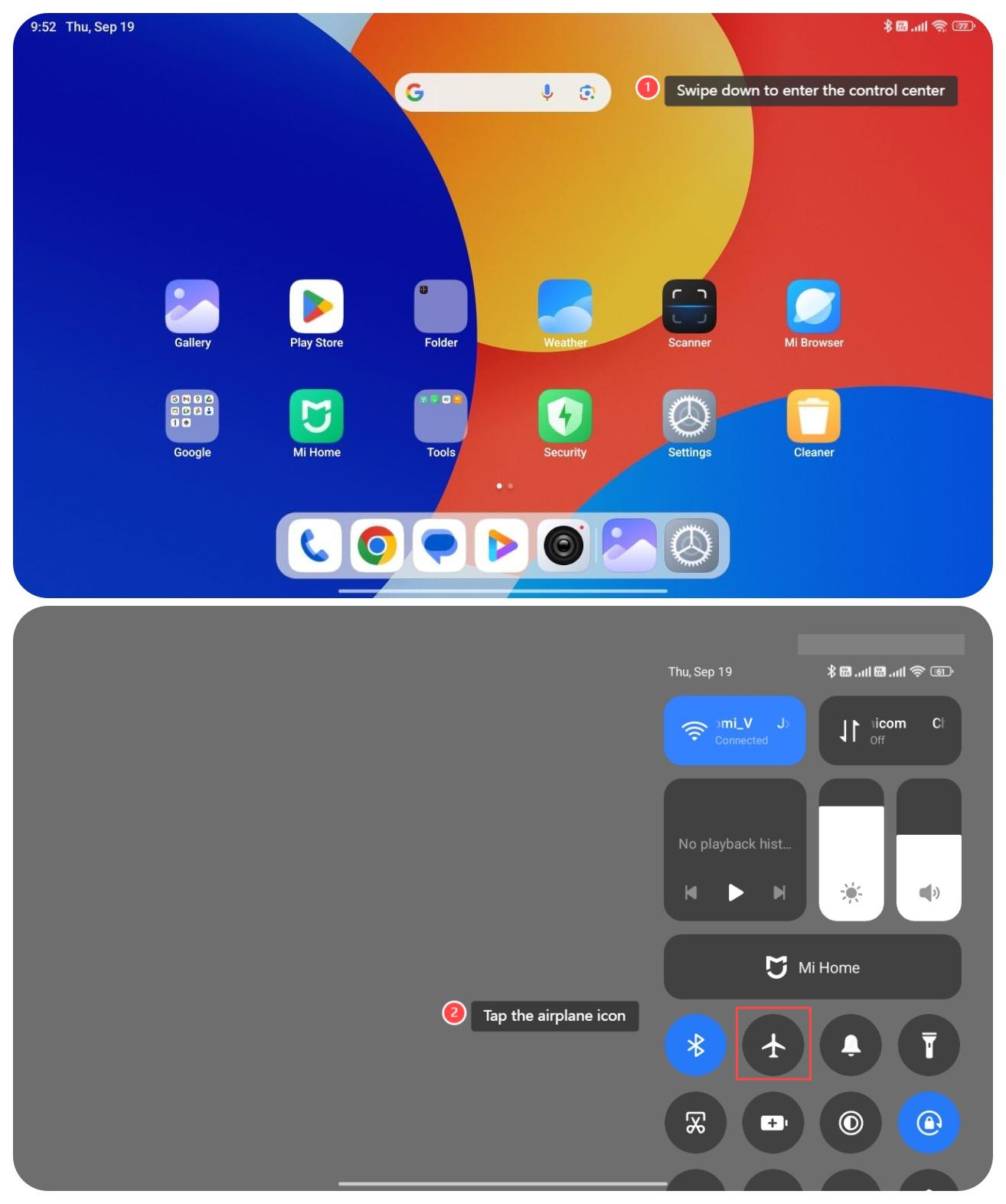
1. Swipe down from the right top of the screen to enter the control center;
2. Tap the Airplane mode icon to turn on it.
To turn on the Airplane mode on your tablet, please refer to the following methods:
Method 1:
1. Go to [Settings];
2. Tap [More connectivity options];
3. Turn on [Airplane mode].
Method 2:
1. Swipe down from the right top of the screen to enter the control center;
2. Tap the Airplane mode icon to turn on it.
Does it help?
Yes
No