

How to turn off User Experience Program on the Redmi Pad SE 8.7?
Turning off the function of Enroll in User Experience Program on the Redmi Pad SE 8.7 will stop Xiaomi from collecting and analyzing your data.
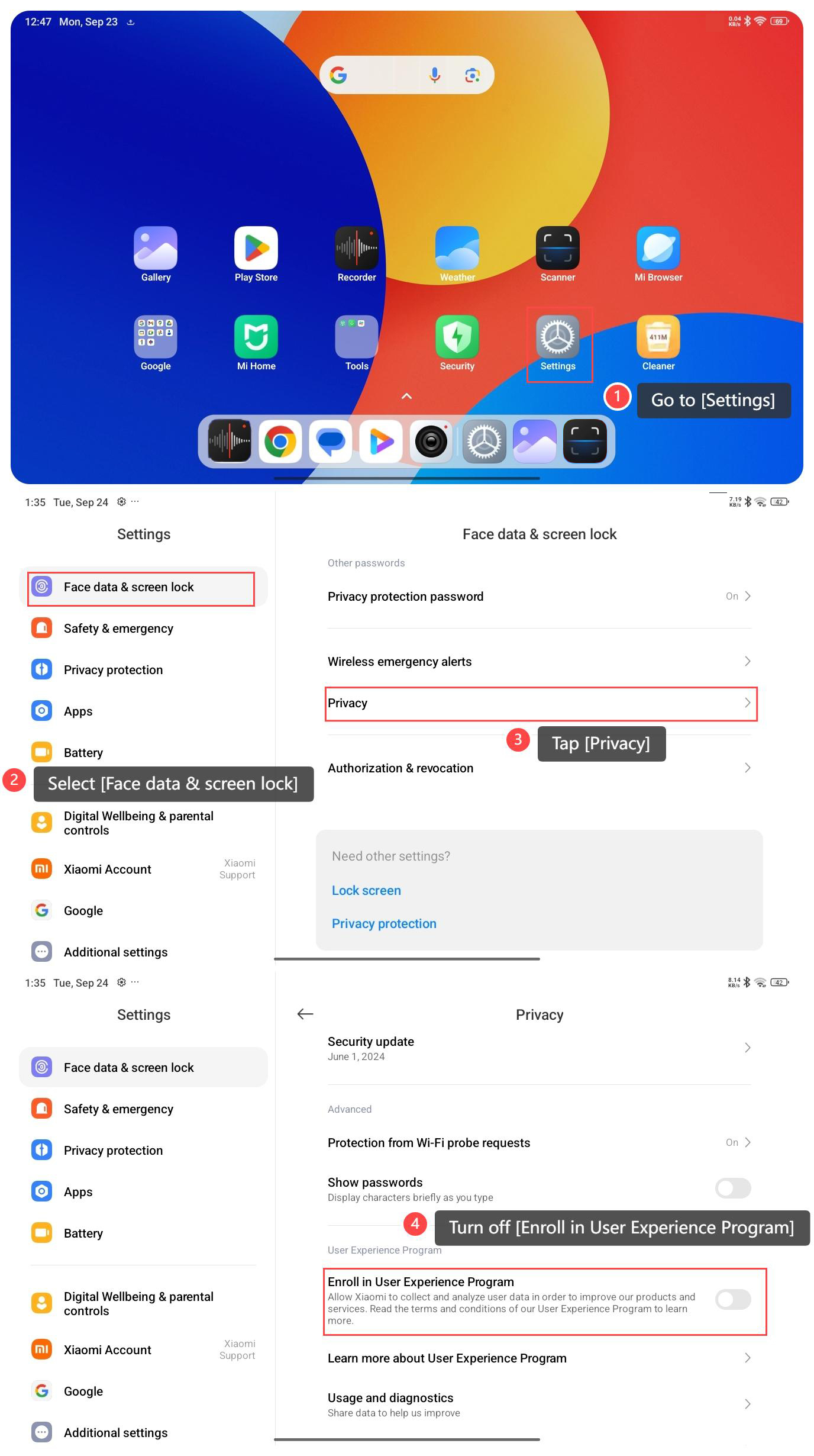
To turn off User Experience Program on your tablet, please refer to the following steps:
1. Go to [Settings];
2. Select [Face data & screen lock];
3. Tap [Privacy];
4. Turn off [Enroll in User Experience Program].
Note:
1. Turning off this feature can increase your privacy by limiting the information shared with Xiaomi regarding how the device is used;
2. Minimizes any related notifications or prompts that can arise from being part of the program;
3. Potentially enhances performance by limiting background processes associated with data collection, which can save power and improve responsiveness;
4. Reduces the consumption of network data and system resources, which can be beneficial for you with limited data plans.
To turn off User Experience Program on your tablet, please refer to the following steps:
1. Go to [Settings];
2. Select [Face data & screen lock];
3. Tap [Privacy];
4. Turn off [Enroll in User Experience Program].
Note:
1. Turning off this feature can increase your privacy by limiting the information shared with Xiaomi regarding how the device is used;
2. Minimizes any related notifications or prompts that can arise from being part of the program;
3. Potentially enhances performance by limiting background processes associated with data collection, which can save power and improve responsiveness;
4. Reduces the consumption of network data and system resources, which can be beneficial for you with limited data plans.
Does it help?
Yes
No