

How to free up storage space of the Redmi Pad SE 8.7?
The Redmi Pad SE 8.7 supports freeing up storage space, which can save essential documents, photos, and APPs without worrying about running out of space and have enough storage space to make it easier to create backups of your files and APPs, protecting against data loss.
To free up storage space of the tablet, please refer to the following methods:
Method 1:
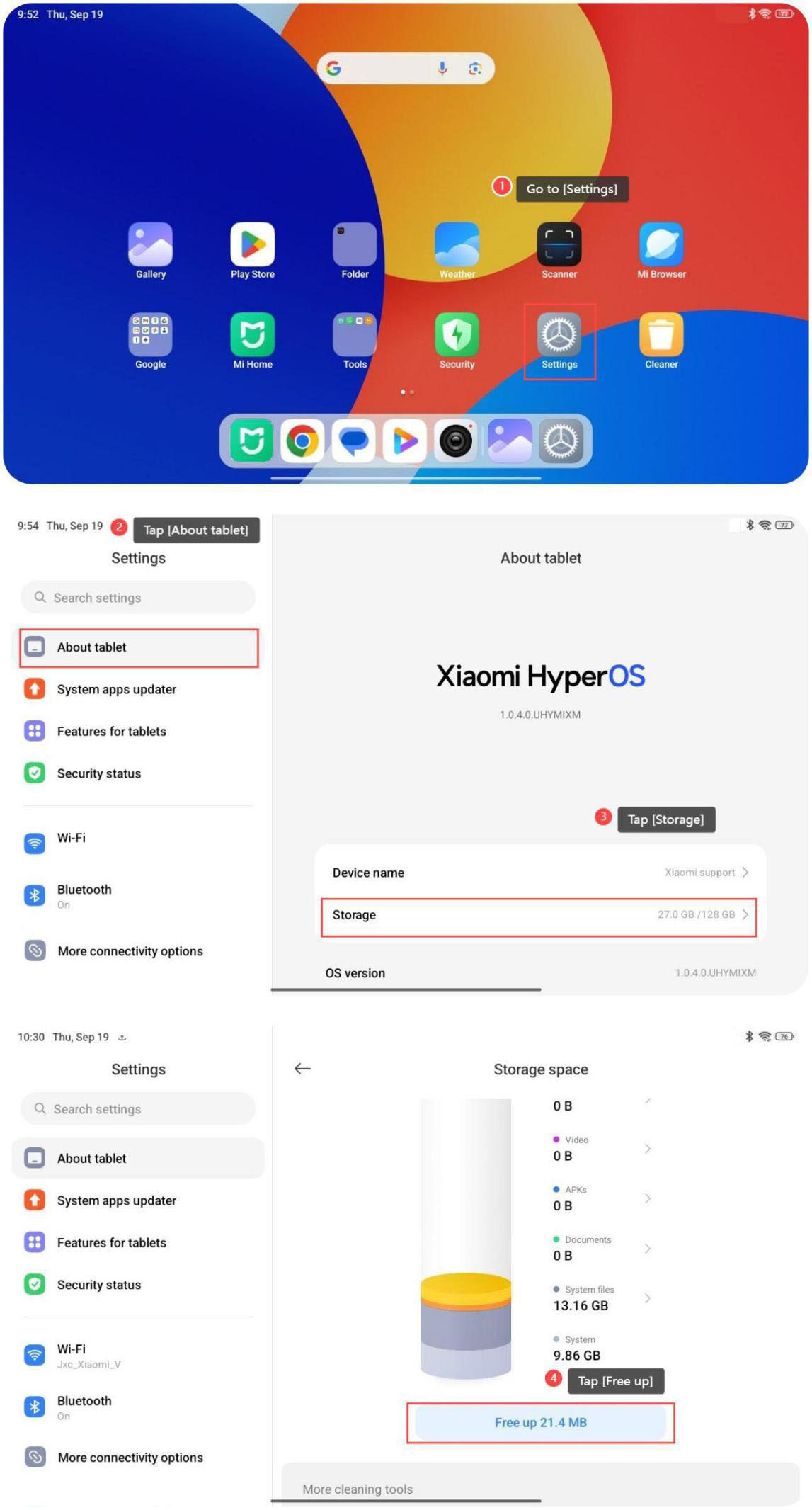
1. Go to [Settings];
2. Tap [About tablet];
3. Tap [Storage];
4. Tap [Free up].
Method 2:
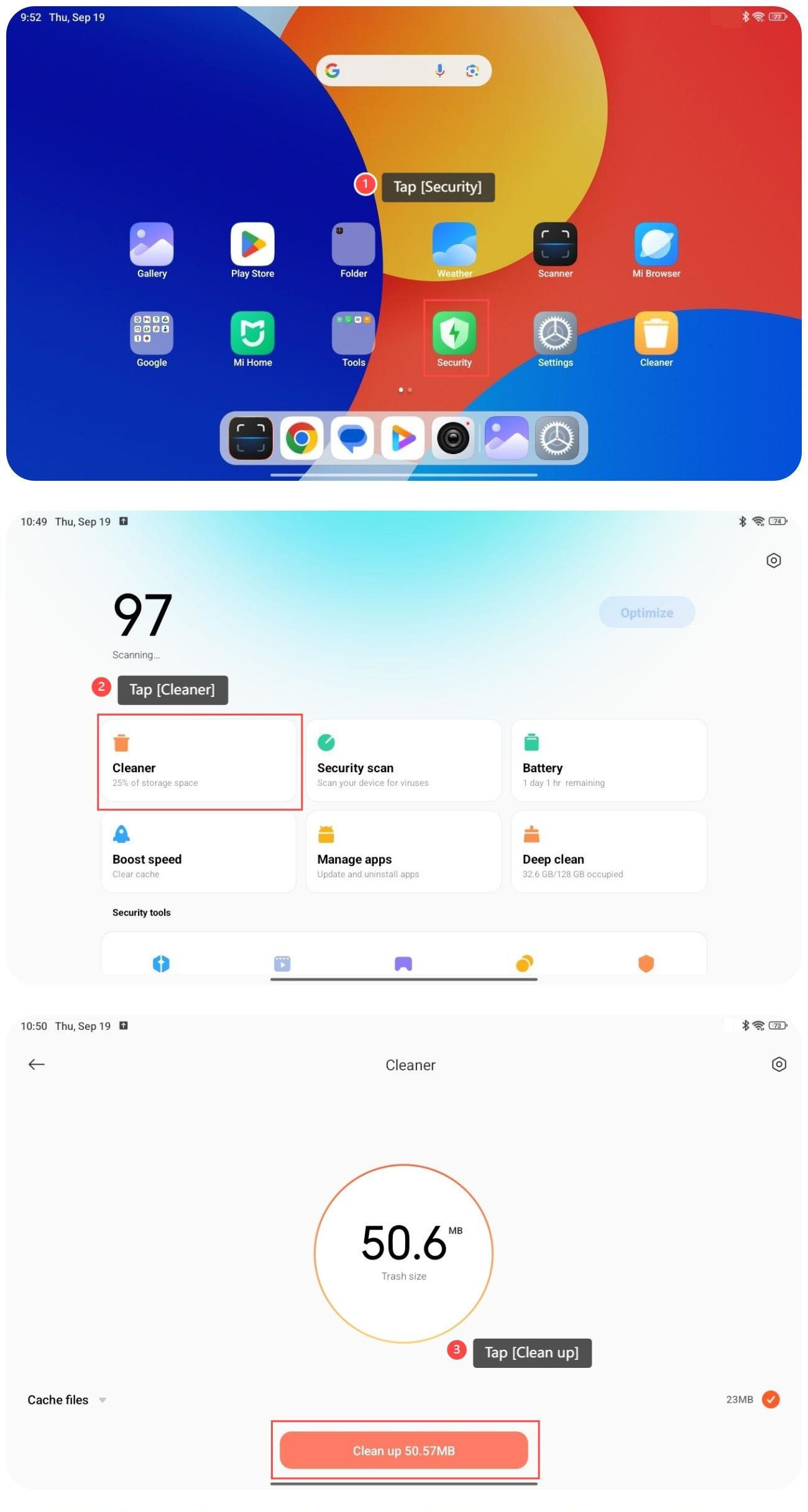
1. Go to [Security];
2. Tap [Cleaner];
3. Tap [Clean up];
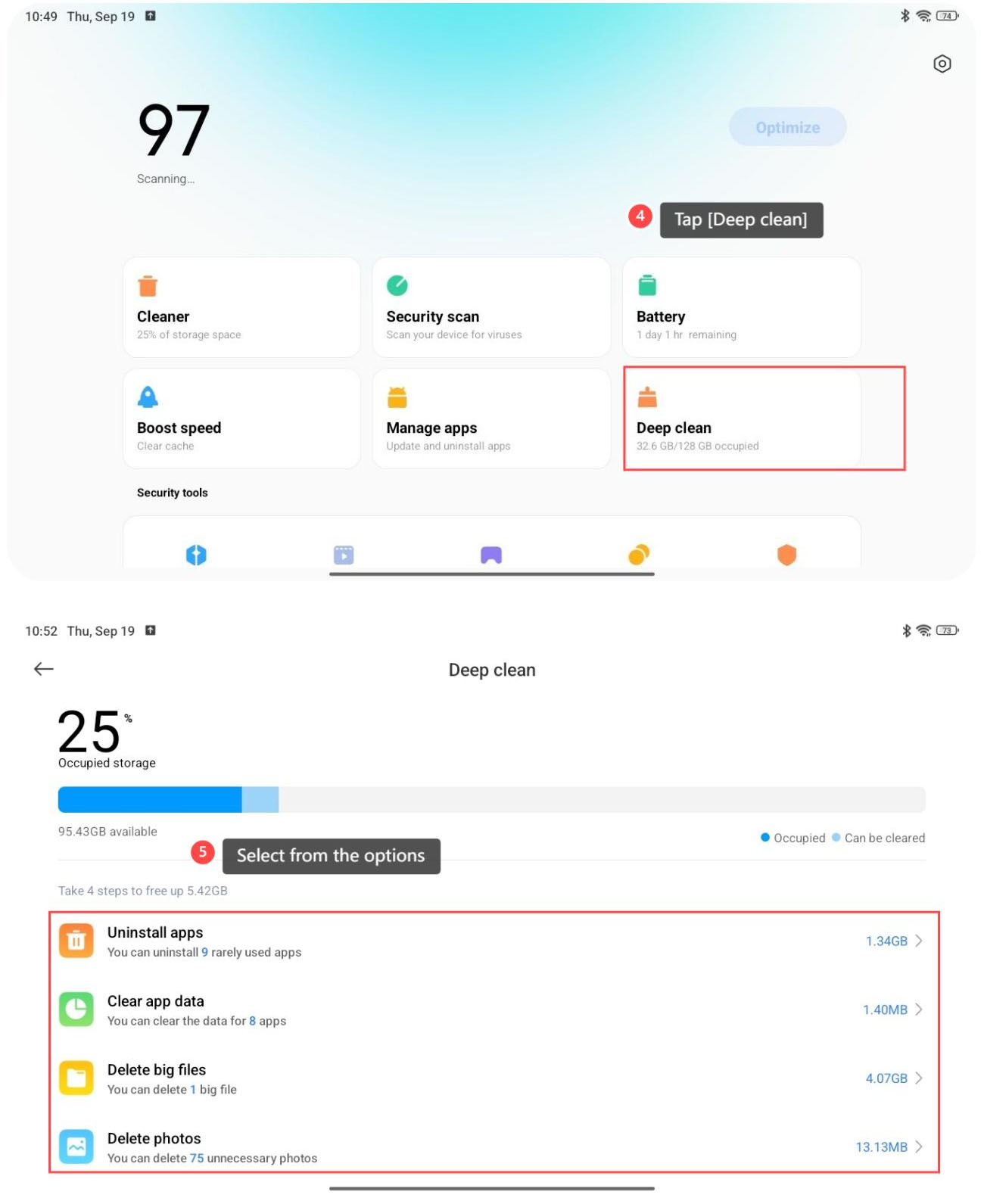
4. You can also tap [Deep clean];
5. Select from the options to clean the corresponding data.
Note:
Please do not wrongly delete the data that is useful when you free up storage space from the option of deep cleaning.
To free up storage space of the tablet, please refer to the following methods:
Method 1:
1. Go to [Settings];
2. Tap [About tablet];
3. Tap [Storage];
4. Tap [Free up].
Method 2:
1. Go to [Security];
2. Tap [Cleaner];
3. Tap [Clean up];
4. You can also tap [Deep clean];
5. Select from the options to clean the corresponding data.
Note:
Please do not wrongly delete the data that is useful when you free up storage space from the option of deep cleaning.
Does it help?
Yes
No