

How to make and check the private notes on the Redmi Pad SE 8.7 4G?
Private notes on the Redmi Pad SE 8.7 4G is a secure feature for creating and storing notes that are accessible only to you. These notes can be protected with a Privacy protection password, helping to keep sensitive information safe. You can use this feature for personal reminders, sensitive information, or anything you want to keep confidential.
To make and check the private notes, please refer to the following steps:
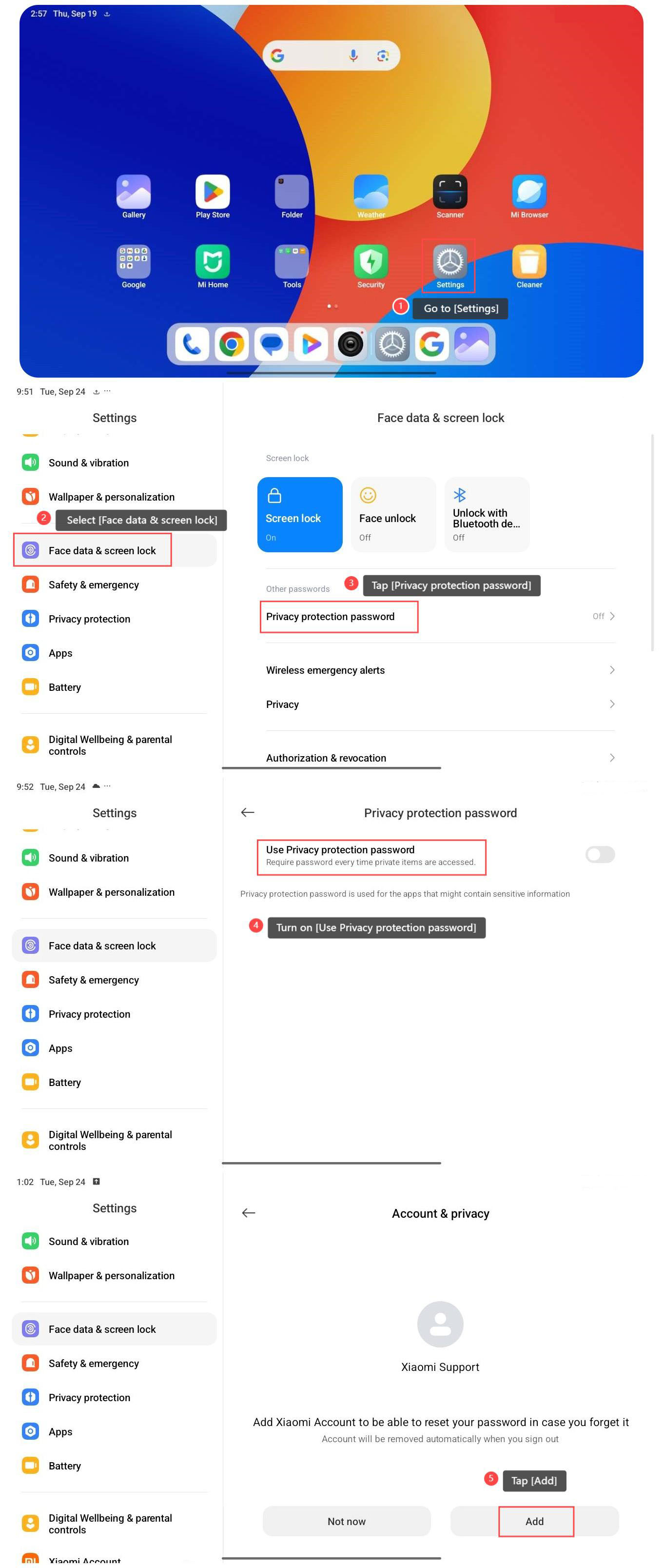
1. Go to [Settings];
2. Select [Face data & screen lock];
3. Tap [Privacy protection password];
4. Turn on [Use Privacy protection password], and you will follow the prompts to input your password, confirming it as needed.
5. Tap [Add];
To make and check the private notes, please refer to the following steps:
1. Go to [Settings];
2. Select [Face data & screen lock];
3. Tap [Privacy protection password];
4. Turn on [Use Privacy protection password], and you will follow the prompts to input your password, confirming it as needed.
5. Tap [Add];
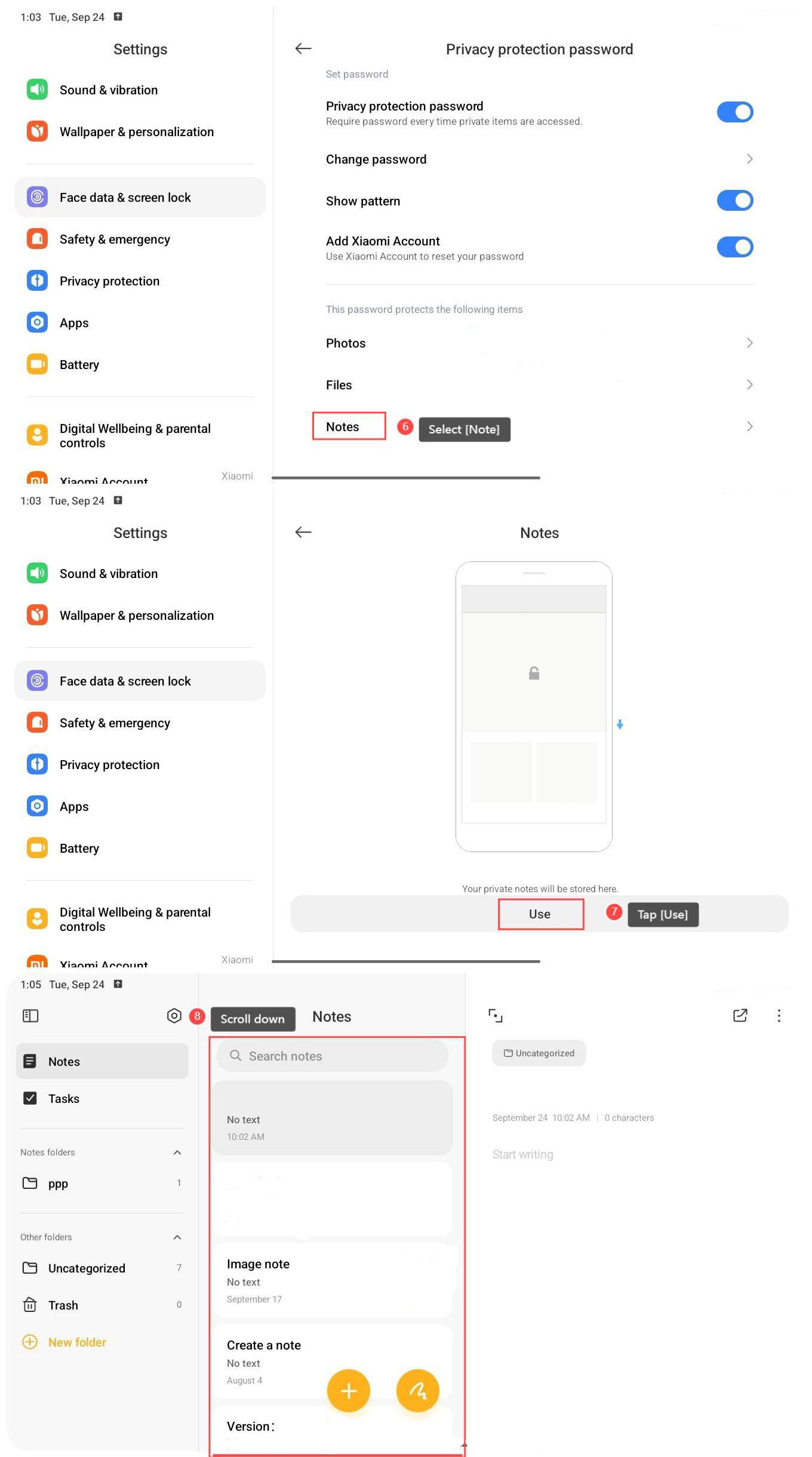
6. Select [Note];
7. Tap [Use];
8. Scroll down to enter the private note interface and display the hidden notes.
7. Tap [Use];
8. Scroll down to enter the private note interface and display the hidden notes.
Note:
1. If you forget your Privacy protection password, you will lose access to your notes;
2. If the app or device malfunctions, you have a risk losing your saved notes if not backed up.
Does it help?
Yes
No