

How to set up a VPN on the Redmi Pad SE 8.7?
Setting up a VPN on the Redmi Pad SE 8.7 helps protect your online privacy by encrypting your internet connection, securing sensitive data, and allowing access to region-restricted content. This enhances both security and flexibility while browsing the internet.
To set up a VPN on your tablet, please refer to the following steps:
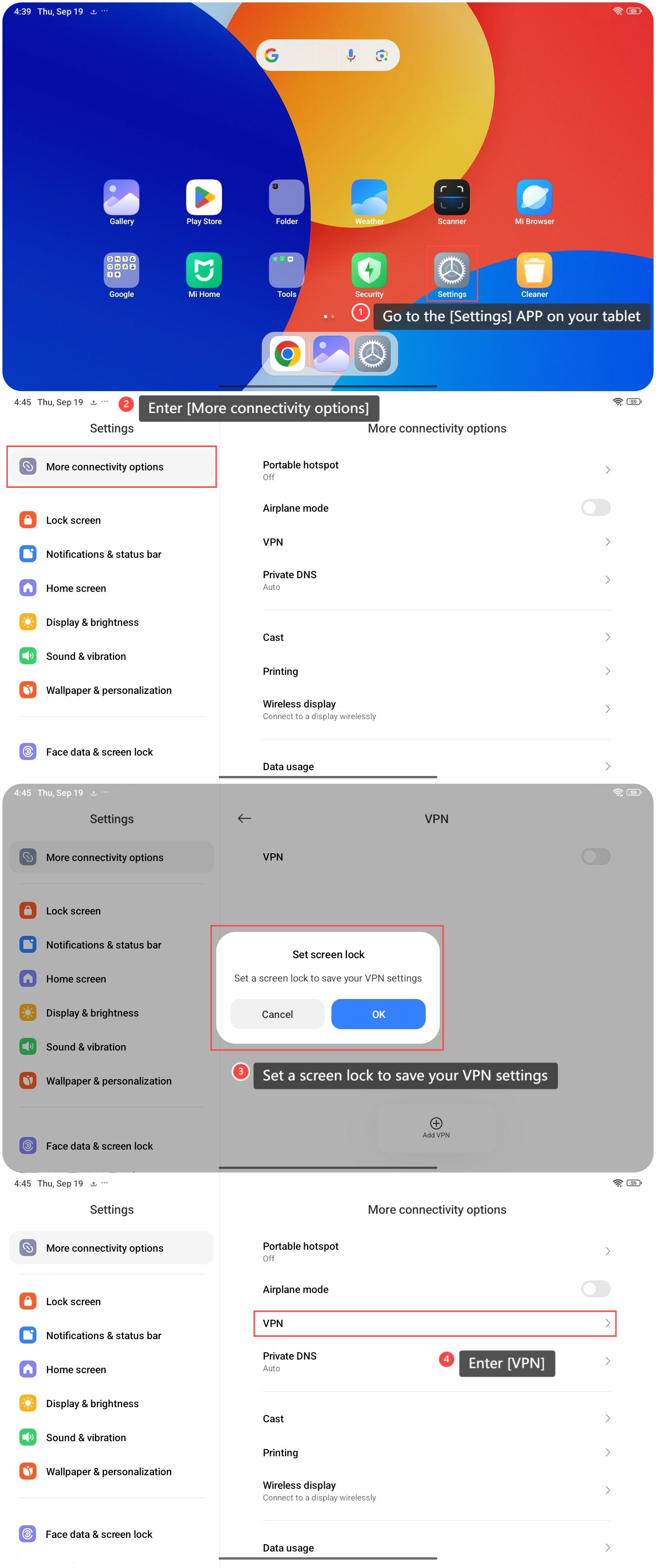
1. Go to the [Settings] APP on your tablet;
2. Enter [More connectivity options];
3. You need to set a screen lock to save your VPN settings;
4. Enter [VPN];
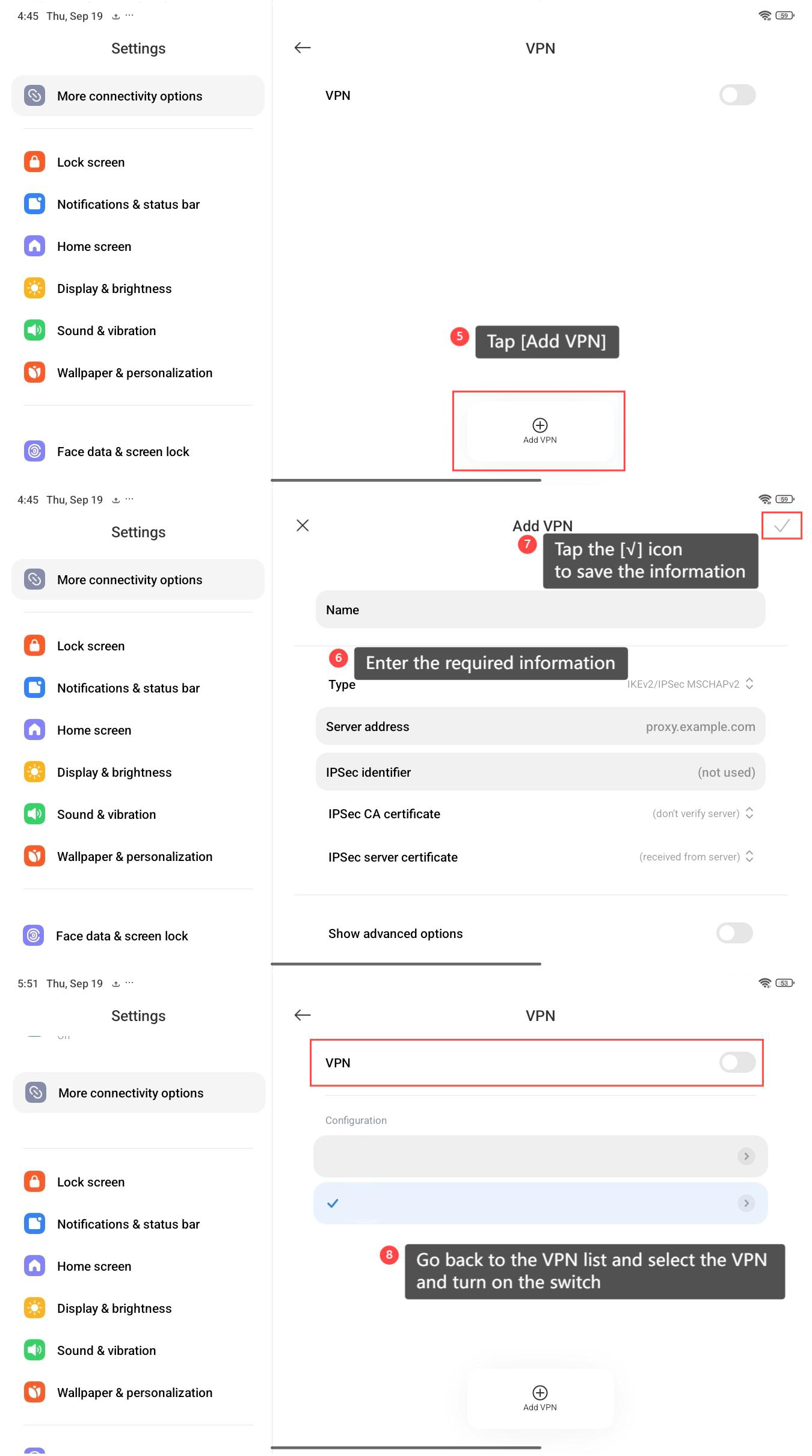
5. Tap [Add VPN];
6. Enter the required information, such as the VPN name, type, server address, and any authentication details provided by your VPN service;
7. After entering all the necessary details, tap the [√] icon at the upper right corner to save the information;
8. Go back to the VPN list and select the VPN and turn on the switch.
Note:
Once the VPN has connected, you will see a VPN icon in the status bar, indicating that your VPN is active.
To set up a VPN on your tablet, please refer to the following steps:
1. Go to the [Settings] APP on your tablet;
2. Enter [More connectivity options];
3. You need to set a screen lock to save your VPN settings;
4. Enter [VPN];
5. Tap [Add VPN];
6. Enter the required information, such as the VPN name, type, server address, and any authentication details provided by your VPN service;
7. After entering all the necessary details, tap the [√] icon at the upper right corner to save the information;
8. Go back to the VPN list and select the VPN and turn on the switch.
Note:
Once the VPN has connected, you will see a VPN icon in the status bar, indicating that your VPN is active.
Does it help?
Yes
No