

How to perform Recovery mode on the Redmi Pad SE 8.7?
Recovery mode on the Redmi Pad SE 8.7 is a special boot mode that provides access to various system-level options, including the ability to erase all data on the device. This function is particularly useful for restoring the tablet to factory settings, which can help resolve persistent software issues, improve performance, or prepare the device for sale. When you choose the option to wipe all data, it removes apps, settings, and personal files, returning the device to its original state.
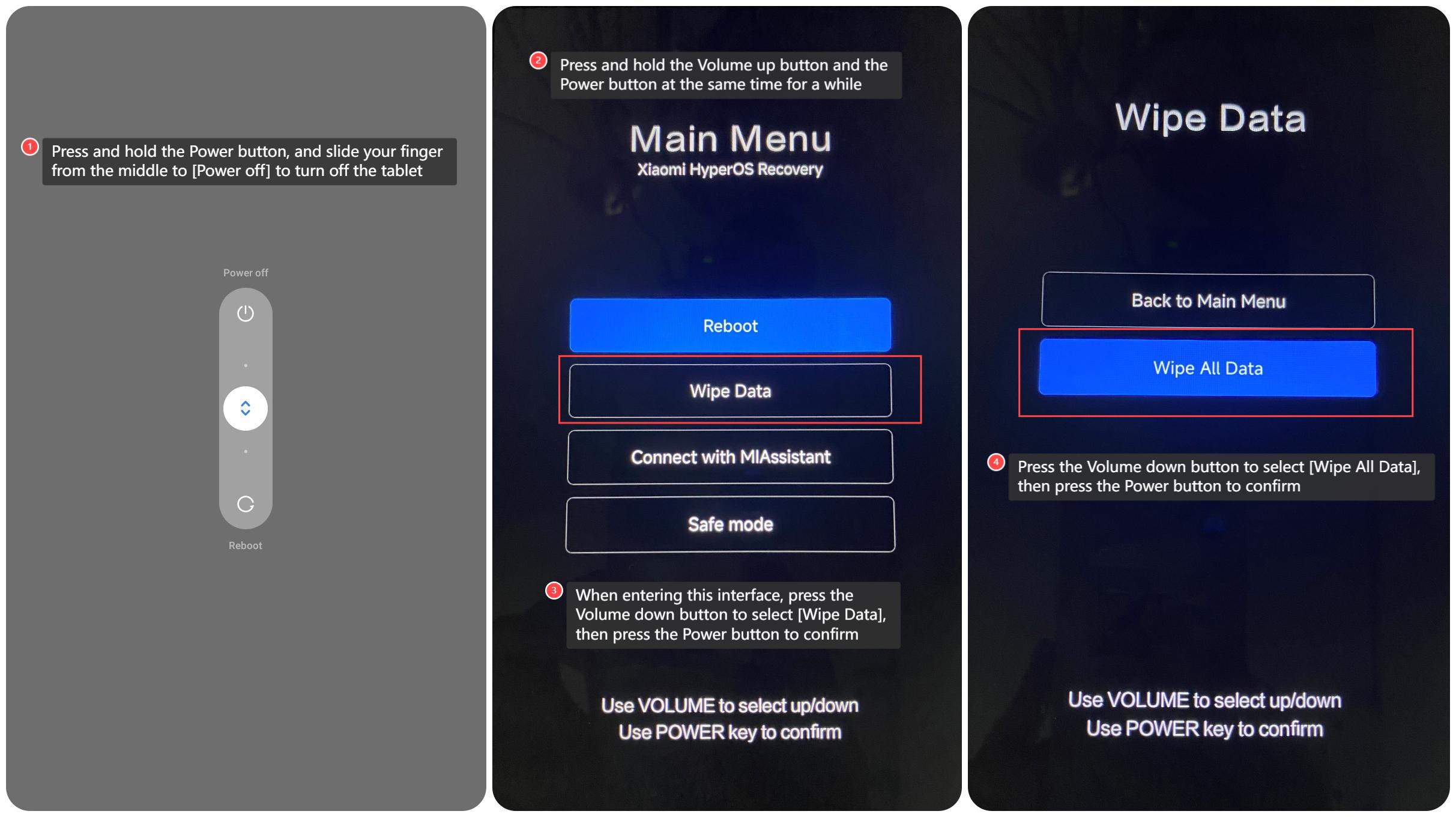
To perform Recovery mode on the Redmi Pad SE 8.7, please refer to the following steps:
1. Press and hold the Power button, and slide your finger from the middle to [Power off] to turn off the tablet;
2. Press and hold the Volume up button and the Power button at the same time for a while;
3. When entering this interface, press the Volume down button to select [Wipe Data], then press the Power button to confirm;
4. Press the Volume down button to select [Wipe All Data], then press the Power button to confirm.
Note:
Once confirmed, all data in the tablet will be erased. Please back up important data in advance.
To perform Recovery mode on the Redmi Pad SE 8.7, please refer to the following steps:
1. Press and hold the Power button, and slide your finger from the middle to [Power off] to turn off the tablet;
2. Press and hold the Volume up button and the Power button at the same time for a while;
3. When entering this interface, press the Volume down button to select [Wipe Data], then press the Power button to confirm;
4. Press the Volume down button to select [Wipe All Data], then press the Power button to confirm.
Note:
Once confirmed, all data in the tablet will be erased. Please back up important data in advance.
Does it help?
Yes
No