

How to use the gesture shortcuts on the Redmi Pad SE 8.7?
Gesture shortcuts on the Redmi Pad SE 8.7 allow you to perform various actions quickly and efficiently without navigating through menus. These shortcuts can include swiping, or pressing specific buttons to access applications, take screenshots, or turn on the flashlight. By utilizing gesture shortcuts, you can enhance your productivity and streamline your interactions with the device.
To use the gesture shortcuts on the Redmi Pad SE 8.7, please refer to the following steps:
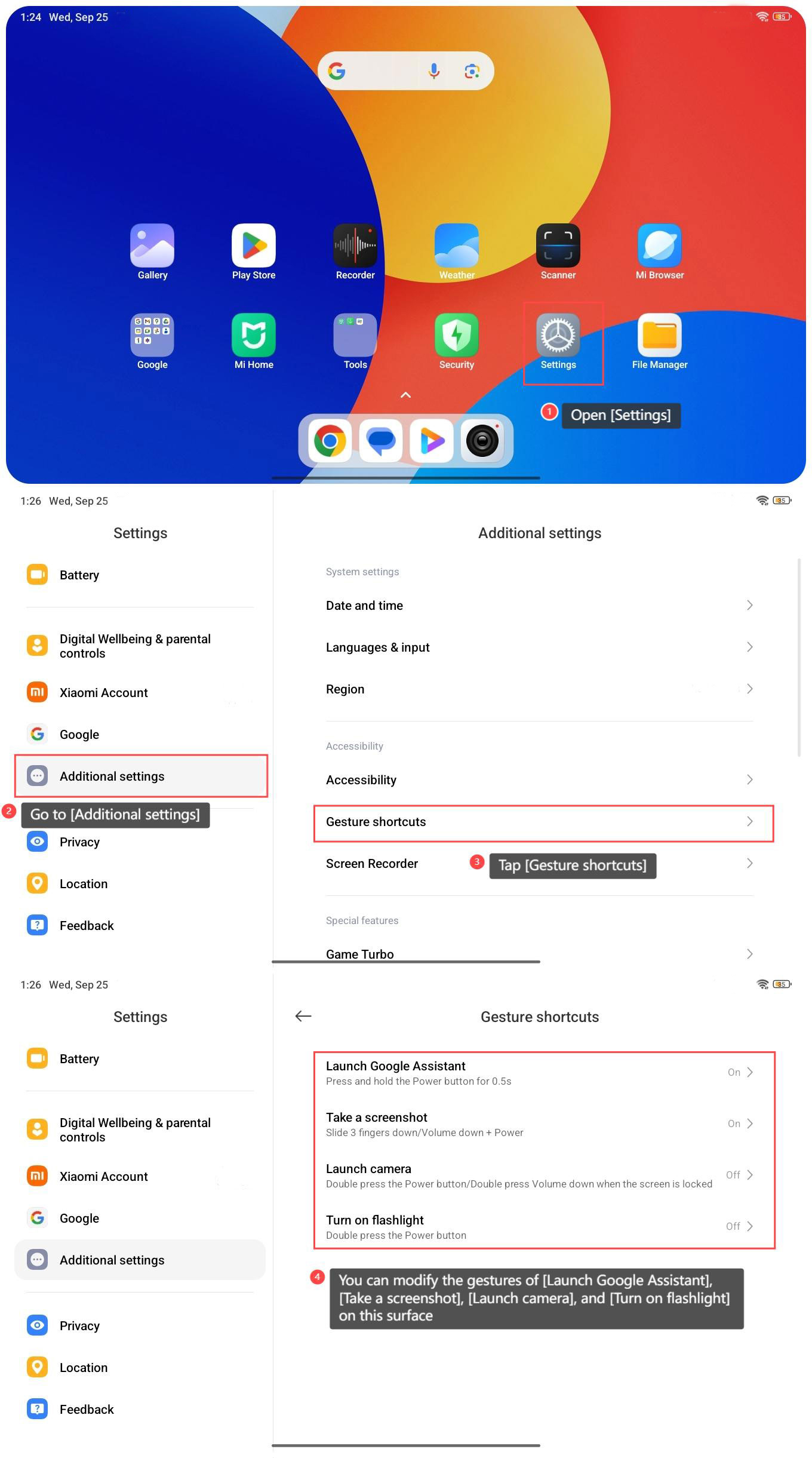
1. Open [Settings];
2. Go to [Additional settings];
3. Tap [Gesture shortcuts];
4. You can modify the gestures of [Launch Google Assistant], [Take a screenshot], [Launch camera], and [Turn on flashlight] on this surface;
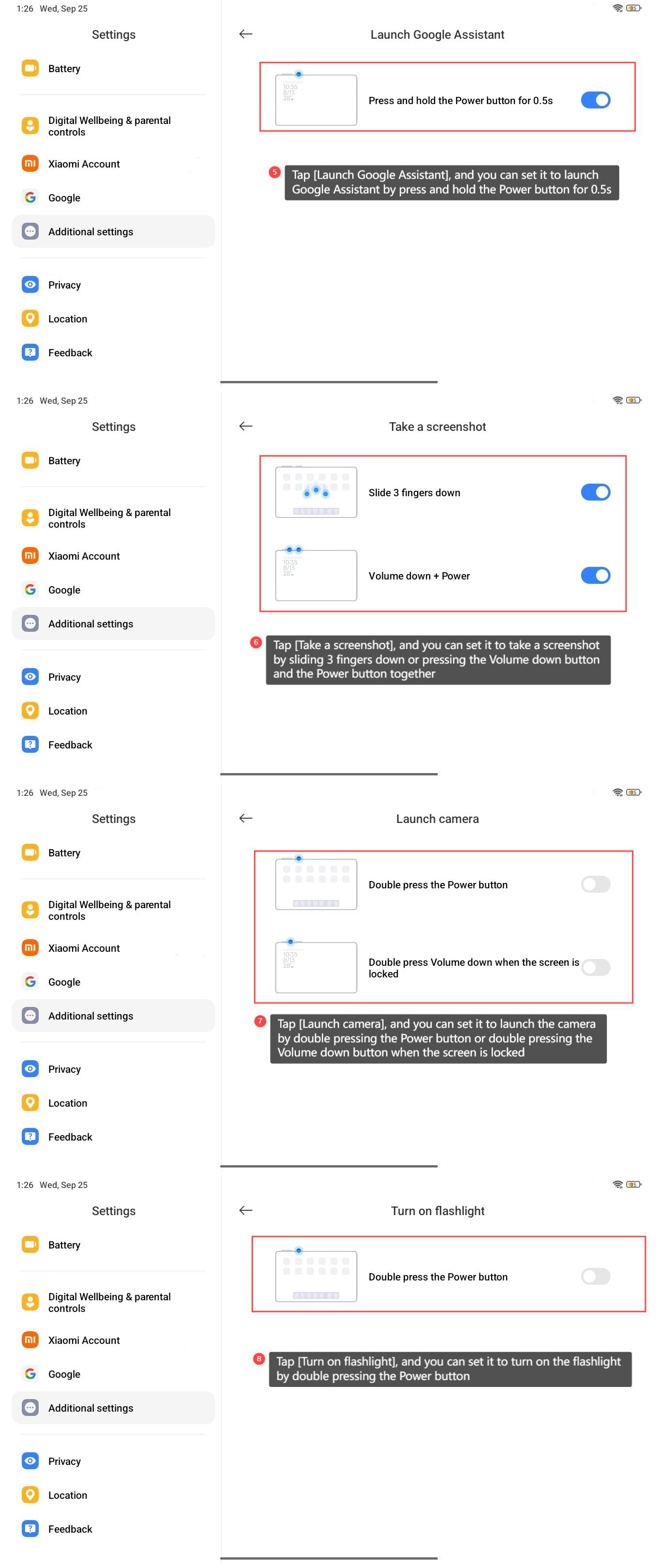
5. Tap [Launch Google Assistant], and you can set it to launch Google Assistant by press and hold the Power button for 0.5s;
6. Tap [Take a screenshot], and you can set it to take a screenshot by sliding 3 fingers down or pressing the Volume down button and the Power button together;
7. Tap [Launch camera], and you can set it to launch the camera by double pressing the Power button or double pressing the Volume down button when the screen is locked;
8. Tap [Turn on flashlight], and you can set it to turn on the flashlight by double pressing the Power button.
Note:
Be careful not to set the same gesture for different functions.
To use the gesture shortcuts on the Redmi Pad SE 8.7, please refer to the following steps:
1. Open [Settings];
2. Go to [Additional settings];
3. Tap [Gesture shortcuts];
4. You can modify the gestures of [Launch Google Assistant], [Take a screenshot], [Launch camera], and [Turn on flashlight] on this surface;
5. Tap [Launch Google Assistant], and you can set it to launch Google Assistant by press and hold the Power button for 0.5s;
6. Tap [Take a screenshot], and you can set it to take a screenshot by sliding 3 fingers down or pressing the Volume down button and the Power button together;
7. Tap [Launch camera], and you can set it to launch the camera by double pressing the Power button or double pressing the Volume down button when the screen is locked;
8. Tap [Turn on flashlight], and you can set it to turn on the flashlight by double pressing the Power button.
Note:
Be careful not to set the same gesture for different functions.
Does it help?
Yes
No