

How to show the connection speed on the Redmi Pad SE 8.7 4G?
The Redmi Pad SE 8.7 4G supports showing the connection speed, which allows you to monitor your internet speed in real time, helping you understand how the connection performs during different activities. Knowing the connection speed helps you choose the best time for activities like streaming or downloading, ensuring a smoother experience. Besides, it will encourage you to optimize the settings or switch networks if speeds are consistently low, improving overall device performance.
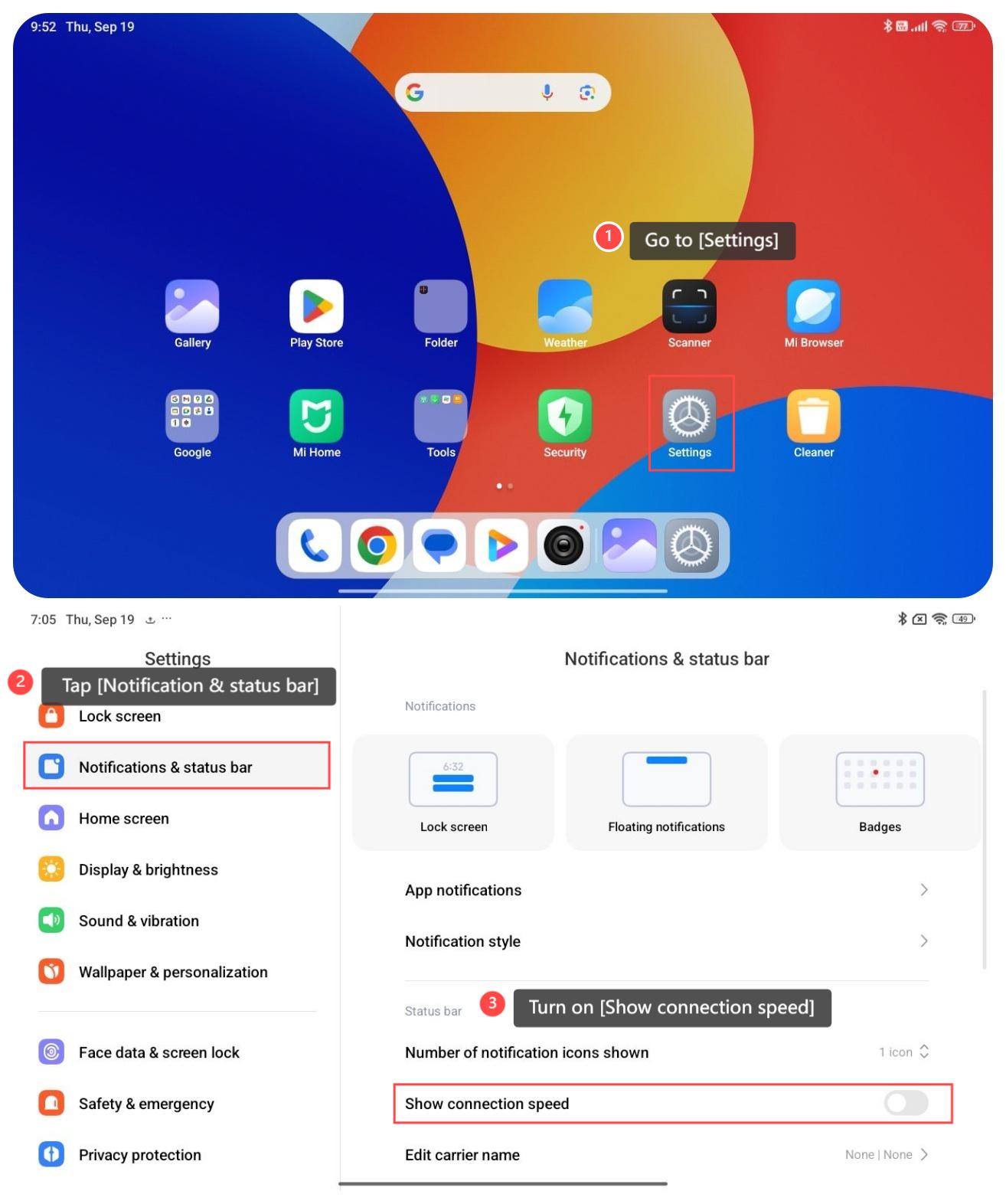
To show the connection speed on your tablet, please refer to the following steps:
1. Go to [Settings];
2. Tap [Notification & status bar];
3. Turn on [Show connection speed].
To show the connection speed on your tablet, please refer to the following steps:
1. Go to [Settings];
2. Tap [Notification & status bar];
3. Turn on [Show connection speed].
Does it help?
Yes
No