

How to check how many times you have opened applications on the Redmi Pad SE 8.7 4G?
The Redmi Pad SE 8.7 4G can track how many times you've opened applications. This feature allows you to monitor app usage patterns, including how often you open specific apps and how much time you spend on them. This information can help you manage your screen time effectively and identify which apps you use most frequently, enabling you to make informed decisions about your usage habits. By analyzing this data, you can prioritize essential apps and limit access to those that can be distracting or unnecessary.
To check how many times you have opened apps on the Redmi Pad SE 8.7 4G, please refer to the following steps:
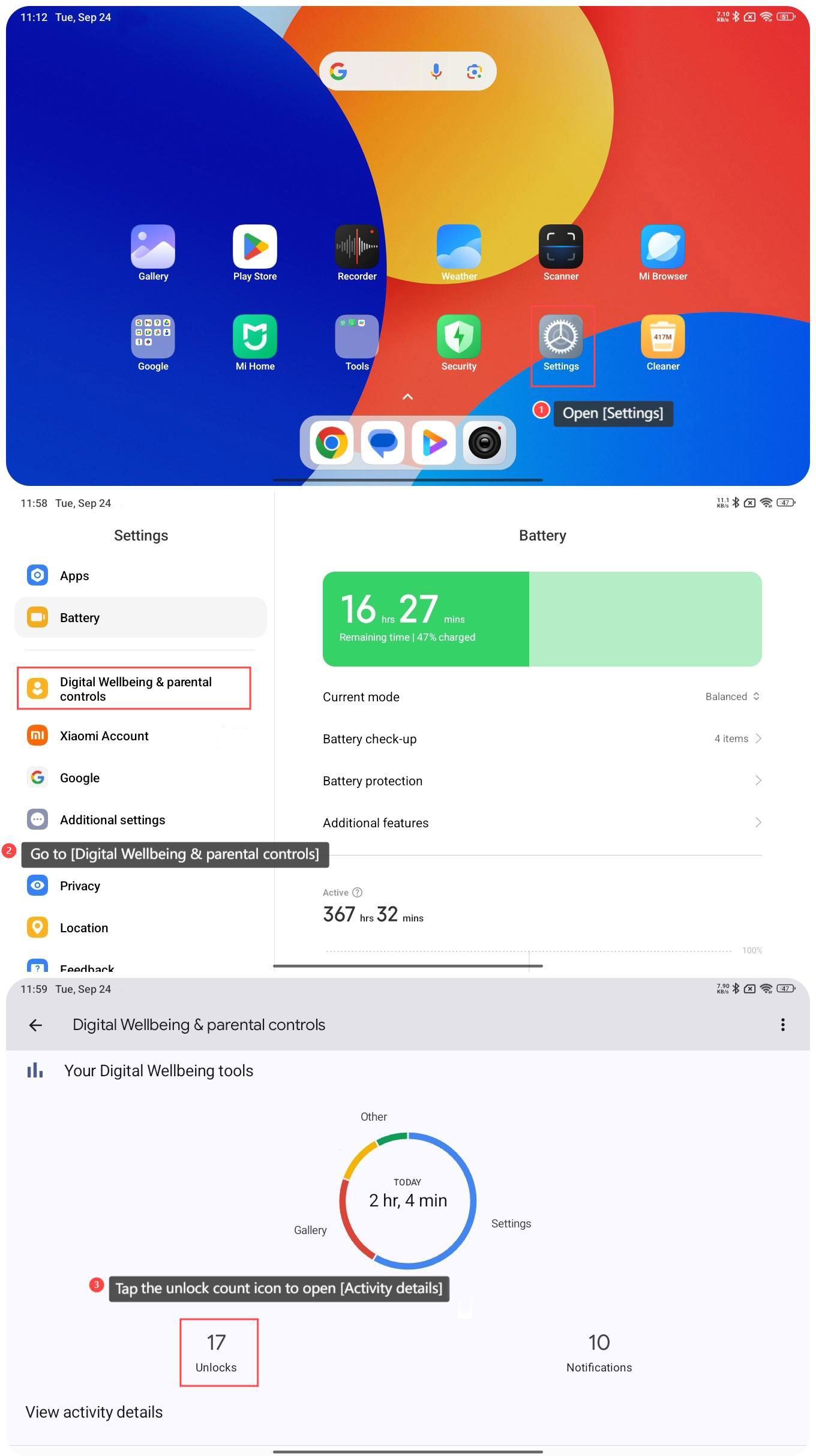
1. Open [Settings];
2. Go to [Digital Wellbeing & parental controls];
3. Tap the unlock count icon to open [Activity details];
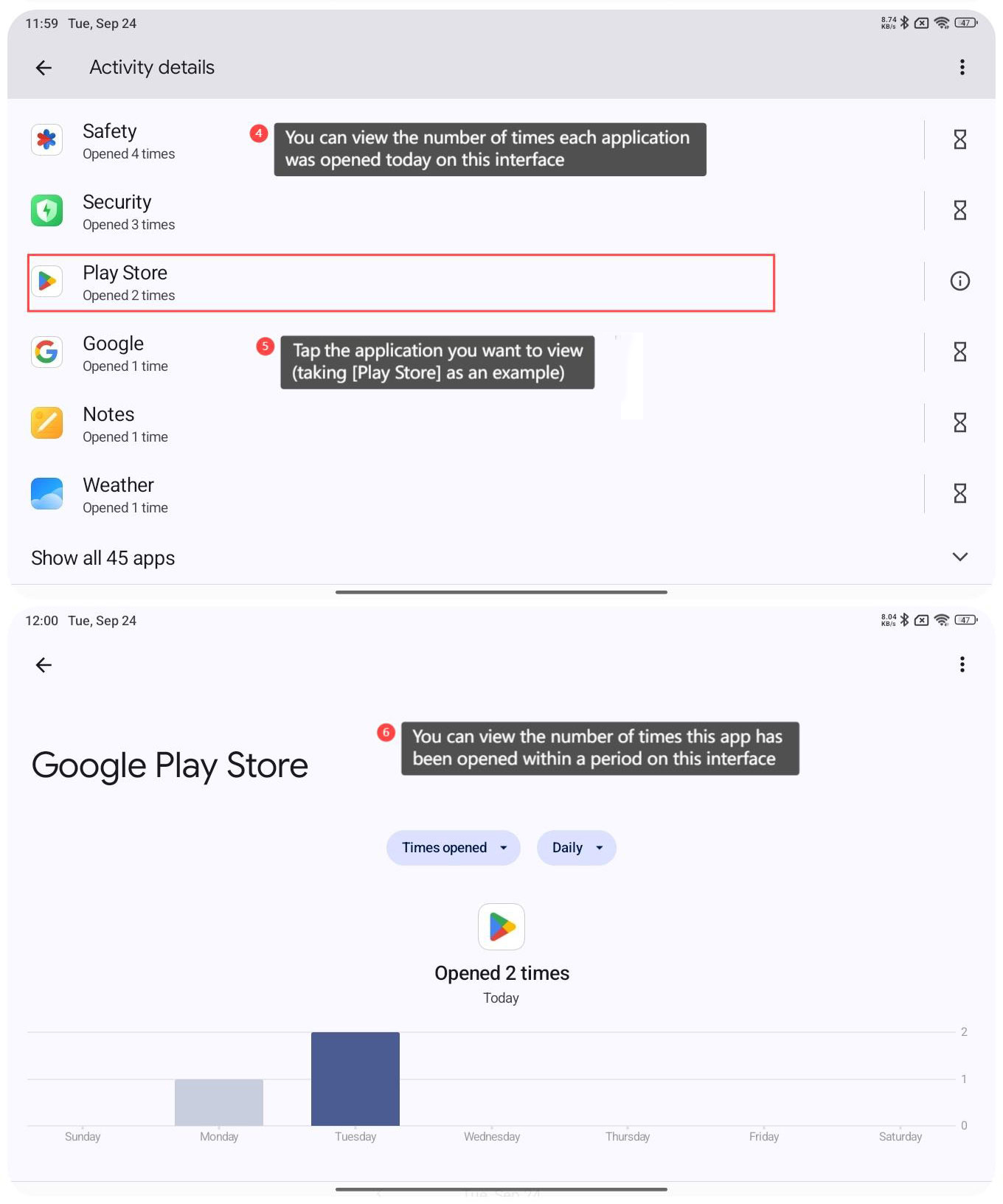
4. You can view the number of times each application was opened today on this interface;
5. Tap on the application you want to view (taking [Play Store] as an example);
6. You can view the number of times this app has been opened within a period on this interface.
To check how many times you have opened apps on the Redmi Pad SE 8.7 4G, please refer to the following steps:
1. Open [Settings];
2. Go to [Digital Wellbeing & parental controls];
3. Tap the unlock count icon to open [Activity details];
4. You can view the number of times each application was opened today on this interface;
5. Tap on the application you want to view (taking [Play Store] as an example);
6. You can view the number of times this app has been opened within a period on this interface.
Does it help?
Yes
No