

How to manage the permissions for apps on the Redmi Pad SE 8.7 4G?
Managing application permissions on the Redmi Pad SE 8.7 4G allows you to control what data and features each app can access. This includes permissions for camera, microphone, location, storage, and contacts, among others. By reviewing and adjusting these permissions in the settings, you can enhance your privacy and security by ensuring that apps only access the information necessary for their functionality.
To manage the permissions for apps on the Redmi Pad SE 8.7 4G, please refer to the following methods:
Method 1:
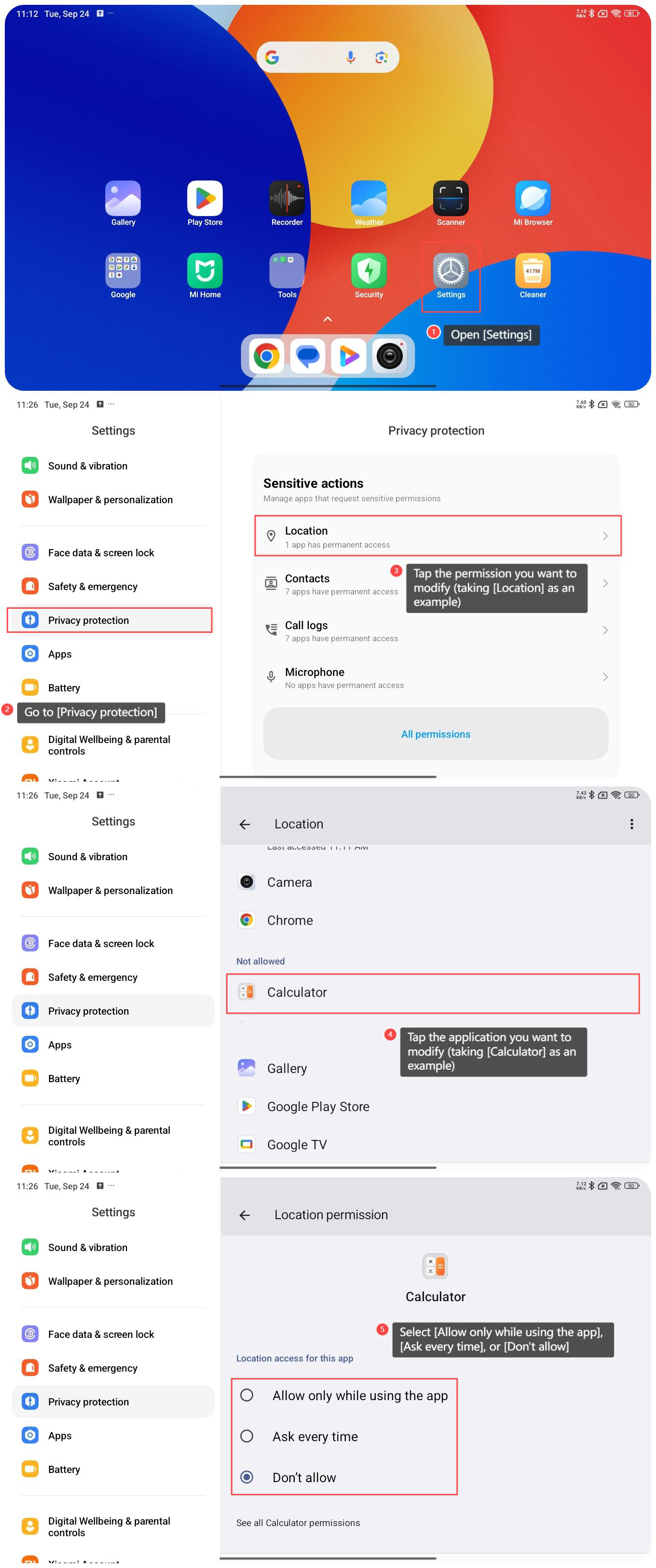
1. Open [Settings];
2. Go to [Privacy protection];
3. Tap the permission you want to modify (taking [Location] as an example);
4. Tap the application you want to modify (taking [Calculator] as an example);
5. Select [Allow only while using the app], [Ask every time], or [Don’t allow].
To manage the permissions for apps on the Redmi Pad SE 8.7 4G, please refer to the following methods:
Method 1:
1. Open [Settings];
2. Go to [Privacy protection];
3. Tap the permission you want to modify (taking [Location] as an example);
4. Tap the application you want to modify (taking [Calculator] as an example);
5. Select [Allow only while using the app], [Ask every time], or [Don’t allow].
Method 2:
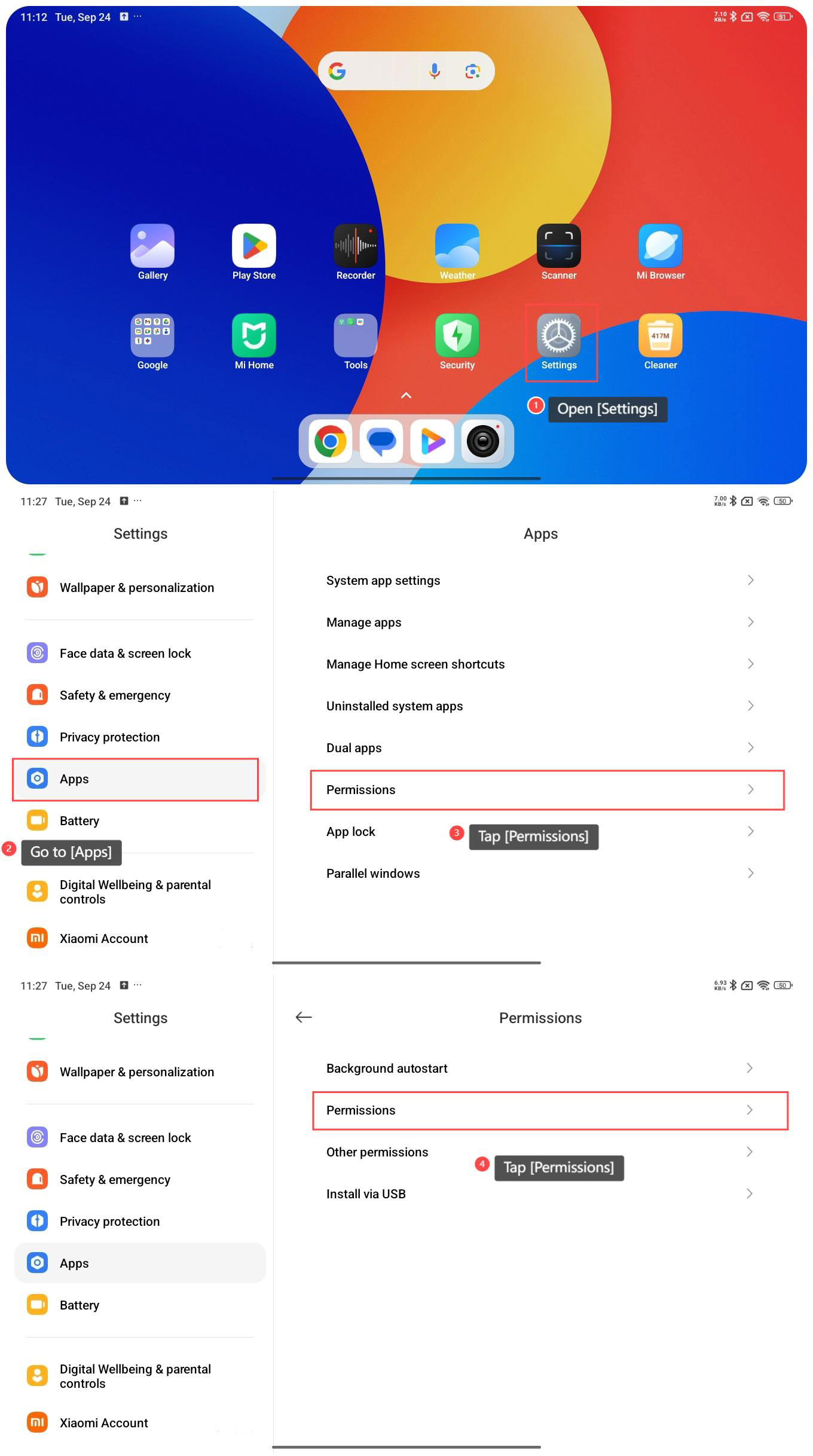
1. Open [Settings];
2. Go to [Apps];
3. Tap [Permissions];
4. Tap [Permissions];
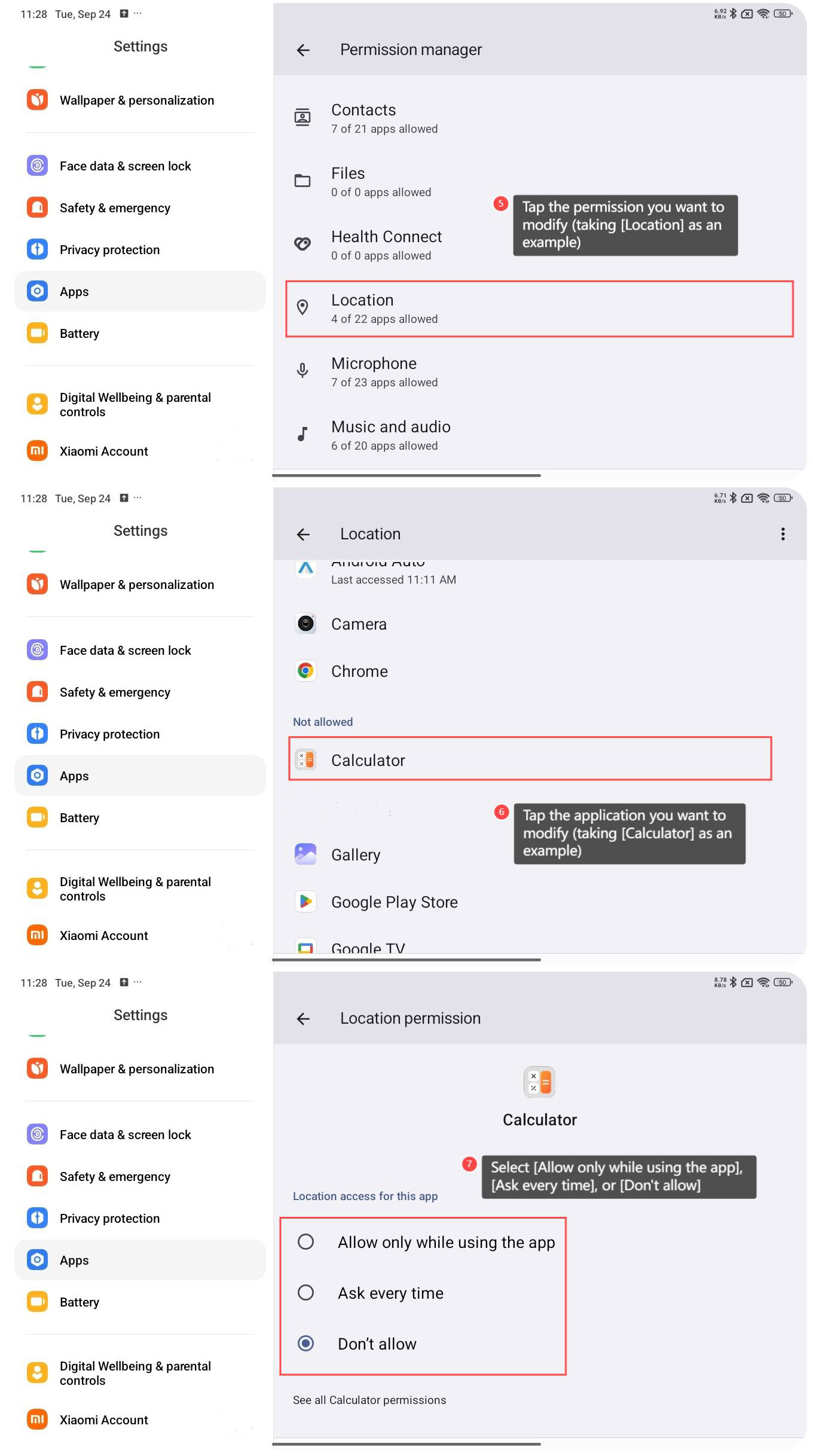
5. Tap the permission you want to modify (taking [Location] as an example);
6. Tap the application you want to modify (taking [Calculator] as an example);
7. Select [Allow only while using the app], [Ask every time], or [Don’t allow].
Does it help?
Yes
No