

How to bind the Redmi Watch 5 Active after changing the new phone?
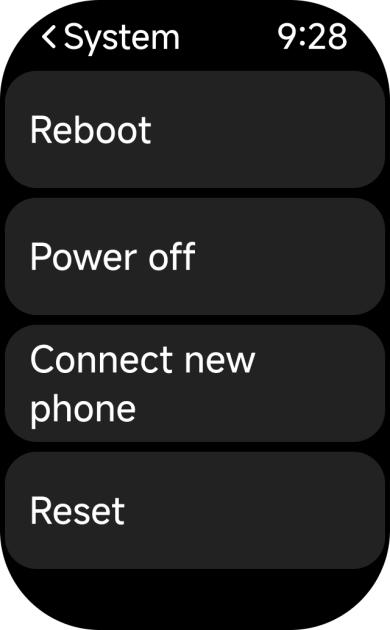
To bind the Redmi Watch 5 Active to a new phone, open the [Mi Fitness] APP on the new phone and tap [Add device]. On the watch, go to [Settings] >> [System] and select [Connect new phone].
Note:
Personal data bound without changing account will not be lost. If it is changed to a new account, the watch will return to the factory settings and the unsynchronized data will be cleared.
Personal data bound without changing account will not be lost. If it is changed to a new account, the watch will return to the factory settings and the unsynchronized data will be cleared.
Does it help?
Yes
No