

How to configure a voice assistant on the Xiaomi TV A Pro 55 2025?
The Xiaomi TV A Pro 55 2025 supports voice assistant, which can help you control the TV through your voice commands, making it easier to change channels, adjust volume, or search for content.
To configure the voice assistant, please refer to the following steps:
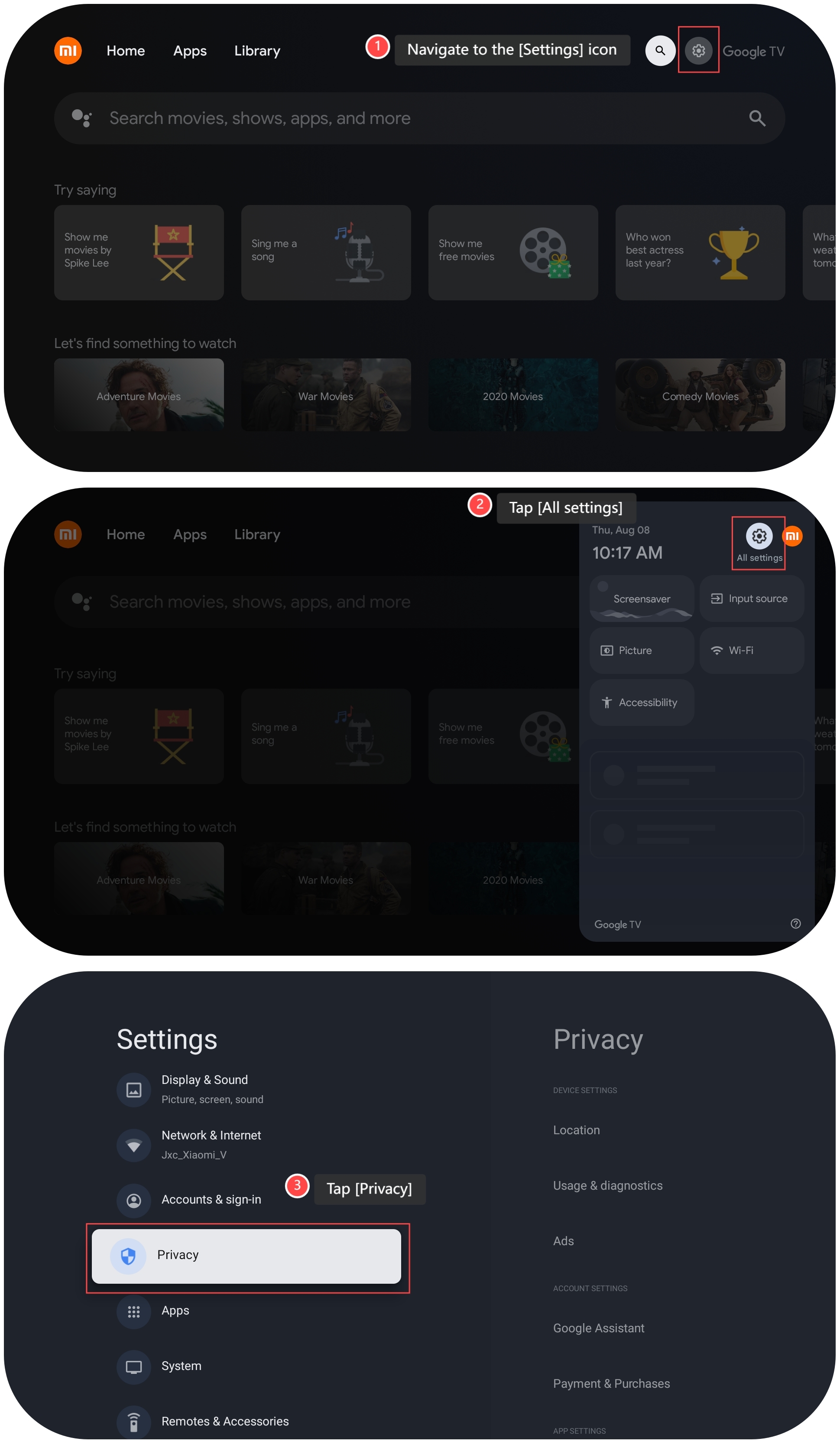
1. Navigate to the [Settings] icon;
2. Tap [All settings];
3. Tap [Privacy];
To configure the voice assistant, please refer to the following steps:
1. Navigate to the [Settings] icon;
2. Tap [All settings];
3. Tap [Privacy];
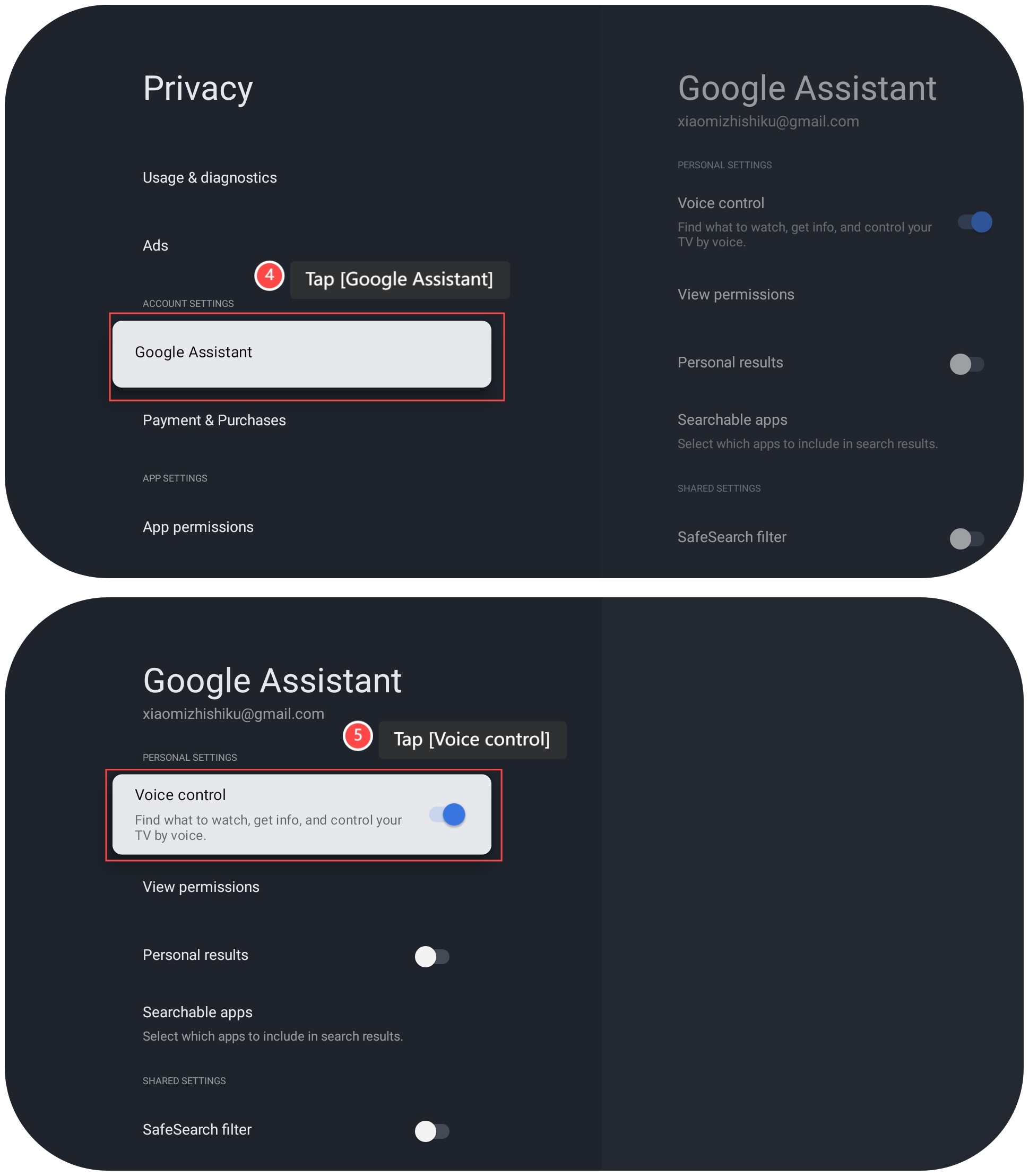
4. Tap [Google Assistant];
5. Tap [Voice control], and you can control the TV through your voice commands.
5. Tap [Voice control], and you can control the TV through your voice commands.
Does it help?
Yes
No