

How to connect the Xiaomi TV A 43 2025 to a wireless network?
The Xiaomi TV A 43 2025 supports wired and wireless networks to access online content and streaming services. If you prioritize convenience, flexibility, and ease of setup, a wireless connection is generally preferred.
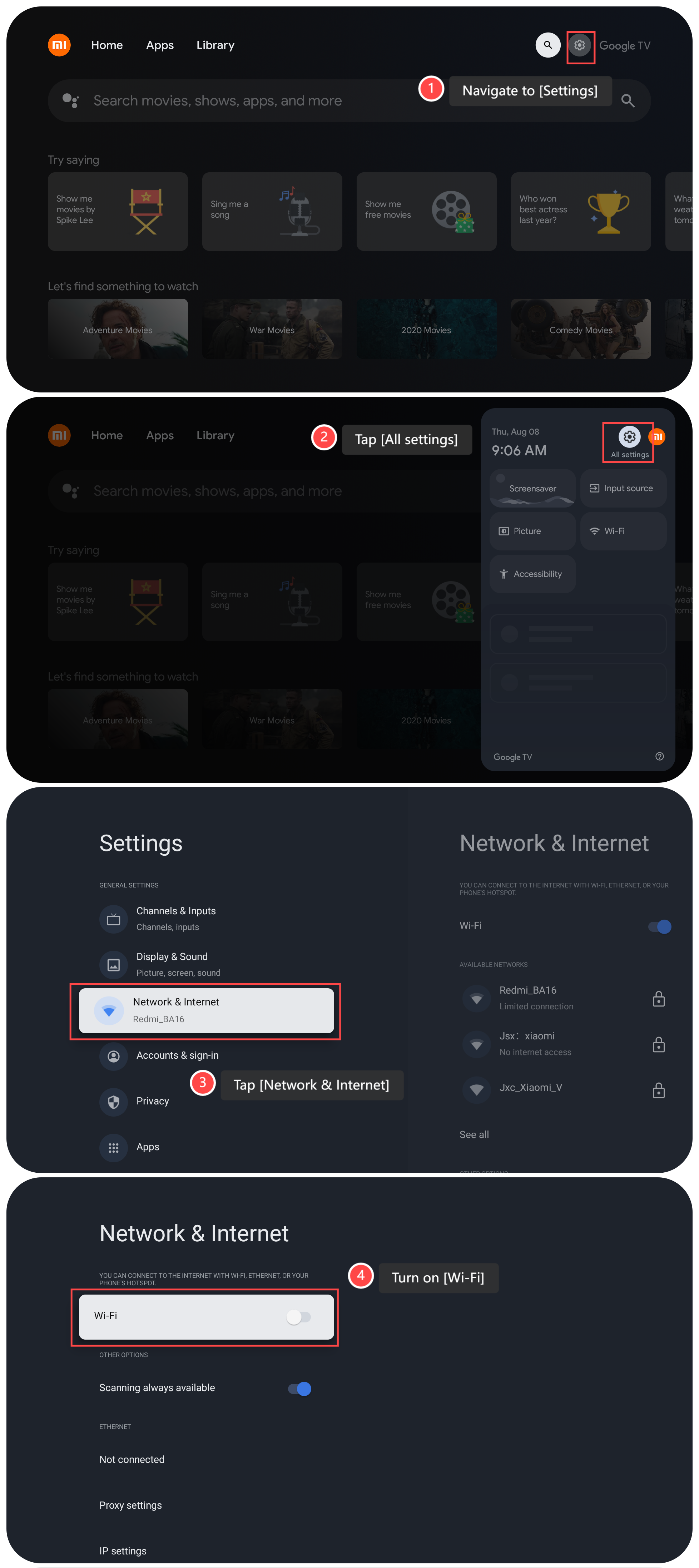
To connect your TV to a wireless network, please refer to the following steps:
1. Navigate to [Settings];
2. Tap [All settings];
3. Tap [Network & Internet];
4. Turn on [Wi-Fi] on this interface;
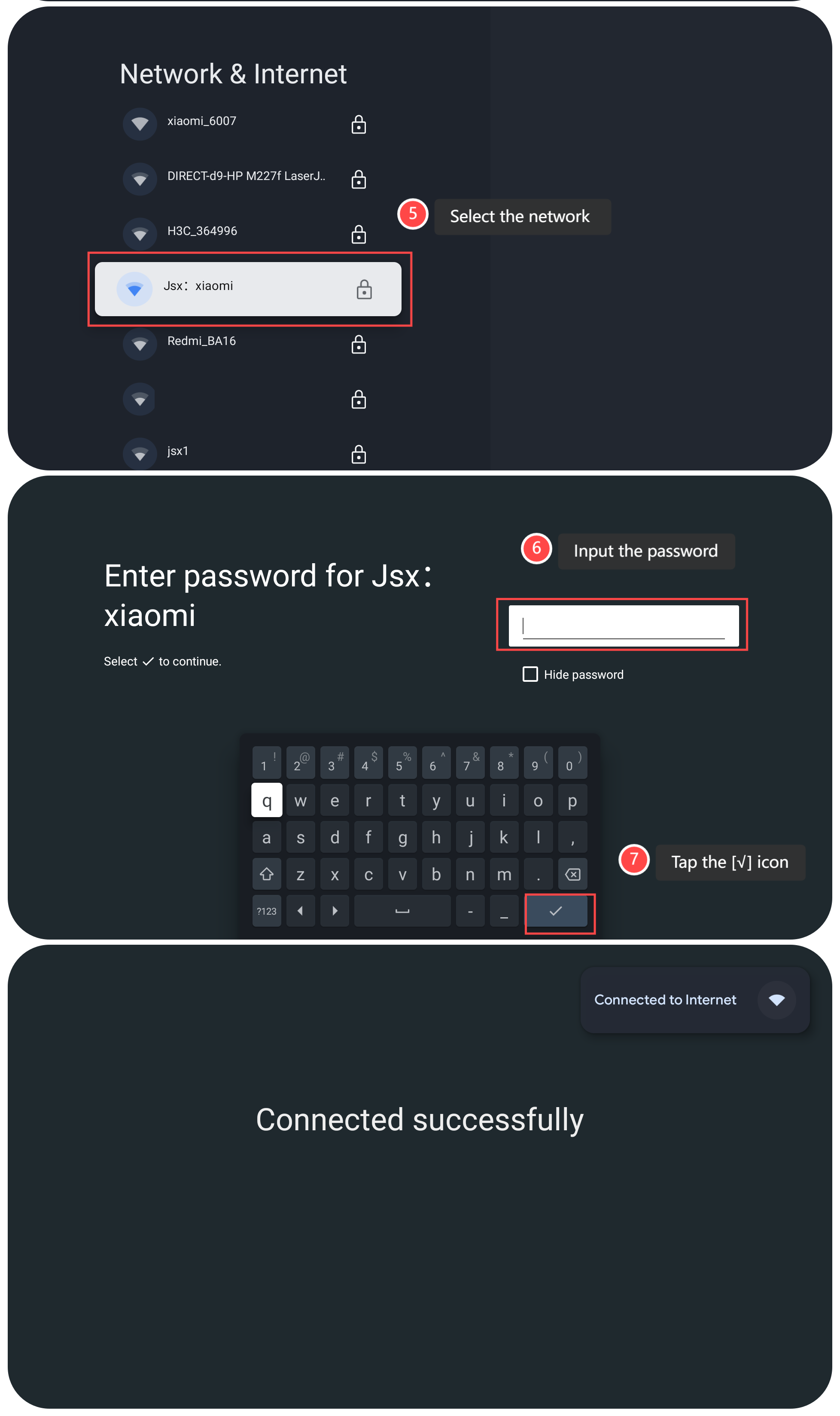
5. Then your TV displays a list of available wireless networks. Select the network you want to connect to;
6. Use your remote control to input the password for the selected Wi-Fi network;
7. Confirm the password by tapping the [√] icon on the keyboard;
8. Once the correct password is entered, you will see a confirmation message indicating that your TV has successfully connected to the chosen Wi-Fi network;
9. To confirm the successful connection, try accessing any online features like streaming APPs or browsing the network through the TV's browser.
Note:
The recommended bit rates of the video stream are shown below:
1. The 4K UHD video stream requires 10Mbps;
2. The 2K video stream requires 5Mbps;
3. The 720p video stream requires 10Mbps.
To connect your TV to a wireless network, please refer to the following steps:
1. Navigate to [Settings];
2. Tap [All settings];
3. Tap [Network & Internet];
4. Turn on [Wi-Fi] on this interface;
5. Then your TV displays a list of available wireless networks. Select the network you want to connect to;
6. Use your remote control to input the password for the selected Wi-Fi network;
7. Confirm the password by tapping the [√] icon on the keyboard;
8. Once the correct password is entered, you will see a confirmation message indicating that your TV has successfully connected to the chosen Wi-Fi network;
9. To confirm the successful connection, try accessing any online features like streaming APPs or browsing the network through the TV's browser.
Note:
The recommended bit rates of the video stream are shown below:
1. The 4K UHD video stream requires 10Mbps;
2. The 2K video stream requires 5Mbps;
3. The 720p video stream requires 10Mbps.
Does it help?
Yes
No