

How to use the AI Magic Erase Pro on the POCO F6?
The AI Magic Erase Pro on the POCO F6 is designed to help you remove unwanted elements from your photos seamlessly using artificial intelligence. It automatically identifies and removes objects or imperfections, making it easier to optimize your images without needing advanced editing skills.
To use the AI Magic Erase Pro on your phone, please refer to the following steps:
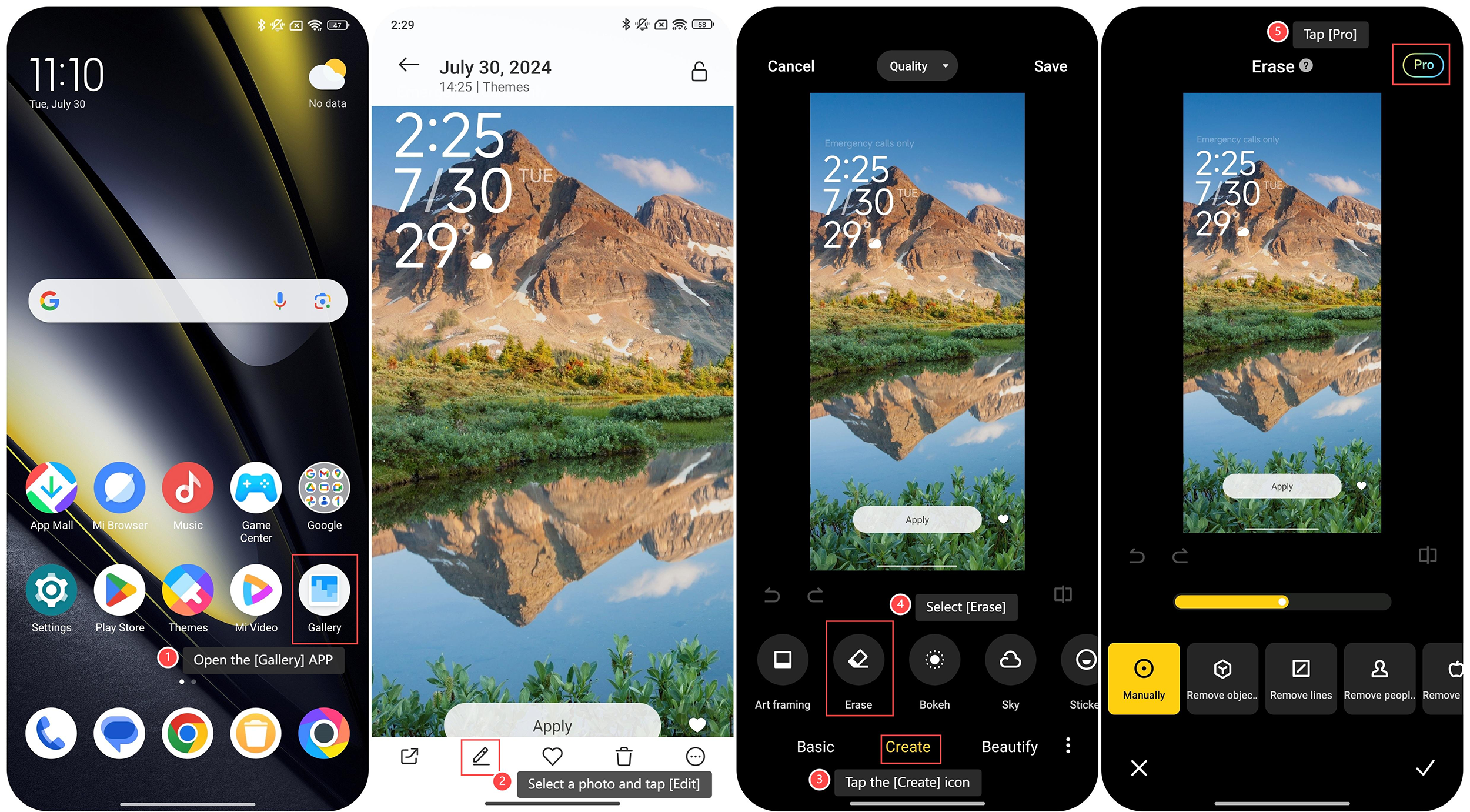
1. Open the [Gallery] APP on your phone;
2. Select a photo and tap [Edit];
3. Tap the [Create] icon;
4. Select [Erase];
5. Tap [Pro] at the upper right corner;
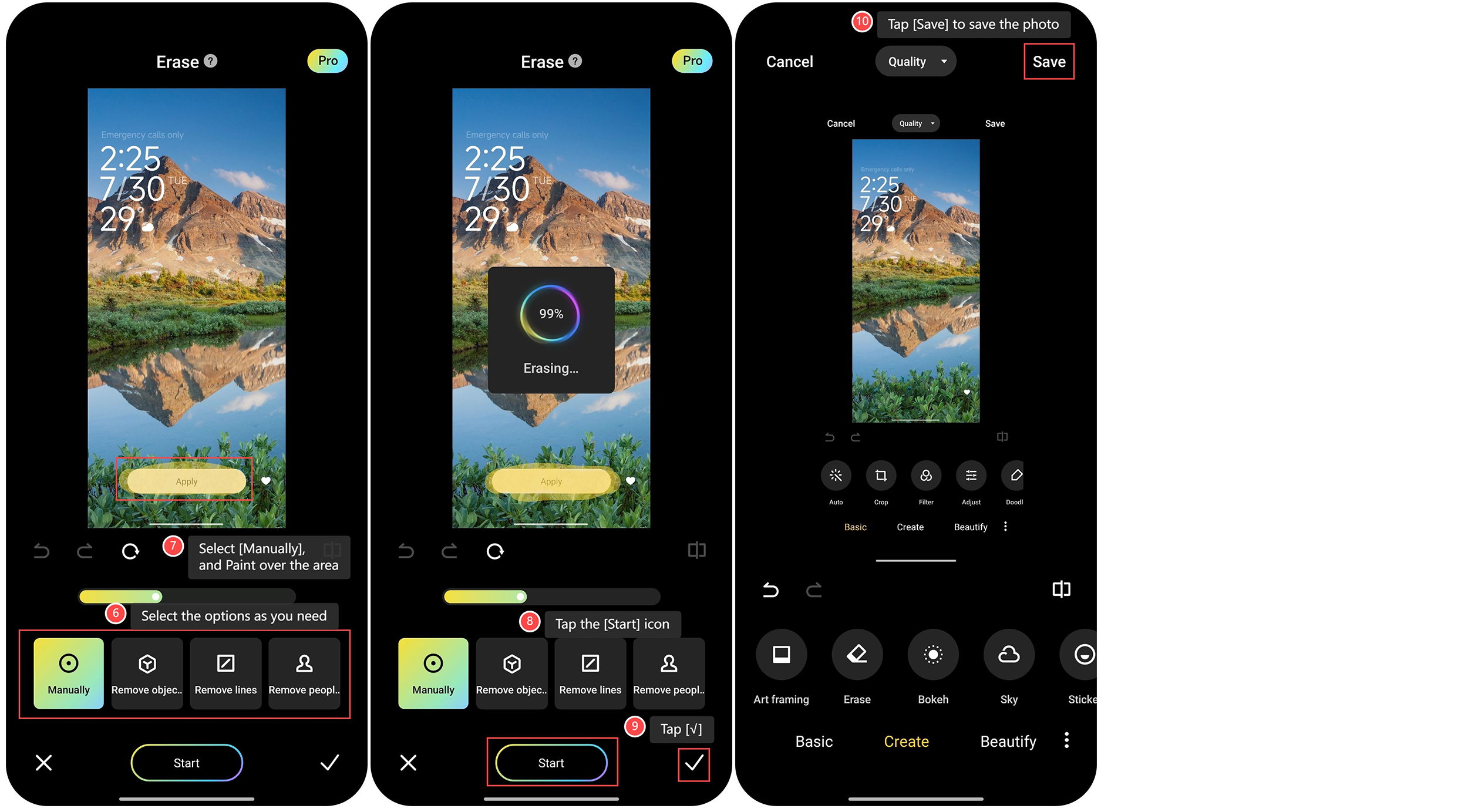
6. Select the options [Manually], [Remove objects], [Remove lines], or [Remove people] as you need;
7. For example, select [Manually] and paint over the area you want to remove from the image;
8. Tap the [Start] icon, the screen will show that the erasing is in process;
9. After the erasing is completed, tap [√];
10. Tap [Save] to save the photo.
To use the AI Magic Erase Pro on your phone, please refer to the following steps:
1. Open the [Gallery] APP on your phone;
2. Select a photo and tap [Edit];
3. Tap the [Create] icon;
4. Select [Erase];
5. Tap [Pro] at the upper right corner;
6. Select the options [Manually], [Remove objects], [Remove lines], or [Remove people] as you need;
7. For example, select [Manually] and paint over the area you want to remove from the image;
8. Tap the [Start] icon, the screen will show that the erasing is in process;
9. After the erasing is completed, tap [√];
10. Tap [Save] to save the photo.
Does it help?
Yes
No