

How to use Xiaomi Interconnectivity on the POCO F6?
Xiaomi Interconnectivity is an ecosystem service of Xiaomi, which aims to seamlessly connect Xiaomi products to achieve interoperability and collaboration between devices. It can discover nearby devices signed in to your Xiaomi Account and add them to Xiaomi Smart Hub.
By Xiaomi Interconnectivity, your phone can implement the following functions:
1. Allow nearby tablets and computers to view and interact with this device’s Home screen;
2. Paste text and images to other devices within 2 minutes after copying them on this device;
3. Show notifications on nearby tablets or computers in use when this device is locked;
4. Allow nearby tablets and computers signed in to your account to turn on and connect to this device’s hotspot automatically.
To use this function, you can refer to the following steps:
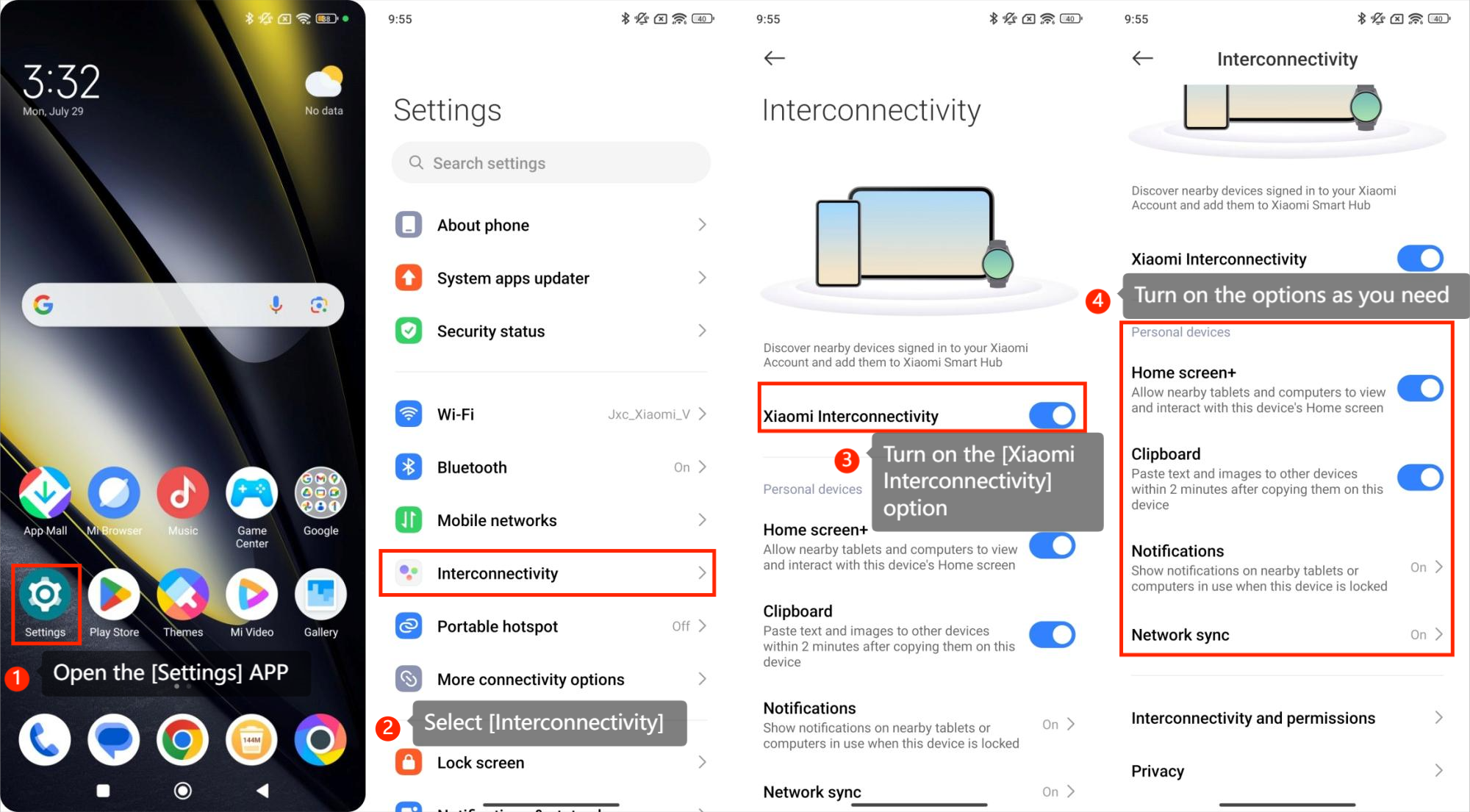
1. Open the [Settings] APP;
2. Select [Interconnectivity];
3. Turn on the [Xiaomi Interconnectivity] option;
4. Turn on the options as you need.
By Xiaomi Interconnectivity, your phone can implement the following functions:
1. Allow nearby tablets and computers to view and interact with this device’s Home screen;
2. Paste text and images to other devices within 2 minutes after copying them on this device;
3. Show notifications on nearby tablets or computers in use when this device is locked;
4. Allow nearby tablets and computers signed in to your account to turn on and connect to this device’s hotspot automatically.
To use this function, you can refer to the following steps:
1. Open the [Settings] APP;
2. Select [Interconnectivity];
3. Turn on the [Xiaomi Interconnectivity] option;
4. Turn on the options as you need.
Does it help?
Yes
No